Build a Travel Website with Destination Guides and Itineraries Using Themify
A travel blog, destination guide, tour operator website and booking marketplace need different information structures. A travel blog may focus on articles and photography. A tour operator needs trips, dates, inclusions and enquiry paths. A booking marketplace may require inventory, availability and payment integrations beyond a visual page builder.
Map destinations and itineraries
Plan the main navigation around how visitors think: destinations, travel styles, trip length, seasons or experiences. Create consistent destination pages with transport notes, suggested duration, highlights and links to related itineraries. Keep time-sensitive travel information dated and verify it before publishing.
Use structured records for repeatable trips
If the site contains many tours or itineraries, consider a custom post type rather than manually duplicating pages. Themify Post Type Builder can create custom post types, taxonomies and custom fields. A trip record might include duration, destination, activity level and meeting point. Read the PTB documentation before defining the data.
Design destination and trip layouts
Themify Builder can create visual pages with image galleries, text, maps, buttons, sliders and other modules. Builder Pro can apply reusable templates to custom post types and display dynamic fields. This lets every itinerary use the same structure while its own data changes.
Separate content from booking functionality
A well-designed itinerary page is not the same as a live booking engine. For reservations, availability, cancellations, deposits and payment processing, choose a booking solution that supports the operator’s exact workflow. Link to it clearly and test the customer journey end to end.
Make practical information easy to find
Add meeting locations, inclusions, exclusions, cancellation terms, physical requirements and contact details. Use clear headings and avoid burying important conditions in long paragraphs. For international visitors, explain units, currencies and time zones.
Optimize imagery and mobile browsing
Travel websites depend on visual storytelling, but large photographs can slow the page. Resize images for their display dimensions, compress them and write meaningful alt text. Test maps, galleries and itinerary tables on phones.
Keep the information current
Destinations may change access rules, opening hours, transport options and safety guidance. Set a review schedule and display update dates when details can change. Add a process for users or local partners to report corrections.
Official Themify resources
Conclusion
WordPress and Themify can provide a flexible foundation for destination content and structured itinerary pages. Add a dedicated booking system only when the project needs live availability and transactions. Build around accurate travel information and make the next step obvious.
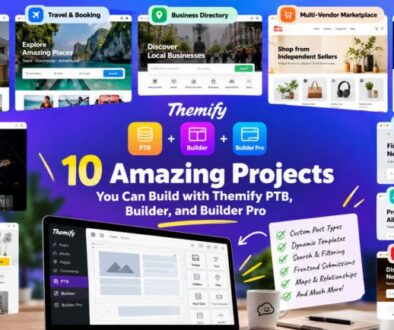
Travel website homepage featuring destination cards and itinerary details. ALT: Travel website homepage featuring destination cards, itinerary details and destination photography.