WordPress Website Design Trends for 2027: Build for Clarity, Speed and Trust
Explore practical WordPress design priorities for 2027, from accessible layouts and mobile-first navigation to performance, content clarity and maintainable templates.
Start with useful design, not decoration
A modern website should help visitors understand what you offer, trust your business and take the next step. For 2027 planning, focus less on short-lived visual effects and more on clarity, accessibility, and performance. A beautiful homepage cannot compensate for unclear navigation or a slow mobile experience.
Use a repeatable visual system
Choose a small set of type sizes, colours, spacing rules, buttons and image treatments. Apply them consistently to service pages, articles and landing pages. This makes the site easier to maintain when several people publish content. Themify Builder’s styling controls and Global Style options can help apply consistent module design across layouts. See the Themify Builder feature overview.
Design mobile layouts intentionally
Do not simply shrink the desktop page. Review the order of sections, tap target sizes, heading length, image crops and form usability on a phone. Keep the primary call to action visible without forcing visitors to scroll through several decorative sections. Builder provides responsive styling for desktop, tablet and mobile; use those controls to refine spacing and layout at each size.
Make accessibility part of the design brief
Use semantic headings in a logical order, descriptive link text, sufficient colour contrast, keyboard-friendly navigation and meaningful image alternative text. Avoid using colour alone to communicate status. Test menus and forms without a mouse. Accessibility is not an optional visual polish step; it affects whether people can use the site at all.
Treat performance as a design constraint
Large hero images, autoplay media and excessive animation can make a page feel heavy. Resize and compress images, avoid unnecessary scripts, and test real pages rather than relying only on a theme demo. The Themify theme catalogue includes options such as Ultra for multipurpose sites and Shoppe for WooCommerce projects; choose according to your content and commerce needs, not a generic speed promise.
Build reusable sections and templates
Create common sections for testimonials, service highlights, pricing explanations and calls to action. For sites needing custom headers, footers, post layouts or archives, Builder Pro can create templates and assign them using display conditions. Read the Builder Pro documentation before planning the template structure.
A practical 2027 checklist
Before redesigning, identify the main audience and conversion goal. Audit navigation, mobile usability, accessibility, image weight and key landing pages. Then create a small design system and test improvements with real users. A well-structured site is easier to evolve than a collection of unrelated page designs.
Conclusion
WordPress design in 2027 should balance personality with usability. Start with clear information, accessible components and measurable performance goals. Themify Builder can support the visual layout work, while a thoughtful content and testing process keeps the site useful long after launch. Explore the Themify theme collection and choose a foundation that matches your project.
Official Themify resources
Suggested featured image
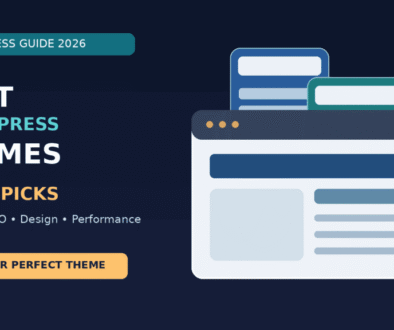
Responsive WordPress website design system showing mobile and desktop layouts.
Image alt text: Modern responsive WordPress business website layout displayed on desktop and mobile screens
Explore Themify: Visit Themify to review current themes, plugins and documentation before choosing products for your project.