

















AI Didn’t Replace WordPress. It Exposed What WordPress Actually Does
AI didn’t replace WordPress. It exposed how many people misunderstood what WordPress actually does.
The rise of AI coding assistants and AI website generators has triggered a familiar prediction: traditional content management systems are finished, and the future belongs to websites generated from a prompt. The argument sounds convincing at first. Describe a business, choose a visual direction, and an AI tool can produce a polished webpage in minutes or hours.
But this prediction often makes a fundamental mistake. It confuses building a webpage with running a real website.
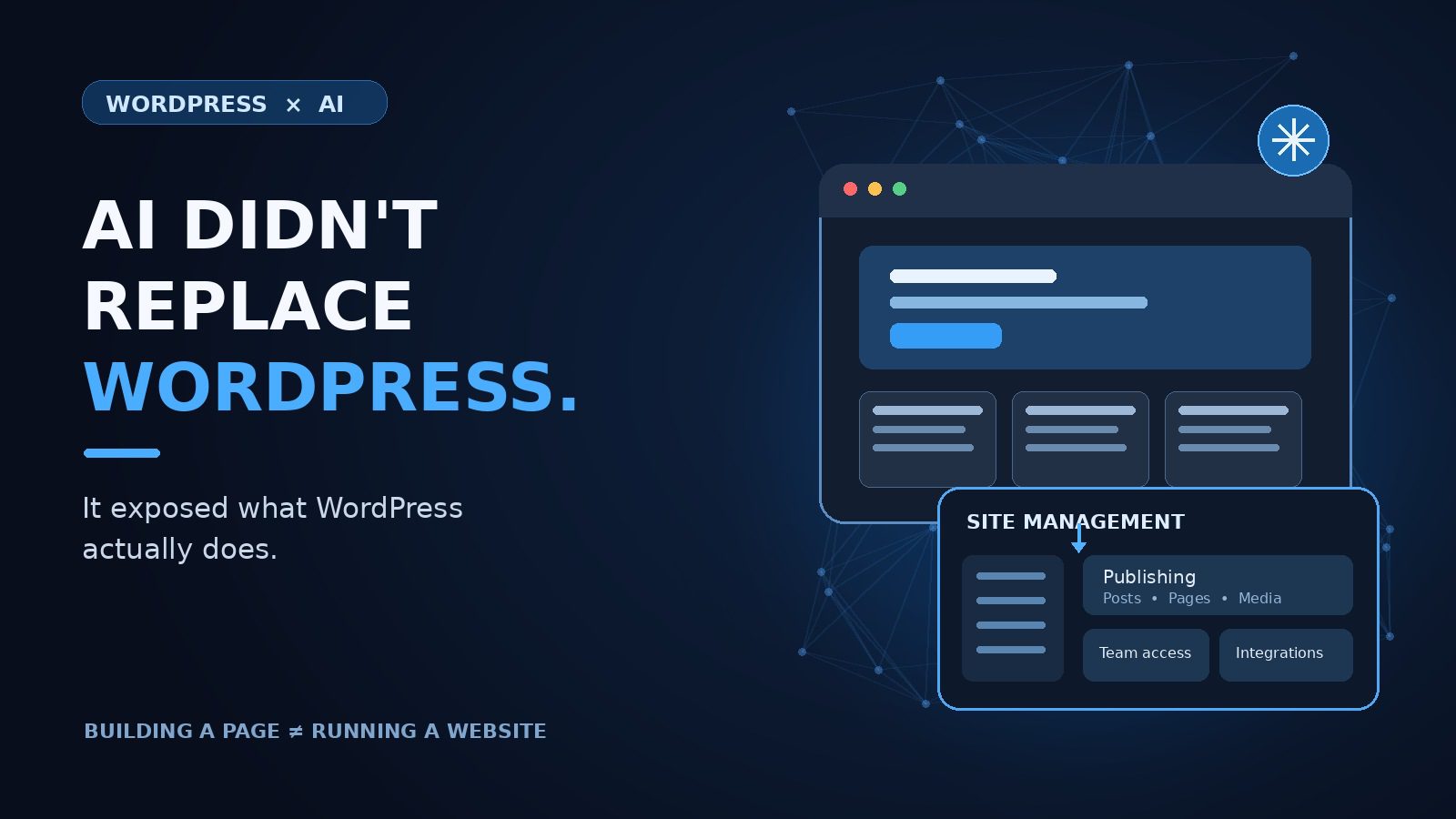
A webpage is an output. A business website is an operating system for publishing content, managing information, supporting people, connecting services and making changes safely over time. Those are related jobs, but they are not the same job.
AI has made building a webpage dramatically easier
Let’s give AI its credit. Modern coding assistants can generate layouts, write HTML and CSS, create React components, suggest database structures and help developers move from an idea to a working prototype much faster than before.
For a simple landing page, a campaign microsite or a temporary project, an AI-generated implementation may be all a business needs. A developer who understands the code can inspect it, deploy it and maintain it. In these situations, choosing a lightweight custom build can be a sensible decision.
The problem begins when a prototype is treated as a complete website solution without asking who will operate it after launch.
A real website has a life after launch
Imagine a small company that asks an AI tool to create a professional website. The homepage looks excellent. The service pages are neatly arranged. The colours, typography and mobile layout are impressive.
Now hand the website to the business owner. They do not want to open a code editor, understand a component hierarchy or ask a developer to change every paragraph. They simply want to operate their website.
Within a few weeks, ordinary requests begin to arrive:
- Publish a blog post: The marketing manager wants to publish an article, add a featured image, assign a category and schedule it for next week.
- Update a service page: A team member needs to change a price, replace an image or update a paragraph without accidentally breaking the page layout.
- Add a contact form: The company wants submissions delivered to the right inbox, with spam protection and a clear confirmation message.
- Install tracking: The marketing team needs analytics, advertising pixels, conversion events or a tag-management integration.
- Manage multiple contributors: Writers, editors, marketers and administrators need different levels of access.
- Change the design consistently: The company wants to update the header, footer, colours or typography without manually editing every page.
- Hand over the website: A new developer or agency must understand the project, access its content and continue working without depending on the original creator.
These are not unusual enterprise requirements. They are everyday website-management tasks. A solution that handles the initial design beautifully but makes these activities difficult has not solved the entire problem.
The difference between a website and a content management system
A content management system (CMS) is not simply a tool for displaying pages. It provides a structured way to create, organise, edit, review and publish information. It separates content from at least some of the presentation and technical implementation, allowing people to work on a website without having to understand every line of code.
This is where WordPress has a different job from a one-shot AI page generator. WordPress provides a publishing workflow and an administrative environment around the website. Its value is not limited to the page visitors see.
What WordPress provides beyond the visual design
1. A dashboard that non-technical teams can use
WordPress gives authorised users an administrative dashboard for managing posts, pages, media, comments and settings. A content editor can work on an article while a developer handles technical changes. The business does not need every contributor to work directly in the source code.
This separation matters. The person responsible for the content should be able to update the content without becoming responsible for the underlying implementation.
2. Publishing workflows and structured content
A growing website needs more than static pages. It may publish articles, case studies, product information, documentation, events or team profiles. WordPress supports posts, pages, categories, tags and custom post types, giving teams a way to organise different kinds of information.
Drafts, previews, scheduled publishing, revisions and editorial roles help turn publishing into a repeatable process. Instead of asking a developer to deploy a new page for every update, a team can work through the CMS.
3. Roles and permissions
Not everyone should have the same level of control. A writer may need to create and edit their own posts. An editor may review and publish content. An administrator may manage users, plugins and site-wide settings.
WordPress has a role and capability system that helps separate these responsibilities. A custom AI-generated application can implement an equivalent system, but it must be deliberately designed, tested and maintained. It does not appear automatically just because the page looks finished.
4. A broad integration ecosystem
Business websites rarely work in isolation. They connect to email marketing platforms, customer relationship management systems, payment providers, analytics tools, search tools, booking services, forms, shipping services and many other applications.
WordPress has an extensive plugin and integration ecosystem that can reduce the amount of custom development required. That ecosystem is not a guarantee that every plugin is safe or suitable: compatibility, maintenance, performance, security and vendor quality still need to be evaluated. But it gives businesses and developers a large set of established building blocks.
5. Reusable design and site-wide control
A business may have dozens or hundreds of pages. It needs a consistent header, footer, navigation, typography, colour palette and reusable content patterns. WordPress themes, site-wide settings, template systems and page builders can help manage these elements centrally.
Without reusable structures, a seemingly small design update can turn into a search for duplicated markup across the entire project. A well-designed CMS setup makes consistency easier to maintain.
6. Long-term ownership and handover
Websites outlive the people who build them. Employees leave, agencies change, contractors move on and businesses grow. The next team needs access to content, media, configuration, documentation, hosting and deployment processes.
A WordPress site is not automatically easy to hand over; poor plugin choices, undocumented custom code and weak maintenance can create serious problems. However, a conventional CMS structure can make content and routine administration more accessible to a new team than a bespoke application that only its original developer understands.
The real question: who will manage the website?
When comparing WordPress with an AI-generated custom website, do not start and finish with screenshots. Ask who will use the site every week and what they need to do.
| Business requirement | WordPress approach | AI-generated custom build |
|---|---|---|
| Publish articles | Built-in publishing dashboard | Needs a CMS or a custom publishing interface |
| Manage contributors | Built-in roles and capabilities | Needs authentication and permission design |
| Change page content | Editor or page-builder interface | Needs an admin interface or developer support |
| Add integrations | Plugins and APIs | Custom integrations or third-party services |
| Reuse layouts | Themes, templates and reusable blocks | Component system and content modelling |
| Maintain the application | Core, theme and plugin updates | Code, dependency, infrastructure and security maintenance |
| Handover | CMS content and admin access, plus technical documentation | Repository, deployment access, documentation and operational knowledge |
This comparison is not a claim that WordPress wins every row in every project. A thoughtfully engineered custom application can provide excellent administration and publishing tools. The point is that those capabilities must exist somewhere. They are part of the product, not optional details to worry about after the design is complete.
When an AI-generated website is the right choice
There are projects where WordPress is unnecessary. A temporary campaign page, a personal experiment, a small interactive tool, a static portfolio or a tightly scoped application may be better served by a lightweight custom build.
A custom solution can also be the right choice when a business has specialised workflows, a dedicated engineering team, clear hosting and deployment requirements, and the budget to maintain its own application. AI can help that team build faster, but the team still owns the architecture and ongoing operations.
The mistake is not choosing AI-generated code. The mistake is assuming that generating the front end automatically solves content management, governance, integrations, security, accessibility, backups, updates and handover.
When WordPress still makes practical sense
WordPress remains a strong option when a business needs a content-driven website that non-technical people can manage. It is especially useful when publishing is frequent, several people contribute, content needs a clear structure, and the organisation benefits from existing themes, plugins and professional support.
It can support a company website, blog, online store, membership site, publication, directory or a more specialised content platform. The right setup depends on the project’s complexity and the quality of its implementation. WordPress is not maintenance-free, and installing more plugins is not a substitute for good architecture.
AI can make WordPress better, not obsolete
The most interesting future is not necessarily WordPress versus AI. It is WordPress working with AI.
AI can help generate first drafts, suggest page layouts, produce starter code, create image variations, summarise analytics, assist with troubleshooting and automate repetitive tasks. A CMS can provide the structured content, permissions, review process and publishing environment in which those AI capabilities are used responsibly.
Imagine a business owner asking an AI assistant to prepare a new service page. The assistant drafts the content, selects an approved template, proposes images and fills the relevant fields. The owner reviews the result, makes corrections and publishes it from a familiar dashboard.
That is a much more useful workflow than forcing the owner to choose between manually building everything and receiving a pile of generated code. AI should reduce friction in managing a website, not remove the business owner’s ability to manage it.
The real skill is understanding the whole website lifecycle
AI changes the economics of development. It reduces the effort required for many coding and design tasks, and it gives smaller teams access to capabilities that once required more specialist time.
But professional website work has never been only about writing code or arranging sections on a page. It includes understanding business requirements, modelling content, choosing the right platform, managing user access, connecting services, protecting data, improving performance, planning backups, testing changes and supporting the people who use the site.
Those responsibilities do not disappear when code is generated by AI. In some projects, they become even more important because it is easier than ever to create an impressive prototype before the operational details have been considered.
Conclusion: WordPress was never just a page builder
AI did not prove that WordPress has no purpose. It showed that many people were evaluating a publishing platform as though its only job were to generate a few attractive pages.
If an AI site generator replaces everything you were doing, and the project genuinely requires nothing more than a small collection of static pages, then a CMS may have been unnecessary for that project.
But when a business needs to publish, collaborate, manage users, connect tools, update content and keep its website running for years, the conversation changes. The question is no longer which tool can generate a page fastest. It is which solution gives the business a reliable way to operate its website.
Building a webpage is a task. Running a website is an ongoing responsibility. AI makes the first faster. It does not automatically take care of the second.
Can AI build a complete WordPress website?
AI can help plan, design, code and populate a WordPress website. It can also assist with custom themes, plugins and integrations. The result still needs human review, testing, security checks and a suitable editing workflow for the people who will manage it.
Will AI replace WordPress developers?
AI is likely to automate parts of WordPress development and change how developers work. It does not remove the need to understand architecture, diagnose problems, manage integrations, protect websites and translate business requirements into reliable solutions. Developers who use AI effectively while understanding the full website lifecycle can deliver more value.
Is WordPress necessary for a small business website?
Not always. A simple static website may be easier to operate on a lightweight platform. WordPress becomes more useful when the business needs regular publishing, multiple contributors, structured content, integrations or a familiar dashboard for ongoing updates.
Can a custom AI-generated website have a CMS?
Yes. Developers can connect a headless CMS or build a custom administration system for an AI-generated front end. That can be a strong architecture, but the CMS, permissions, content models and maintenance processes still need to be configured and supported.
What should a business evaluate before choosing WordPress or an AI website builder?
Consider who will update the site, how often content changes, how many people need access, which integrations are required, who owns the code and hosting, how backups and security will be handled, and what happens when the original developer or agency is no longer available. Choose the platform that fits those operational needs—not just the one that produces the best first screenshot.