Create a WordPress Directory Website with Structured Listings and Reusable Templates
A directory can list local services, professional members, venues, suppliers or learning resources. Start with one audience and one clear listing purpose. A narrow directory is easier to structure and moderate than a site trying to list everything.
Define the listing information
Write down what users need to compare. A local service entry may need a business name, location, phone, website, description and service category. An event directory may need a venue, date and ticket link. Keep required fields limited to information needed for a useful listing.
Create a custom post type with PTB
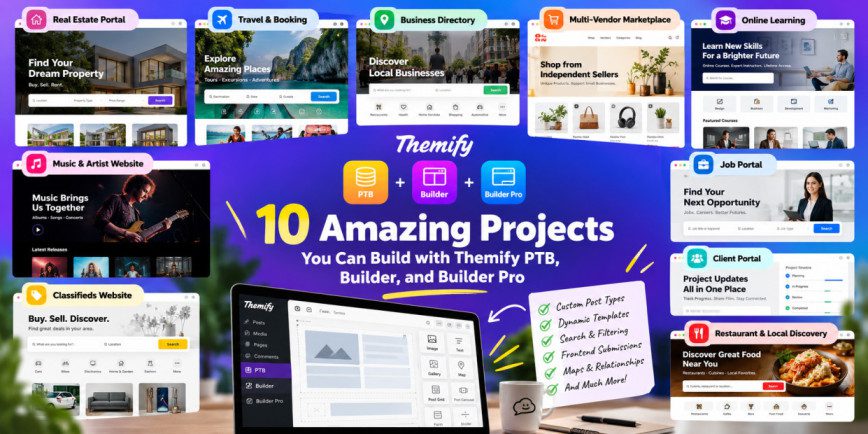
Themify Post Type Builder can create custom post types and taxonomies, then add fields through its Meta Box Builder. Create a post type such as “Providers” or “Places”, choose appropriate labels and supports, and decide whether it should have an archive. The PTB documentation walks through post types, fields and taxonomies.
Use taxonomies for browsing
Create a small number of useful classification systems, such as service category, location or provider type. Taxonomies allow editors to classify records consistently and visitors to explore related listings. Avoid turning every individual field into a taxonomy; use custom fields for values such as opening hours or a website URL.
Design single and archive templates
Use Builder Pro to design a listing detail page and a directory archive. The single template can show the name, description, contact details and selected custom fields. The archive can display cards with a clear title, short summary and category context. Builder Pro supports templates for custom post types and dynamic custom field output.
Plan search and filtering separately
A directory often needs location or category filters, but do not assume a basic listing template automatically creates a full faceted search system. Identify the exact filtering experience required and choose a compatible search and filter tool if necessary. Test performance with a realistic number of listings.
Set moderation and data quality rules
Decide whether listings are submitted by administrators, members or the public. If public submissions are allowed, add review before publication, spam controls and clear policies for inaccurate or outdated records. Ask listing owners to confirm contact information periodically.
Launch with useful entries
Populate the directory with accurate entries and verify every link and contact method. Add a helpful introduction to category pages and explain how a visitor can request a correction. A small, reliable directory is more useful than a large collection of empty or duplicated records.
Official Themify resources
Conclusion
A directory works best when information is structured consistently and browsing paths reflect real user needs. PTB can define listing content and Builder Pro can present it through reusable templates. Treat search, moderation and data maintenance as separate parts of the project plan.