Dynamic WordPress Templates Explained: Reuse One Layout Across Many Posts
Imagine publishing dozens of team profiles, courses or property records. If every entry is a hand-designed page, a small layout change becomes a repetitive editing task. Dynamic templates solve this by separating content from presentation.
Understand the content model
A regular WordPress post stores common fields such as title, content and featured image. A custom content type can add a structure for the subject. A course might need duration and level; a property might need price and number of rooms. Decide which values deserve dedicated fields before designing the template.
Create templates in Builder Pro
Themify Builder Pro supports single and archive templates for posts, pages, custom post types and WooCommerce content. A single template controls how one record appears; an archive template controls how a collection is listed. Display conditions specify where each template applies.
Connect dynamic fields
Builder Pro’s dynamic controls can display values from post metadata and custom fields. For example, a Text module can pull a field such as course_duration, while a featured image module can use the record’s featured image. Add labels and conditional visibility so empty fields do not leave awkward gaps. See the dynamic content guide.
Use PTB for custom structures
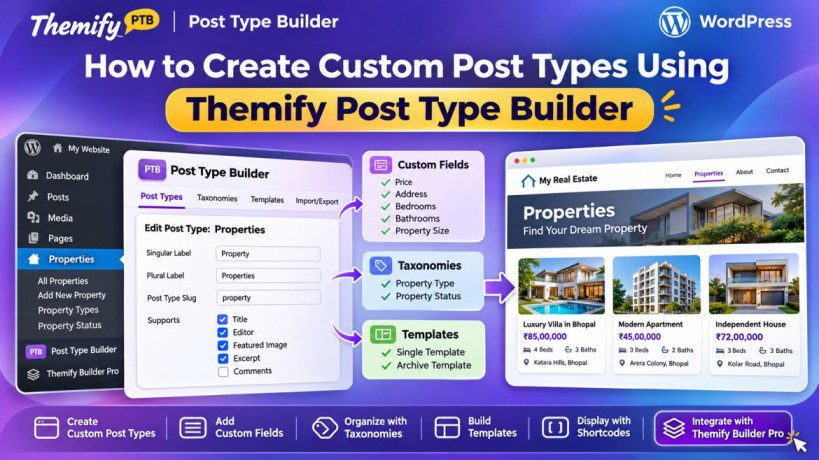
Themify Post Type Builder can create custom post types, taxonomies and custom fields. It is useful when a site needs structured records beyond ordinary pages and posts. Read the PTB documentation to plan fields and archive requirements.
Example: a team directory
Create a Team Member post type with a role, department, biography and portrait. Use Builder Pro to create one single template with a photo, name, role and biography. Then create an archive template that displays team cards. Adding another colleague requires entering content, not rebuilding the design.
Keep content and design independent
Editors should know which fields they are expected to fill and the format each value needs. Document required fields, use consistent taxonomy terms and test records with missing optional values. This prevents inconsistent output as the site grows.
Official Themify resources
Conclusion
Dynamic templates make structured WordPress sites easier to maintain because the layout is reused while each record supplies its own data. Builder Pro handles presentation, while PTB can help define the content model. Design a small working example before migrating a large collection.