
























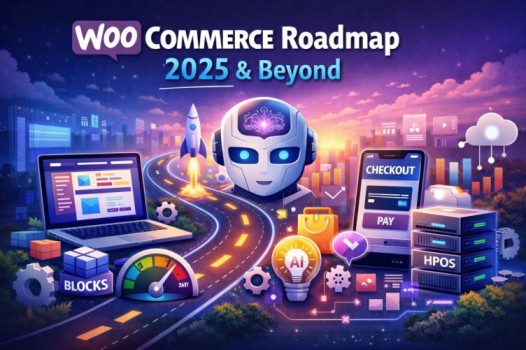
WooCommerce Plugin Roadmap for the Future (2025–Beyond): What’s Coming Next
WooCommerce is already the most popular eCommerce solution in the WordPress ecosystem, powering everything from small local stores to large online brands. But the platform isn’t standing still.
Over the last few years, WooCommerce has been shifting from a “simple eCommerce plugin” into a more scalable commerce platform, focusing heavily on performance, modern checkout experiences, block-based design, automation, and better developer tools.
In this blog, we’ll break down the WooCommerce roadmap for the future, what changes store owners and developers should expect, and how you can prepare your website for what’s coming next.
Why WooCommerce’s Future Roadmap Matters 📌
WooCommerce updates aren’t just “new features.” Many upcoming changes affect:
- Site speed & performance
- Checkout conversion rates
- Compatibility with themes and builders
- Plugin ecosystem stability
- How products, orders, and templates are managed
- How merchants build stores without coding
If you’re a store owner, the roadmap helps you plan upgrades safely.
If you’re a WordPress developer, it helps you avoid breaking changes and future-proof your stack.
1) Performance First: Faster Stores with Better Data Handling ⚡
Performance is a major priority in WooCommerce’s future. The plugin historically stored order data in WordPress’s default wp_posts and wp_postmeta tables, which becomes slow for high-volume stores.
✅ HPOS (High-Performance Order Storage)
One of the biggest changes is HPOS, which moves order data into dedicated custom tables designed for speed and scalability.
Why HPOS matters:
- Faster order queries
- Better admin performance
- Improved store reliability at scale
- More “enterprise-ready” WooCommerce sites
What you should do now:
- Check if HPOS is enabled/compatible on your store
- Update plugins that integrate with orders (shipping, invoicing, ERP, etc.)
- Avoid outdated extensions that haven’t been updated in years
HPOS is a “foundation upgrade,” and it’s a strong sign WooCommerce is preparing for the next generation of large-scale WordPress commerce.
Official resources:
2) Checkout & Cart Improvements: Better Conversions 💳
Checkout is where stores either make money or lose money.
WooCommerce is continuing to modernize the Cart and Checkout experience, especially through:
- Faster, cleaner UI
- Better payment flow integration
- Improved compatibility with modern themes
- Reduced friction on mobile devices
Block-Based Checkout & Cart (WooCommerce Blocks)
WooCommerce Blocks are becoming more central to the shopping experience, and future development is expected to keep pushing:
- Block-based cart and checkout layouts
- More customization without heavy code edits
- Better compatibility with Full Site Editing (FSE)
Why this matters for store owners:
A smoother checkout can increase conversion rates without spending extra on ads.
Why this matters for developers:
The future is moving away from heavily modified classic templates toward a more structured and modern system.
Learn more:
3) Block-Based Store Building & Full Site Editing (FSE) 🧱
WordPress itself is evolving toward Full Site Editing, and WooCommerce is aligning with that direction.
What this means:
WooCommerce is gradually shifting from:
✅ “PHP template overrides + shortcodes”
to
✅ “Blocks + modern store-building workflows”
This makes WooCommerce more friendly for:
- Beginners building stores without developers
- Agencies building faster client sites
- Theme developers creating flexible layouts
Future impact:
- More “store layout control” inside the editor
- Less dependency on page builders for basic layouts
- Stronger compatibility with block themes
If you’re using a builder-heavy theme, it will still work, but it’s smart to stay updated because WooCommerce’s core direction is clearly block-first.
Helpful links:
4) More Core Features Built-In (Less Plugin Dependency) 🔧
WooCommerce stores often require many extensions:
- Payments
- Shipping rules
- Subscriptions
- Tax handling
- Marketing tools
- Checkout optimization
A major future goal is to make WooCommerce more complete out-of-the-box, so store owners don’t need 15–30 plugins just to run a professional store.
Expect improvements around:
- Better onboarding and setup flows
- More built-in store management tools
- Enhanced admin workflows
- Cleaner integrations with official WooCommerce services
This is good news for store owners because fewer plugins usually means:
✅ fewer conflicts
✅ fewer security risks
✅ faster websites
✅ easier maintenance
5) AI & Automation: WooCommerce Gets Smarter 🤖
AI is impacting every industry, and WooCommerce is no exception.
While WooCommerce won’t instantly become “AI-powered everything,” the direction is clear: more automation and intelligent workflows for merchants.
Potential AI-driven features (future direction):
- Smarter product descriptions and content suggestions
- Automated tagging and categorization
- Better product search and recommendations
- Improved store setup automation
- Personalized customer experiences
What store owners should focus on now:
Even before AI becomes mainstream in WooCommerce core, you can prepare by improving:
- Product data quality (titles, attributes, categories)
- Clean inventory management
- Consistent images and descriptions
AI works best when your store data is structured and complete.
6) Better Developer Experience (DX) & Predictable Releases 🧑💻
WooCommerce is investing in improving developer experience through:
- Public roadmap transparency
- Better documentation
- Improved testing practices
- More predictable release cycles
This helps reduce the biggest pain in WordPress eCommerce: updates breaking something unexpectedly.
What developers should expect more of:
- Modern coding standards
- More stable APIs
- Improved extensibility patterns
- Clearer compatibility guidelines
If you build WooCommerce sites for clients, this direction is a win.
Developer links:
7) Modular Commerce & “Platform Thinking” 🧩
WooCommerce is increasingly positioning itself as a modular commerce platform, not just a plugin.
That means more features may become:
- optional modules
- service-based components
- easier to enable/disable without bloating your store
This approach supports both:
- simple stores (fast + minimal)
- complex stores (advanced workflows + integrations)
8) Security, Stability & Compatibility Improvements 🔐
As WooCommerce grows, security and compatibility become more important than flashy features.
Future updates will likely keep improving:
- secure payment handling
- stronger admin permissions
- safer plugin interactions
- improved compatibility with WordPress core updates
Store owner takeaway:
Avoid “nulled” themes/plugins and outdated extensions.
A single weak plugin can compromise the entire store.
Security reference:
9) Headless WooCommerce & API Growth 🌐
Headless commerce means:
- WooCommerce runs as the backend (products, orders, customers)
- A separate frontend handles the UI (React, Next.js, mobile apps, etc.)
WooCommerce is slowly becoming more headless-ready with better APIs and modern architecture.
Who should care about headless?
Headless is not necessary for most stores, but it’s powerful for:
- high-traffic brands
- custom shopping experiences
- mobile-first commerce apps
- advanced performance needs
For regular WooCommerce users, the best approach is: don’t rush into headless unless you truly need it.
API docs:
What the WooCommerce Roadmap Means for Store Owners 🛒
If you run a WooCommerce store, here’s what to focus on in 2025 and beyond:
✅ 1. Keep Your Store Lightweight
- Remove unused plugins
- Avoid heavy themes that load too many scripts
- Use caching + performance optimization
✅ 2. Choose Plugins That Are Future-Compatible
Before installing an extension, check:
- recent updates
- compatibility with your WooCommerce version
- reviews and support quality
✅ 3. Prepare for Block-Based WooCommerce
Even if you’re not switching to blocks today:
- don’t over-customize old templates unnecessarily
- reduce risky overrides
- plan for gradual modernization
✅ 4. Make Checkout Faster & Cleaner
- reduce checkout fields
- optimize payment methods
- ensure mobile checkout is smooth
What the WooCommerce Roadmap Means for Developers 👨💻
If you build WooCommerce sites, here’s how to stay ahead:
- Avoid heavy template overrides unless necessary
- Keep code compatible with HPOS
- Use modern hooks/APIs where possible
- Test updates in staging environments
- Follow WooCommerce dev updates and GitHub changes
This roadmap signals that WooCommerce development is becoming more structured and modern.
The Future of WooCommerce Looks Strong 📈
WooCommerce’s roadmap is focused on the right things:
✅ faster performance
✅ modern checkout experience
✅ block-based store building
✅ scalable architecture (HPOS)
✅ smarter automation and future AI support
✅ improved developer tooling
The key takeaway is simple: WooCommerce is moving toward a more reliable, scalable, and modern eCommerce platform inside WordPress.
If you keep your store updated, lightweight, and compatible with new architecture changes, you’ll be in a great position to benefit from everything coming next.
FAQs About WooCommerce Future Roadmap ❓
1) Will WooCommerce remain free?
Yes, WooCommerce core remains free and open-source, but many advanced features still come via paid extensions and services.
2) Should I switch to WooCommerce Blocks now?
If you’re building a new store, it’s worth considering. If your store is already stable, you can adopt blocks gradually.
3) Is HPOS mandatory?
It’s becoming a key performance standard. Most stores should adopt it once their plugins are compatible.
4) Will page builders stop working with WooCommerce?
No, but WooCommerce is shifting toward block-based layouts, so builders may become less necessary for basic layouts over time.


