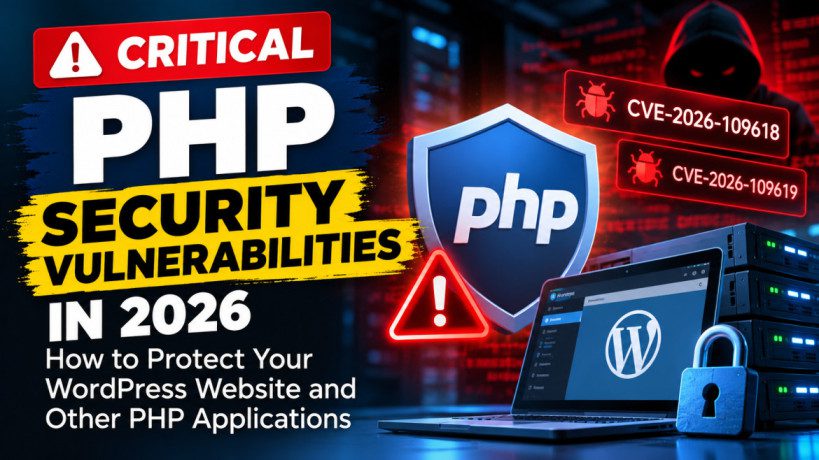
Critical PHP Security Vulnerabilities in 2026: How to Protect Your WordPress Website and Other PHP Applications
Two critical PHP security vulnerabilities disclosed in October 2026 have put website owners, hosting providers, and developers on high alert. Tracked as CVE-2026-109618 and CVE-2026-109619, these flaws could allow unauthenticated attackers to execute malicious code on vulnerable servers.
The PHP development team released security updates on October 21, 2026. The affected technology is not limited to WordPress. PHP also powers numerous content management systems, e-commerce platforms, frameworks, APIs, and custom-built websites.
According to the official PHP security announcement, the vulnerabilities can enable remote code execution, and updating to a fixed version is the only complete remediation. Official PHP advisory
In this guide, we will explain what these vulnerabilities mean, which websites may be affected, how to check your PHP version, how to secure your hosting environment, and what to do if your hosting provider has not yet installed the patch.
1. What Are the Critical PHP Security Vulnerabilities?
PHP is a server-side programming language that processes requests, communicates with databases, handles form submissions, and generates dynamic website content.
Because PHP operates on the server, a vulnerability in the PHP runtime can affect an entire web application rather than just one plugin or theme.
The two vulnerabilities disclosed in October 2026 are:
- CVE-2026-109618: A vulnerability involving memory corruption during out-of-memory error handling.
- CVE-2026-109619: A vulnerability involving stale internal state after memory has been released.
Both vulnerabilities received a critical severity rating of 9.2 on the Common Vulnerability Scoring System (CVSS), according to security advisories. Successful exploitation could allow an attacker to execute code remotely without authenticating first. CERT-EU security advisory
In simple terms, an attacker may be able to send a specially crafted request to a vulnerable PHP server and exploit weaknesses in how PHP manages memory and processes requests.
This is particularly concerning because the attack may occur before the website’s application-level security mechanisms have an opportunity to respond.
2. How Do These Vulnerabilities Work?
Understanding the technical details helps website owners appreciate why updating PHP is essential.
CVE-2026-109618: Out-of-Memory Handling Vulnerability
Applications operate within memory limits to prevent a single request from consuming excessive server resources.
When a PHP request exceeds its memory limit, PHP can terminate processing and raise a fatal error. The vulnerability concerns what happens when this interruption occurs while PHP is still managing internal request data.
Under certain circumstances, internal data may not have been fully initialized before cleanup begins. Incorrect memory handling can then lead to memory corruption.
An attacker may be able to manipulate a specially crafted request to reach this condition.
The potential consequences include:
- Unauthorized execution of code on the server.
- Exposure of sensitive information held in process memory.
- Compromise of the affected web application.
- Further attacks against connected systems, depending on server permissions and configuration.
CVE-2026-109619: Stale Internal State Vulnerability
The second vulnerability concerns internal state that remains accessible after the memory backing it has been released.
In certain circumstances, a later operation may attempt to use this stale state before PHP has properly reset it.
This is a memory-management problem that can create an opportunity for attackers to manipulate the execution of the PHP process.
The consequences may include remote code execution or exposure of sensitive data.
Why Are Both Vulnerabilities Serious?
These are vulnerabilities in the PHP runtime itself, not simply problems with a particular WordPress plugin.
A vulnerable PHP installation may expose multiple applications running on the same hosting environment. The actual impact depends on the PHP version, server configuration, permissions, and how the applications are deployed.
Security teams should therefore identify every affected PHP runtime, including those used by websites, background services, APIs, and other applications.
3. Which Websites and Platforms Are at Risk?
The vulnerabilities affect PHP installations that process web requests. Consequently, website owners should not assume that they are safe simply because they do not use WordPress.
Potentially affected platforms include:
- WordPress: Blogs, business websites, membership sites, and online stores.
- Joomla: Websites and portals using PHP.
- Drupal: Content management systems and enterprise applications.
- Magento and other PHP-based e-commerce platforms: Online stores and associated services.
- Laravel: Custom applications built with the PHP framework.
- Other PHP applications: Custom websites, APIs, and software that embeds or runs PHP.
The PHP team identifies multiple deployment configurations as affected, including PHP-FPM, Apache with mod_php, php-cgi, FrankenPHP, and LiteSpeed. Official PHP security announcement
Even if your website is built using a page builder, a commercial theme, or a custom application, the underlying server may still use PHP.
For example, a WordPress website using a third-party theme could be vulnerable because of its server’s PHP runtime, even if the theme and all installed plugins are fully updated.
Important: Updating WordPress, Joomla, a theme, or a plugin does not automatically mean the PHP runtime has been patched.
4. Which PHP Versions Are Affected?
The PHP security releases announced on October 21, 2026, contain fixes for the affected maintained branches.
| PHP branch | Minimum fixed version |
|---|---|
| PHP 8.5 | 8.5.12 |
| PHP 8.4 | 8.4.27 |
| PHP 8.3 | 8.3.36 |
| PHP 8.2 | 8.2.35 |
These versions are the minimum fixes identified in the official release announcement. Installing a newer supported security release is preferable when one is available.
PHP 8.1 and earlier branches are no longer receiving fixes for these vulnerabilities from the PHP project. Websites running these versions should plan an upgrade to a supported branch rather than relying on an old runtime. PHP security release information
Why Is the Exact Patch Number Important?
Suppose your hosting control panel displays PHP 8.4.
That information alone does not confirm that the vulnerability has been fixed. The installation could be running an earlier patch release, such as PHP 8.4.26.
For the vulnerability discussed here, the minimum fixed release for the PHP 8.4 branch is 8.4.27.
Similarly, PHP 8.5.11 is below the fixed release of 8.5.12.
However, some hosting companies backport security fixes without changing the publicly displayed upstream version in the usual way. If your provider reports an older version number, ask for confirmation of the actual security patch level before deciding whether the server remains vulnerable.
5. How to Check Your PHP Version in cPanel
Your first task is to identify the PHP version used by your website.
Method 1: Check the PHP Selector
- Log in to your hosting account.
- Open cPanel or your hosting control panel.
- Search for MultiPHP Manager, Select PHP Version, or a similarly named PHP settings tool.
- Find the domain you want to inspect.
- Note the selected PHP branch.
Remember that this may show only the major and minor version, such as PHP 8.3. You need to establish whether the actual runtime contains the required security patch.
Method 2: Use the Terminal
If your hosting provider enables terminal access, open the terminal in your hosting control panel.
Run:
php -vThe command should display the PHP version available to the command-line environment.
For example, a patched installation might report:
PHP 8.4.27Compare the result with the fixed-version table above.
Important: The command-line PHP version may differ from the PHP version serving your website. Shared hosting environments sometimes use separate configurations for command-line PHP and web PHP. Ask your hosting provider to confirm the runtime actually used by the domain, including the relevant PHP-FPM pool or web server configuration.
Do not assume that a successful command-line check proves the website itself is patched.
6. What If Your Hosting Provider Does Not Offer Terminal Access?
Some shared hosting plans do not provide terminal access. You can still request the exact PHP runtime version from the hosting support team.
A temporary diagnostic PHP file is another option, but it must be handled carefully.
If your provider or developer recommends this method:
- Create a temporary file in the correct website document root.
- Have it report the runtime version using PHP’s
PHP_VERSIONconstant. - Access it only as needed, preferably through a restricted diagnostic method.
- Remove the file immediately after checking.
A public PHP diagnostic file can reveal technical information about your server. Do not leave it accessible after use.
For sites with several domains, subdomains, or separate PHP pools, verify each relevant runtime individually.
Avoid Publishing Sensitive Server Information
Do not publicly expose a full phpinfo() page simply to check the version. Such pages may reveal configuration settings, paths, environment information, and other details that help an attacker understand the hosting environment.
A limited version check is safer.
7. The Best Solution: Update PHP to a Fixed Release
The primary remediation is to update the affected PHP runtime to a fixed release.
If you manage your own server, consult the official PHP release notes and the documentation for your operating system, hosting panel, or deployment platform.
If your website uses managed hosting, contact the provider and ask them to update the runtime serving your domain.
A secure update process should include the following steps:
- Identify every affected PHP installation.
- Confirm which fixed version is appropriate for the installed branch.
- Check compatibility with the website’s application, plugins, themes, and dependencies.
- Apply the security update.
- Restart or reload the relevant PHP workers and services where required.
- Verify the actual runtime serving web requests.
- Test important website functionality.
- Review logs and security monitoring for suspicious activity.
Updating PHP may require additional testing for older applications. However, compatibility concerns should be addressed urgently rather than used as a reason to leave a critical vulnerability unresolved.
What If You Are Running PHP 8.1 or Older?
Because PHP 8.1 and older branches no longer receive fixes for these vulnerabilities from the PHP project, simply switching to a different unsupported patch release is not sufficient.
Plan to migrate to a supported PHP branch and apply the corresponding security updates.
For legacy applications that cannot be upgraded immediately, consult your hosting provider or a qualified security professional about temporary containment measures and supported extended-security options. These measures should not be treated as equivalent to moving to a supported, patched runtime.
8. Can Cloudflare Protect Your Website?
Cloudflare provides services such as reverse proxying, traffic filtering, and web application firewall protection. These features can help reduce exposure to malicious requests.
However, there is an important distinction between filtering some attack traffic and fixing a vulnerability in the PHP runtime.
A firewall rule may block known attack patterns, but attackers can modify requests or discover other ways to reach the vulnerable code path.
The official PHP security guidance states that updating is the only complete fix. Therefore, do not assume that enabling Cloudflare, even on a free plan, automatically makes every PHP installation safe from these vulnerabilities.
If you use Cloudflare:
- Keep the website behind the correctly configured Cloudflare proxy.
- Review available security rules and managed protections.
- Check that the origin server cannot be accessed through an unprotected route.
- Monitor security events and suspicious requests.
- Update PHP as soon as the hosting provider makes the fix available.
Cloudflare can be one layer in a broader security strategy, but it is not a substitute for patching the server.
9. Temporary Mitigation If You Cannot Patch Immediately
Sometimes website owners depend on a hosting company that has not yet deployed the security update. In that situation, temporary risk-reduction measures may help while remediation is arranged.
These measures are not a replacement for the official patch. Some are configuration-specific and require administrator-level control.
A. Review PHP Memory Settings
The out-of-memory vulnerability makes memory handling particularly relevant.
Security guidance describes setting memory_limit to -1 in an administrator-enforced configuration as one way to reduce the specific failure path associated with a controllable memory limit.
However, unlimited PHP memory is not a general-purpose security setting. It can increase the risk of resource exhaustion and denial of service. It also does not eliminate every possible out-of-memory condition.
Do not change this setting blindly on shared hosting. Have your hosting provider or system administrator assess the appropriate configuration, including operating-system or container-level resource limits.
B. Reduce POST Request Size Where Appropriate
The post_max_size setting controls the maximum size of POST data accepted by PHP.
Reducing this limit may help constrain particular request patterns associated with the vulnerability. The appropriate value depends on the website’s functionality.
For a site that does not accept large uploads, a limit of 8 MB may be reasonable. Sites that accept larger documents, media files, or other uploads may need a different value.
If a smaller limit is used temporarily:
- Confirm that it is appropriate for your website.
- Keep
upload_max_filesizeat or belowpost_max_size. - Test essential forms and upload workflows.
- Enforce appropriate request-size limits at the web server or proxy layer where possible.
A smaller POST limit is a mitigation, not a complete fix.
C. Review Session Upload Progress
Security guidance identifies PHP session upload-progress functionality as one relevant path for the stale-state vulnerability.
Administrators should assess whether session.upload_progress.enabled can be disabled in the appropriate server-level configuration while the patch is pending.
Configuration changes must take effect before the vulnerable request-processing path. Changing a setting inside application code may be too late.
The exact steps depend on whether the site uses PHP-FPM, Apache, or another deployment method. Ask your hosting provider to implement and verify the correct configuration.
D. Review Fatal Error Backtraces on PHP 8.5
For PHP 8.5, security guidance also identifies fatal_error_backtraces=0 as a mitigation for a specific attack path.
This does not address every possible variant of the vulnerability, and it is not a substitute for upgrading. The setting must be applied in the appropriate configuration and the relevant workers restarted.
E. Restrict Unnecessary Upload and Request Functionality
Where operationally feasible, consider temporarily disabling nonessential file uploads or restricting sensitive endpoints.
Review request limits, multipart form handling, and application functions that process imported files or other untrusted input.
Do not disable essential functionality without understanding its business impact. Instead, prioritize the endpoints and services that can be safely restricted until the patched runtime is available.
10. Check That Sensitive Configuration Files Are Not Publicly Accessible
A PHP runtime vulnerability is only one part of website security. Configuration files can expose credentials if they are incorrectly published or protected.
WordPress installations commonly use wp-config.php, while many custom PHP applications use .env files.
These files may contain database credentials, API keys, authentication secrets, or other sensitive configuration information.
Check that:
- Sensitive files are outside the public document root where possible.
- Server rules prevent direct access to files that must remain in the application directory.
- File and directory permissions follow the principle of least privilege.
- Secrets are not committed to public source repositories.
- Database accounts use appropriately restricted permissions.
- Credentials are rotated if exposure is suspected.
A direct request to a sensitive file should not return its contents. A denial response is preferable, although the strongest approach is to store secrets outside the publicly served directory whenever the application supports it.
Do not upload a real .env file or wp-config.php to an AI chatbot, online scanner, or third-party service just to check its security. Use a trusted administrator or a properly authorized security tool.
11. What Should You Do If Your Hosting Provider Has Not Patched PHP?
If the hosting provider controls the PHP runtime, you may not have permission to update it yourself.
Contact the provider’s technical support team and request immediate confirmation of the patch status.
You can use the following message:
Subject: Urgent Security Update Required for Critical PHP Vulnerabilities
Hello Support Team,
I am contacting you regarding the critical PHP vulnerabilities CVE-2026-109618 and CVE-2026-109619 disclosed on October 21, 2026.
Please confirm whether the PHP runtime serving my website has been updated to a fixed release.
The relevant minimum fixed versions are:
- PHP 8.5.12
- PHP 8.4.27
- PHP 8.3.36
- PHP 8.2.35
If my current PHP branch is affected, please apply the appropriate security update as soon as possible and confirm the exact patched runtime serving my domain.
If the hosting environment uses a vendor-maintained build or a backported security patch, please confirm the relevant patch status and the evidence used to verify it.
Please also advise whether any temporary mitigations are required while the update is being deployed.
Given the severity of these vulnerabilities, I would appreciate urgent attention to this request.
Thank you.
What If Support Does Not Respond?
Escalate the request through the provider’s security or infrastructure team.
Ask for a clear answer about the runtime version, patch deployment status, and expected remediation time. If the provider cannot offer a prompt fix, consider moving the affected application to a supported hosting environment.
For a business-critical website, the decision may involve temporarily restricting public access until an effective fix or containment strategy is in place.
12. Can AI Tools Help You Check Your Website?
AI assistants can help explain security advisories, draft hosting support requests, interpret version numbers, and create a checklist for auditing multiple websites.
They can also help developers review configuration files and deployment plans, provided sensitive information is handled appropriately.
However, an AI-generated answer is not proof that a server is patched.
If you use an AI assistant to help inspect your hosting environment:
- Clearly state that the goal is to perform a read-only security assessment.
- Avoid sharing passwords, API keys, private SSH keys, database credentials, or session tokens.
- Review the proposed commands before executing them.
- Do not authorize unreviewed changes to production configuration.
- Verify the result against official PHP guidance and confirmation from your hosting provider.
If you manage many websites, a structured inventory of domains, PHP versions, hosting providers, and patch status is more reliable than checking each site from memory.
AI can assist with the process, but remediation must be performed and verified on the actual affected infrastructure.
13. How to Check Multiple WordPress Websites Efficiently
Agencies, freelancers, and developers often maintain several WordPress installations across different hosting companies.
In this situation, prioritize the websites rather than treating every installation as an isolated task.
Start by creating a list containing:
- Domain name.
- Hosting provider.
- PHP version serving the website.
- Whether the required security patch is installed.
- Whether the website has public upload or import functionality.
- Date of the last verification.
- Outstanding action and responsible person.
Next, group the websites by hosting provider. If several sites use the same host, a single support request may establish whether the provider has patched all relevant PHP runtimes.
Do not assume that all websites on the same account use the same PHP version. Different domains may have separate PHP handlers or runtime configurations.
Once the update is complete, verify the status again and record the result.
For agencies, this simple inventory can help prevent a critical vulnerability from remaining unnoticed on an older or less frequently maintained website.
14. What If Your Website May Already Have Been Compromised?
Applying a patch prevents further exploitation of the fixed vulnerability, but it does not automatically remove malware or reverse an earlier compromise.
If your website was running a vulnerable version while exposed to the internet, investigate whether unauthorized access may have occurred.
Look for suspicious activity such as:
- Unexpected administrator accounts.
- Unknown PHP files or modified website files.
- Unusual outbound network connections.
- Unexpected changes to scheduled tasks.
- Suspicious requests or errors in server logs.
- Unexplained changes to plugins, themes, or application code.
- Unusual database activity.
These indicators are not conclusive by themselves, and the absence of obvious signs does not prove that a website is clean.
If compromise is suspected, involve your hosting provider or a qualified incident-response professional. Preserve relevant logs and evidence, isolate the affected environment where appropriate, and avoid destroying forensic information during cleanup.
After the environment has been secured, rotate potentially exposed credentials, including administrative passwords, database credentials, API keys, and other secrets, as appropriate.
Restore from a known-clean backup only after understanding how the compromise occurred and ensuring the restored environment is patched.
15. Why Regular PHP Updates Are Essential for Website Security
Many website owners concentrate on updating WordPress core, plugins, and themes. These are essential tasks, but they do not replace operating-system, web-server, or PHP runtime maintenance.
PHP updates can contain security fixes, compatibility improvements, and bug corrections that affect every application using that runtime.
A reliable maintenance process should include:
- Monitoring official PHP security announcements.
- Maintaining an inventory of active PHP versions.
- Upgrading unsupported PHP branches.
- Testing changes on staging environments where practical.
- Keeping WordPress core, themes, and plugins updated.
- Maintaining verified backups.
- Restricting administrative access.
- Monitoring logs and security alerts.
- Reviewing hosting provider security practices.
Security is an ongoing process, not a one-time configuration change.
Conclusion: Update PHP First, Then Verify Your Website
The October 2026 PHP vulnerabilities demonstrate why website security must include the underlying server runtime, not just the visible application.
CVE-2026-109618 and CVE-2026-109619 can potentially allow unauthenticated remote code execution on affected PHP installations. The official fixed releases are PHP 8.5.12, 8.4.27, 8.3.36, and 8.2.35.
Website owners should identify their PHP runtime, arrange the appropriate update, verify the actual version serving web requests, and investigate possible compromise where warranted.
Temporary measures such as request-size restrictions, appropriate configuration changes, and web application firewall protections may reduce certain risks, but they should not be mistaken for a complete fix.
If you use shared hosting and cannot update PHP yourself, contact your provider immediately and request written confirmation of the patch status.
The most important takeaway is simple: do not rely on a WordPress update, a higher PHP minor version, or a firewall alone. Verify that the actual PHP runtime has received the security fix.