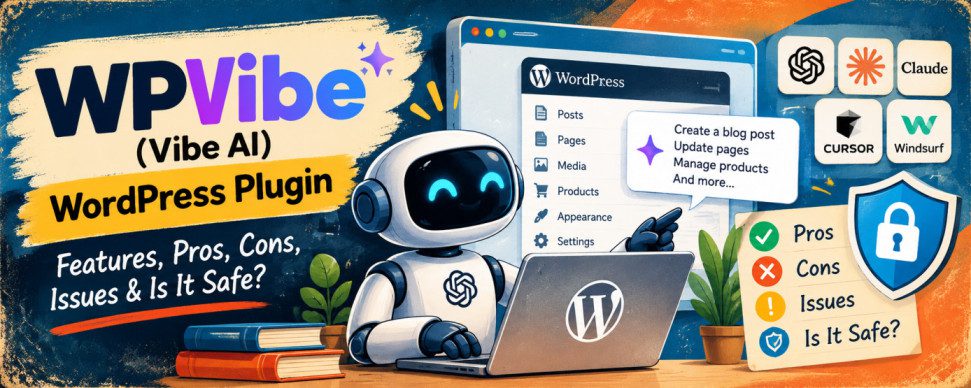
WPVibe (Vibe AI) Review: Features, Pros, Cons, Issues, and Is It Safe?
Artificial intelligence is changing how people build and manage WordPress websites. One interesting development is WPVibe, the WordPress MCP server plugin listed as Vibe AI on the WordPress plugin directory. It connects WordPress websites with AI assistants such as ChatGPT, Claude, Cursor, and other MCP-compatible tools.
Instead of manually navigating the WordPress dashboard, users can give an AI assistant instructions to create posts, update pages, manage products, and perform other administrative tasks.
But is WPVibe reliable? What are its advantages and disadvantages? Can it put your website at risk?
Let’s explore its features, security, reported issues, and limitations.
What Is WPVibe (Vibe AI)?
WPVibe is a WordPress plugin developed by SeedProd that uses the Model Context Protocol (MCP) to connect AI assistants with WordPress.
MCP provides a standard way for AI applications to discover and use tools. WPVibe acts as the bridge between an AI assistant and your WordPress website.
For example, you could ask an AI assistant to:
- Create a blog post and save it as a draft.
- Update existing pages and website content.
- Upload images and manage media.
- Organize categories and tags.
- Manage WooCommerce products and inventory.
- Work with supported page builders.
- Inspect and edit theme files through a draft-and-preview workflow.
- Perform selected administrative operations.
You can explore the plugin on the official WordPress directory: WPVibe (Vibe AI) plugin.
Key Features and Parameters
Here are the main features to evaluate before installing the plugin.
| Parameter | Details |
|---|---|
| Plugin name | WPVibe, listed as Vibe AI |
| Developer | SeedProd |
| Primary purpose | Connect WordPress with AI assistants |
| Technology | Model Context Protocol (MCP) |
| AI integrations | ChatGPT, Claude, Cursor, Windsurf, and other compatible clients |
| Content management | Create and edit posts, pages, categories, and tags |
| Media management | Upload and manage images and other media |
| WooCommerce | Manage supported product and inventory operations |
| Page builders | Integrations for Elementor, Divi, Bricks, Beaver Builder, and others |
| Theme editing | Draft-based editing, previews, and publishing controls |
| Authentication | WordPress Application Passwords and an authorization workflow |
| Credential protection | Advertised AES-256-GCM encryption |
| Approval system | Confirmation for sensitive operations |
| Activity tracking | Approval log for recorded operations |
| Pricing | Plugin is free to download; check current service plans and usage limits |
| Technical requirements | Check the current plugin listing for supported WordPress and PHP versions |
Important: The plugin’s capabilities depend on your AI client, WordPress permissions, installed plugins, and the integrations available on your website. Not every operation will work identically across all configurations.
Pros of WPVibe
1. Saves Time on WordPress Administration
WPVibe can reduce repetitive tasks by letting users manage website content through natural-language instructions.
Instead of opening multiple dashboard screens, you can ask your AI assistant to update content, organize posts, or manage supported website functions.
2. Works With Multiple AI Assistants
The plugin supports multiple MCP-compatible AI clients rather than restricting users to one AI model.
This flexibility can be helpful for developers, bloggers, agencies, and website owners who already use AI tools in their workflows.
3. Supports Popular Page Builders
WPVibe advertises integrations with popular page builders, including Elementor, Divi, and Bricks.
This can make AI-assisted editing more practical for websites that rely on visual builders.
4. Includes Security Controls
The plugin advertises encrypted credential storage, WordPress permission checks, approval prompts for sensitive operations, and an activity log.
Its theme-editing workflow also provides a draft and preview stage before changes are published.
These features are useful safeguards, although they do not eliminate every possible security risk.
5. Useful for Developers and Agencies
Developers can use AI to investigate website problems, inspect files, and perform supported administrative tasks.
Agencies managing several websites may also benefit from reducing repetitive maintenance work.
Cons and Limitations
1. Requires Trust in an External Service
WPVibe uses its external service to relay authenticated requests between the AI client and your WordPress website.
According to its plugin documentation, credentials are encrypted on its servers, and requests are transmitted over HTTPS.
Nevertheless, connecting an external service to a WordPress installation introduces another component that must be trusted and secured.
Website owners should review the privacy policy and data-handling terms before connecting production websites.
2. AI Can Make Incorrect Changes
AI assistants can misunderstand instructions, generate incorrect content, or choose an inappropriate action.
Even when a plugin provides approval prompts, users should carefully review proposed changes before approving them.
3. Compatibility Problems Are Possible
WordPress websites use different hosting environments, security plugins, themes, and configurations.
These differences can cause connection failures or unexpected behaviour.
4. Usage Limits May Affect Costs
Although the WordPress plugin is available for free, the connected service or AI provider may have separate pricing, usage limits, or credit allowances.
Check the current terms before relying on it for frequent or large-scale operations.
Issues Reported by Users
The WordPress support forum contains reports of problems that prospective users should consider.
One support thread describes a setup experience in which the plugin’s onboarding instructions did not match what the user saw after activation. The user also raised concerns about confusing product branding and difficulty completing the connection process.
Another report describes WordPress administration pages returning HTTP 500 or 502 errors when the plugin was active on a particular WordPress.com Atomic-hosted website. The reported problem affected logged-in administrators, while the public-facing website continued to work.
You can read the reports directly:
These are individual reports, not proof that every installation will experience the same problems. Compatibility and plugin versions may also affect the outcome.
The plugin’s changelog documents continuing fixes and security improvements, indicating that the software is actively evolving.
Before installation, check the latest support discussions, changelog, compatibility information, and unresolved reports on the WordPress.org support forum.
Is WPVibe Safe to Use?
WPVibe includes several security safeguards, but it should not be considered completely risk-free.
The plugin advertises several protective measures:
- Encrypted credentials: Uses AES-256-GCM encryption for stored credentials.
- WordPress permissions: Checks capabilities when performing supported operations.
- Approval prompts: Requests confirmation for sensitive operations.
- Activity logging: Records approved operations in its approval log.
- Theme-editing safeguards: Uses a draft and preview workflow with file restrictions and PHP syntax validation.
- HTTPS communication: Protects communications between the plugin and its external service in transit.
However, security depends on more than encryption.
An AI assistant connected to your website may be able to perform significant actions using the permissions available to its WordPress account. A misunderstood instruction or compromised AI workflow could still cause damage.
The plugin’s documentation also describes an option that disables approval prompts for certain operations. This option is off by default, and leaving it disabled is the safer choice for most website owners.
How to Use It More Safely
- Test the plugin on a staging website before connecting your live site.
- Create a complete backup before installation and major changes.
- Use a dedicated WordPress account with only the permissions required.
- Keep approval prompts enabled.
- Review the exact operation before approving it.
- Keep WordPress, themes, and plugins updated.
- Monitor administrator activity and unexpected website changes.
- Disconnect the integration and revoke its credentials if you no longer need it.
For an online store or business website, test product updates, checkout functionality, and other critical workflows before relying on AI-assisted administration.
Should You Install WPVibe?
WPVibe is an interesting option for WordPress users who want to connect AI assistants directly to their websites. Its content-management capabilities, page-builder integrations, and administrative tools could save time for bloggers, developers, and agencies.
However, setup difficulties, compatibility concerns, and reports of administrator-side errors show why testing is important.
Our recommendation: Consider trying WPVibe on a staging website first. Review its permissions, security controls, privacy terms, and current support issues before connecting a production site.
For a personal blog or development environment, it may be worth experimenting with. For a business-critical website or WooCommerce store, use it cautiously until you have verified that it works reliably in your particular environment.
AI can make WordPress management easier, but human oversight, backups, and sensible access controls remain essential.