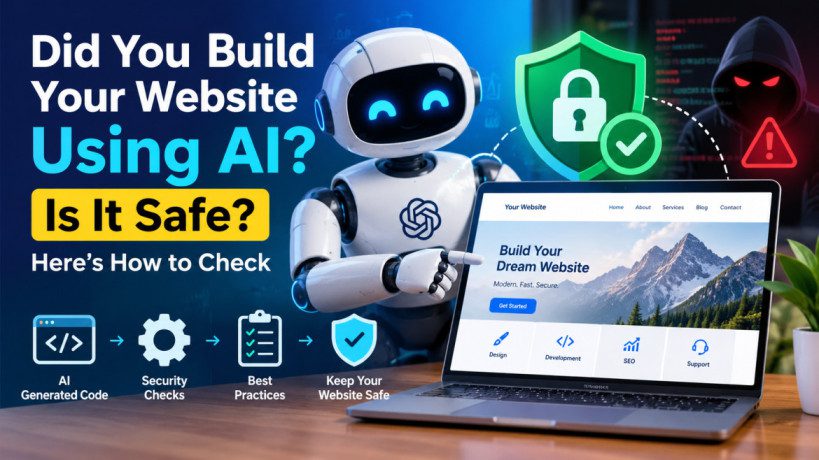
Did You Build Your Website Using AI? Is It Safe? Here’s How to Check
Did You Build Your Website Using AI? Is It Safe? Here’s How to Check
Artificial intelligence has made website development easier than ever. Today, you can use tools like ChatGPT and AI website builders to create websites, generate code, design pages, and even develop custom WordPress plugins without extensive programming knowledge.
But there is one important question you should ask before publishing your website: Is a website built using AI actually safe?
An AI-generated website might look professional, load quickly, and function perfectly during testing. However, that doesn’t automatically mean it is secure. Hidden vulnerabilities in the code, outdated plugins, exposed API keys, or incorrect security settings could put your website and visitors at risk.
This is particularly important for WordPress websites, WooCommerce stores, and websites that collect customer information.
The good news is that you don’t have to stop using AI to build websites. You simply need to understand the risks and know how to check your website’s security.
In this guide, we’ll explore the security risks associated with AI-built websites, explain how to identify potential vulnerabilities, and share practical steps to protect your website.
1. What Is an AI-Built Website?
An AI-built website is a website created with the assistance of artificial intelligence. Depending on the tools you use, AI can generate website designs, write code, create content, and develop custom functionality.
For example, you might use AI to:
- Generate HTML, CSS, JavaScript, or PHP code.
- Build a WordPress website or custom theme.
- Create a WooCommerce store.
- Develop custom WordPress plugins.
- Add contact forms and interactive features.
- Connect your website to external APIs.
- Build user registration and login systems.
However, there is an important difference between using AI to generate website content and asking it to generate executable code.
AI-generated blog content generally presents different risks from a custom PHP plugin that accesses your WordPress database or processes customer information.
The more access and functionality AI-generated code has, the more carefully it should be reviewed.
2. Are AI-Built Websites Safe?
The short answer is yes, AI-built websites can be safe, but their security depends on how they are developed, tested, configured, and maintained.
AI can help developers identify vulnerabilities and follow secure coding practices. However, it can also generate code that contains mistakes, outdated recommendations, or insecure programming patterns.
Consider two examples.
Example 1: An AI-built portfolio website
Suppose you use an AI website builder to create a simple portfolio containing your photographs, biography, and contact information.
If the platform manages the hosting and security updates, much of the technical maintenance may be handled for you. You should still check account security, integrations, and any custom code you add.
Example 2: An AI-generated WordPress plugin
Now imagine asking AI to create a plugin that collects customer information and saves it to your database.
If the generated code does not validate user input or check permissions correctly, attackers might exploit those weaknesses to access information or perform unauthorized actions.
The plugin could appear to work perfectly while containing serious security flaws.
This is why developers should review AI-generated code before deploying it.
Security organizations such as the Open Worldwide Application Security Project (OWASP) emphasize the importance of understanding and reviewing AI-generated code rather than trusting it automatically.
You can explore the OWASP Top 10 to learn about major web application security risks.
3. Common Security Risks in AI-Built Websites
Understanding potential vulnerabilities is the first step toward protecting your website.
3.1 SQL Injection
SQL injection occurs when an application handles user input in a way that allows an attacker to interfere with database queries.
For example, a poorly designed search form or login feature might allow malicious input to affect database operations.
How to protect your website:
- Use safe database APIs and parameterized queries.
- Validate user input.
- Follow WordPress database security practices.
- Review custom code that interacts with the database.
3.2 Cross-Site Scripting (XSS)
Cross-site scripting occurs when a website allows malicious scripts to execute in visitors’ browsers.
This can happen when user-submitted information is displayed without appropriate output escaping.
For example, a custom review system might display unsafe content submitted by a visitor.
How to protect your website:
- Sanitize input where appropriate.
- Escape output according to its context.
- Avoid inserting untrusted content directly into HTML.
- Review custom JavaScript and form-handling code.
WordPress developers can consult the official WordPress security documentation.
3.3 Exposed API Keys and Passwords
AI-generated code may contain configuration examples that developers accidentally replace with real credentials.
If you publish private API keys, database passwords, or authentication tokens in publicly accessible code, someone else might be able to misuse them.
For example, an AI-powered website might connect to an external AI service using an API key embedded in browser-side JavaScript.
How to protect your website:
- Keep private credentials on the server.
- Use environment variables or a suitable secrets-management system.
- Never publish passwords or private API keys.
- Rotate credentials immediately if they become exposed.
3.4 Broken Access Control
A website must ensure that users can access only the information and features they are authorized to use.
For example, a customer should not be able to view another customer’s private WooCommerce order details.
AI-generated code can introduce access-control problems if it checks whether a user is logged in but fails to verify their permissions.
How to protect your website:
- Check permissions on the server.
- Use appropriate WordPress capabilities.
- Restrict access to private customer information.
- Test your website using different account roles.
3.5 Outdated Plugins and Libraries
An AI-built website might rely on third-party plugins, themes, or JavaScript libraries.
Even if the generated code is secure, an outdated dependency could contain a known vulnerability.
How to protect your website:
- Install software from reputable sources.
- Keep WordPress, plugins, and themes updated.
- Remove unused components.
- Check for known security vulnerabilities.
- Avoid abandoned or poorly maintained plugins.
4. How to Check Whether Your AI-Built Website Is Safe
You can perform several initial security checks without being a cybersecurity expert. However, automated scans cannot guarantee that your website is completely secure.
Step 1: Check HTTPS
Open your website and confirm that it uses HTTPS without browser security warnings.
HTTPS encrypts information transmitted between visitors and your website.
You can use the Qualys SSL Labs SSL Server Test to examine your website’s SSL/TLS configuration.
Remember that HTTPS protects connections but does not eliminate vulnerabilities in your website’s code.
Step 2: Scan Your Website for Security Issues
Use reputable security tools to identify potential problems.
Wordfence: Wordfence provides WordPress security scanning, firewall features, and security alerts.
Sucuri SiteCheck: Sucuri SiteCheck checks for certain externally detectable indicators of malware and other website security problems.
Google Safe Browsing: Google Safe Browsing lets you check whether Google currently identifies your website as unsafe.
Each tool has limitations. A clean scan does not prove that your website is free from vulnerabilities.
Step 3: Review Your WordPress Plugins and Themes
If your website uses WordPress, open your dashboard and navigate to Plugins → Installed Plugins.
Check whether:
- All plugins come from trustworthy sources.
- Security updates are available.
- Any installed plugins are no longer maintained.
- Unused plugins can be safely removed.
- Custom AI-generated plugins have been reviewed.
Repeat the process under Appearance → Themes.
Never install a plugin from an unknown source simply because an AI tool recommends it.
Step 4: Review AI-Generated Code
If you used AI to generate custom PHP, JavaScript, or a WordPress plugin, review the code before deploying it.
Look for suspicious patterns such as unsafe database queries, missing permission checks, exposed credentials, insecure file uploads, or untrusted data displayed without appropriate escaping.
If you do not understand what the code does, ask an experienced developer to review it.
You can also use AI to help explain code and identify possible security weaknesses, but do not treat its assessment as a guarantee.
Step 5: Check for Exposed Secrets
Review publicly accessible source code for accidentally exposed API keys or credentials.
Pay particular attention to integrations with AI services, payment providers, and other external applications.
If you discover a real exposed credential, revoke or rotate it immediately. Removing it from the current version of a file may not remove it from earlier versions or repository history.
Step 6: Test User Permissions
If your website has user accounts, check whether each account can access only the information it is supposed to see.
For example, a subscriber should not have administrator privileges, and one customer should not be able to access another customer’s private information.
Perform these checks only on websites and accounts you own or are authorized to test.
Step 7: Check Security Headers
Security headers help browsers handle website content more safely.
Depending on your website, relevant headers may include Content-Security-Policy, Strict-Transport-Security, X-Content-Type-Options, and Referrer-Policy.
You can inspect these headers using your browser’s developer tools.
However, security headers must be configured correctly. Incorrect settings can break website features, so test changes before applying them to a live website.
5. How to Secure an AI-Built WordPress Website
If you built your website using WordPress and AI, follow these essential practices.
Keep everything updated. Install security updates for WordPress, themes, plugins, and relevant server software.
Use strong passwords. Enable multifactor authentication for administrator accounts where possible.
Limit administrator access. Give each user only the permissions necessary for their role.
Back up your website. Maintain secure copies of your website files and database, and periodically test whether they can be restored.
Use reputable security tools. A suitable security plugin or web application firewall can help detect or block certain attacks.
Test custom code on staging. A staging website allows you to test AI-generated plugins and features before deploying them to your live website.
Protect customer information. Use appropriate access controls and secure data-handling practices, especially if your website processes payments or stores personal information.
For additional guidance, consult the official WordPress security hardening handbook.
6. Can AI Check Whether Your Website Is Secure?
Yes. AI can assist with security reviews by explaining code, identifying suspicious patterns, and suggesting tests.
For example, you can ask an AI coding assistant to review a custom WordPress plugin for potential SQL injection, cross-site scripting, missing permission checks, and insecure file handling.
However, AI has limitations. It may miss vulnerabilities, produce incorrect findings, or recommend fixes that introduce new problems.
It may also lack access to your server configuration, database, and complete application.
Therefore, combine AI-assisted reviews with security scanners, code testing, and professional assessments where appropriate.
Never paste live passwords, private API keys, or confidential customer information into an AI prompt unnecessarily.
7. Warning Signs That Your Website May Be Compromised
Watch for these potential warning signs:
- Unexpected administrator accounts.
- Unknown plugins or files.
- Unexplained redirects.
- Suspicious pop-ups or advertisements.
- Browser security warnings.
- Unusual login activity.
- Unexpected website content changes.
- Exposed API keys or credentials.
These symptoms do not necessarily mean that AI-generated code caused a security problem. Traditional websites can experience the same issues.
If you suspect your website has been compromised, contact your hosting provider or a qualified security professional and investigate the cause.
8. AI Website Security Checklist
Before publishing or continuing to use your AI-built website, review this checklist.
| Security Check | What to Verify |
|---|---|
| HTTPS | Valid certificate and secure connections |
| Software updates | WordPress, plugins, themes, and dependencies are updated |
| Code review | AI-generated code has been reviewed |
| API keys | Private credentials are not publicly exposed |
| User permissions | Users cannot access unauthorized information |
| Security scanning | Appropriate security scans have been performed |
| Backups | Website files and database can be restored |
| Authentication | Strong passwords and appropriate login protection |
| Hosting | Server access and configuration are adequately protected |
| Monitoring | Suspicious activity can be investigated |
Completing this checklist reduces risk but does not guarantee that every vulnerability has been identified.
AI Can Build Your Website, but Security Still Matters
AI has made website development faster, easier, and more accessible. You can now create WordPress websites, generate custom plugins, and build interactive features with far less manual coding.
However, a website that works correctly is not necessarily a secure website.
AI-generated code can contain vulnerabilities, just like code written by humans. The best approach is to review custom code, use reputable plugins, keep software updated, maintain backups, and test your website regularly.
If you use WordPress, begin by checking your plugins, themes, administrator accounts, and website security status.
If you use AI-generated custom code that handles customer information, payments, or privileged operations, arrange an appropriate security review before relying on it.
You do not need to stop using AI to build websites. You need to use it responsibly.
Remember: AI can help you build your website, but security requires proper testing, maintenance, and human oversight.