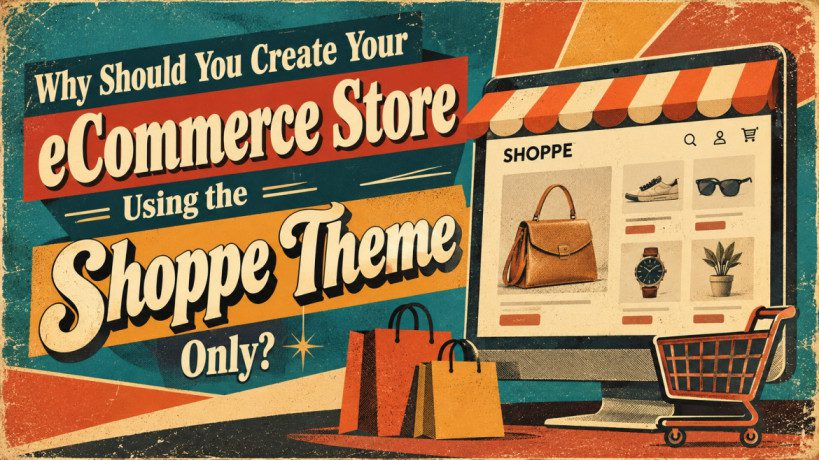
Why Should You Create Your eCommerce Store Using the Themify Shoppe Theme?
Building an eCommerce website is easier than ever with WordPress and WooCommerce. However, choosing the right theme is essential for creating a professional online store that offers a smooth shopping experience.
A good eCommerce theme should do more than make your website look attractive. It should help customers discover products, explore product details, navigate categories, and complete purchases easily.
This is where the Themify Shoppe theme comes in.
Designed specifically for WooCommerce stores, Themify Shoppe combines eCommerce-focused features with visual customization tools. It offers product quick view, wishlist functionality, AJAX cart options, product image zoom, live search, mega menus, and customizable layouts.
Whether you are launching your first online store or building websites for clients, Shoppe provides tools that can simplify the design process.
But what makes it worth considering for your next eCommerce project?
Let’s explore its most important features, benefits, limitations, and use cases.
1. What Is the Themify Shoppe Theme?
Themify Shoppe is a WordPress theme designed for building online stores with WooCommerce.
WooCommerce provides the core eCommerce functionality, including product management, orders, inventory, and checkout. Shoppe complements it by providing storefront layouts, customization options, and shopping-oriented design features.
Using Themify Builder, you can visually customize different areas of your website without coding every element manually.
Some of its advertised features include:
- WooCommerce integration.
- Drag-and-drop visual page building.
- Product quick view.
- Wishlist functionality.
- AJAX shopping cart options.
- Product image zoom and gallery features.
- Live product search.
- Mega menus.
- Customizable product layouts.
- Responsive design options.
- Pre-designed layouts and demos.
These features can help you create a customized storefront without developing every component from scratch.
You can explore the theme on the official Themify Shoppe website.
2. WooCommerce Integration for Your Online Store
One of the main reasons to consider Shoppe is its integration with WooCommerce.
WooCommerce is a popular eCommerce solution for WordPress that allows businesses to sell physical products, digital downloads, and other supported product types.
Shoppe provides the visual design layer, while WooCommerce handles the underlying shopping functionality.
For example, imagine you want to create an online clothing store.
You can use WooCommerce to add shirts, trousers, shoes, and accessories. You can configure prices, sizes, colours, stock availability, and payment methods.
Shoppe helps you present those products through customizable layouts, product grids, and product pages.
This combination is useful for businesses selling:
- Fashion and accessories.
- Electronics and gadgets.
- Furniture and home decor.
- Beauty and skincare products.
- Handmade goods.
- Books and digital downloads.
- Specialty products.
The key advantage is that you can build a visually customized store using an established eCommerce platform rather than developing an entire shopping system yourself.
3. Create Custom Layouts Without Coding Everything
Not every business owner has the budget to hire a developer for every website change.
Shoppe includes Themify Builder, a visual page-building tool that lets you arrange content and design page layouts using a drag-and-drop workflow.
You can use it to create:
- Custom homepages.
- Product promotion sections.
- Featured product displays.
- Landing pages for sales campaigns.
- Brand introduction sections.
- Customer testimonial sections.
- Promotional banners.
- About and contact pages.
For example, a skincare store could have a homepage featuring a promotional banner, best-selling products, skincare categories, customer reviews, and a section introducing the brand.
You can build and customize this layout visually instead of writing all the code manually.
This can reduce development time and make routine design changes easier.
Advanced functionality may still require additional plugins or custom development, but the visual builder provides a useful starting point for many common tasks.
4. Pre-Designed Demos Help You Get Started Faster
Starting an online store from a blank page can be time-consuming.
You need to decide on the homepage structure, product layouts, typography, navigation, colours, and promotional sections.
Shoppe offers pre-designed demos and layouts that can help simplify the initial design process.
Instead of creating everything from scratch, you can start with a suitable design and customize it for your business.
For example, if you are building a fashion store, you could begin with a relevant layout, replace the sample images, add your products, and customize the colours and typography.
Pre-designed layouts can help you:
- Reduce repetitive design work.
- Maintain consistent styling.
- Create attractive product displays.
- Build landing pages more efficiently.
- Establish a consistent visual identity.
These layouts are particularly useful for freelancers and agencies building multiple WooCommerce websites.
Remember that importing a demo does not complete your store automatically. You must still configure products, payment methods, shipping, taxes, branding, and other essential settings.
5. AJAX Shopping Cart for Convenient Shopping
The shopping cart is one of the most important parts of an eCommerce website.
Customers should be able to add products and review their selections without unnecessary interruptions.
Shoppe offers AJAX cart functionality with dropdown and slide-out presentation options.
AJAX allows supported interactions to update information without requiring a full page reload.
Imagine a customer browsing an electronics store. They add headphones to their cart and continue looking for a keyboard.
A convenient cart interface lets them review their selections while continuing to browse products.
Potential benefits include:
- Easier access to cart information.
- Less interruption during product browsing.
- Convenient cart interactions.
- A more integrated shopping experience.
A well-designed cart can make shopping easier, although it does not guarantee higher conversion rates. Your checkout process, pricing, shipping costs, and overall website usability also matter.
6. Wishlist and Quick View Features
Two useful eCommerce features are wishlists and product quick view.
Wishlist functionality
Not every visitor is ready to purchase immediately. Some customers want to compare products or save items for later.
A wishlist allows shoppers to save products they are interested in and revisit them later, depending on the implementation.
For example, a customer browsing a furniture store might save several chairs before deciding which one to purchase.
Wishlists can encourage repeat visits and make product discovery more convenient.
Product quick view
Shoppe also offers a Quick Look feature that allows customers to preview supported product information in a lightbox.
Instead of opening multiple product pages, visitors can quickly examine selected details while browsing a product catalogue.
This can be particularly useful for fashion, accessories, electronics, and home decor stores.
Together, these features can improve product browsing and make it easier for customers to explore your catalogue.
Check the current theme documentation for any addon or configuration requirements.
7. Product Image Zoom and Gallery Features
Online shoppers cannot physically examine products before purchasing them. Product photography therefore plays an important role in the buying process.
Shoppe offers product image zoom and gallery-related features that can improve product presentation.
For example, an online handbag store could display multiple photographs showing the front, back, handles, and material details of each product.
Image zoom allows customers to inspect supported images more closely, while gallery features make it easier to explore different views.
These features can be useful for:
- Clothing and accessories.
- Electronics.
- Furniture.
- Beauty products.
- Handmade goods.
For the best results, upload high-quality product photographs, use consistent image dimensions, and compress images to avoid unnecessarily large files.
Good product photography combined with useful descriptions helps customers understand what they are buying.
8. Live Search and Mega Menus Improve Navigation
Customers should be able to find products without navigating through unnecessary pages.
Shoppe includes live search functionality that can display results as visitors type.
For example, a customer looking for a wireless keyboard can begin typing the product name instead of browsing every electronics category.
Live search can be especially useful for stores with large product catalogues.
Shoppe also supports mega menus, which can organize navigation links into multiple columns.
An online fashion store might organize its main navigation into categories such as Men, Women, Kids, Shoes, Accessories, and Sale.
Each category can contain links to relevant subcategories.
These features can help:
- Make product discovery easier.
- Organize large catalogues.
- Improve navigation.
- Reduce unnecessary browsing.
- Help customers reach relevant products faster.
However, keep your navigation simple. Too many categories and links can make the website confusing, particularly on mobile devices.
9. Customizable Product Pages and Homepage
Different businesses need different product layouts.
A fashion store may prioritize large photographs, while an electronics store may need detailed specifications and product information.
Shoppe provides product layout and display customization options that can help you adapt your storefront to your business.
Depending on the configuration, you can customize product grids, image placement, spacing, product information, and other layout elements.
You can also use Themify Builder to create a homepage that reflects your brand.
A practical eCommerce homepage might include:
- Hero section: Introduce your brand and highlight an important offer.
- Featured categories: Help visitors explore your products.
- Best sellers: Showcase popular items.
- New arrivals: Highlight recently added products.
- Promotional section: Display relevant discounts or campaigns.
- Customer reviews: Build confidence using authentic feedback.
- Trust information: Link to shipping, returns, and customer support.
- Newsletter signup: Allow interested visitors to receive updates.
The goal is not to add as many design elements as possible. It is to make the store easy to understand and help customers find what they need.
10. Mobile Responsiveness and Website Performance
Your eCommerce website should work properly on desktops, tablets, and smartphones.
Shoppe includes responsive styling options to help adapt website layouts to different screen sizes.
Customers should be able to browse products, select variations, add items to their cart, and complete checkout comfortably on mobile devices.
However, responsive design alone does not guarantee a good mobile experience. You should test your actual store, including its menus, cart, product pages, and checkout.
Website performance is equally important.
Shoppe promotes performance-oriented features, but the actual speed of your store depends on several factors:
- Hosting quality.
- Image sizes.
- Installed plugins.
- Third-party scripts.
- Page complexity.
- Caching configuration.
- WooCommerce settings.
To improve performance, compress product images, use reliable hosting, remove unnecessary plugins, and test important pages regularly.
You can use tools such as Google PageSpeed Insights to identify performance issues and monitor Core Web Vitals.
Important: No theme can guarantee fast loading speeds or higher search rankings on its own.
11. SEO-Friendly Foundations for Your Store
Search engine optimization helps search engines discover and understand your product and category pages.
Shoppe provides a foundation for building a customizable storefront, but effective SEO requires additional work.
To improve your store’s search visibility:
- Write descriptive product titles.
- Create original product descriptions.
- Use meaningful product and category URLs.
- Optimize images and alternative text.
- Link related products and categories.
- Configure appropriate structured data.
- Maintain an XML sitemap.
- Address duplicate URLs created by filters and sorting.
- Monitor website performance and mobile usability.
For example, instead of using a generic product title such as “Blue Shirt,” you might use a more descriptive title such as “Men’s Blue Cotton Casual Shirt,” provided it accurately describes the product.
Your WooCommerce configuration, SEO plugin, product content, and technical setup all contribute to your SEO strategy.
Installing Shoppe alone will not guarantee better Google rankings.
12. Who Should Choose Themify Shoppe?
Shoppe may be a suitable option for several types of users.
Small business owners: Build a customizable online store without developing every layout from scratch.
WordPress beginners: Use visual design tools and pre-designed layouts to simplify website creation.
Freelancers and agencies: Reuse familiar workflows when building WooCommerce websites for clients.
Fashion and lifestyle brands: Use product grids and image presentation features to showcase products.
Businesses with growing catalogues: Use search, mega menus, and compatible filtering tools to improve product discovery.
Digital entrepreneurs: Customize the storefront for supported digital products sold through WooCommerce.
However, businesses with highly specialized requirements should compare Shoppe with other themes and custom development options before making a final decision.
13. Shoppe vs Other WordPress eCommerce Themes
How does Shoppe compare with a general-purpose WordPress theme?
| Feature | Themify Shoppe | General-purpose theme |
|---|---|---|
| Main focus | WooCommerce stores | Multiple website types |
| Product quick view | Advertised feature | Depends on theme and plugins |
| Wishlist | Advertised functionality | Depends on theme and plugins |
| AJAX cart options | Available | Depends on theme and plugins |
| Visual customization | Themify Builder | Varies by theme |
| Pre-designed layouts | eCommerce-oriented demos | Varies by theme |
| Performance | Depends on implementation | Depends on implementation |
| SEO | Requires proper optimization | Requires proper optimization |
Shoppe’s main advantage is its combination of eCommerce-focused features and visual customization tools.
A general-purpose theme may offer similar functionality through extensions or a different builder.
Your decision should depend on the features you need, your budget, your preferred design workflow, and your long-term maintenance requirements.
14. Important Things to Consider Before Choosing Shoppe
Although Shoppe offers several useful features, there are a few things to consider before using it.
WooCommerce is still required: Shoppe provides the theme, while WooCommerce handles the core eCommerce functionality.
Some features may require addons: Check the current documentation and licensing terms before purchasing.
Performance depends on your setup: Hosting, plugins, images, and configuration affect loading speed.
Advanced functionality may require development: Complex product configurators, specialized integrations, and custom checkout workflows may need additional tools.
Changing themes can require redesign work: Theme-specific layouts and styling may need to be recreated if you switch themes later.
Maintenance remains essential: Updates, backups, security, and compatibility testing are necessary for a reliable online store.
Understanding these limitations will help you decide whether Shoppe fits your requirements.
Is Themify Shoppe Worth Considering for Your eCommerce Store?
Themify Shoppe is worth considering if you want to build a WooCommerce store with eCommerce-focused features and a visual customization workflow.
Its combination of product quick view, wishlist functionality, AJAX cart options, product image zoom, live search, mega menus, and customizable layouts can help you create a professional storefront.
For beginners, it offers tools that can simplify website design. For freelancers and agencies, it provides reusable layouts and features that may help streamline development.
However, the best theme for your business depends on your specific requirements, budget, preferred workflow, and long-term plans.
Remember that a successful eCommerce website needs more than an attractive theme. Product quality, clear descriptions, reliable payments, efficient shipping, security, marketing, and a smooth checkout experience are equally important.
If Shoppe’s features match your requirements, explore its demos and documentation before making your final decision.
Visit the official Themify Shoppe website to review its current features, pricing, and licensing options.