
























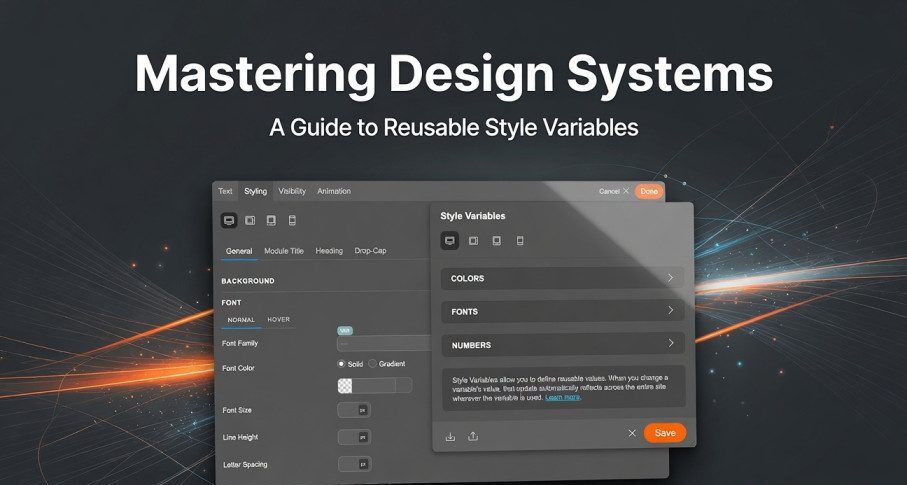
Style Variables in Themify: The Ultimate Guide to Faster & Smarter Website Design
Design consistency is one of the biggest challenges in modern web development. Whether you’re managing a WordPress blog, an eCommerce store, or a client website, maintaining uniform colors, fonts, and spacing across pages can be time-consuming.
That’s where Themify’s new Style Variables feature comes in.
This powerful update allows you to define reusable styling values and apply them globally across your website—saving time, improving consistency, and making design updates effortless.
What Are Style Variables in Themify?
Style Variables are reusable design values (like colors, fonts, and spacing) that can be applied across multiple elements on your website.
Instead of manually editing each section, you define a variable once and reuse it everywhere.
👉 Example:
- Set a variable for your primary color
- Apply it to buttons, headings, and backgrounds
- Change it once → updates everywhere instantly
Changing a variable will automatically update all elements using it across the entire site.
Key Benefits of Style Variables
✅ 1. Global Design Control
Update your entire site’s look with just one change.
✅ 2. Time-Saving Workflow
No need to edit each page manually.
✅ 3. Consistent Branding
Maintain uniform colors, typography, and spacing.
✅ 4. Beginner-Friendly
No coding required—fully visual interface.
Types of Style Variables
Themify currently supports three main types of variables:
🎨 1. Color Variables
Used for:
- Background colors
- Text colors
- Borders
Example:
theme_accentcan control your entire site’s primary color- Changing it updates all elements using that color
🔤 2. Font Variables
Used for:
- Headings (H1–H6)
- Body text
- Accent fonts
Perfect for maintaining typography consistency across your website.
📏 3. Number Variables
Used for:
- Padding & margin
- Font size
- Border radius
These are especially useful for maintaining consistent layouts and spacing.
How Style Variables Work (Step-by-Step)
Step 1: Add a Variable
- Open Themify Builder or Customizer
- Click on any styling field
- Hit the “VAR” button
- Click “Add New” and define your variable
Step 2: Assign the Variable
- Hover over any styling input
- Select the variable from the list
Step 3: Update Anytime
- Change the variable value
- All linked elements update instantly
Theme-Specific Variables
Themify includes built-in variables like:
theme_accenttheme_accent_hover
⚠️ Important:
- You cannot delete or rename these defaults
- But you can override their values to match your branding
Responsive Design Made Easy
One of the most powerful features is responsive variables.
You can assign different values for:
- Desktop
- Tablet
- Mobile
👉 Example:
- Large font size on desktop
- Smaller size on mobile
This eliminates the need to create multiple styles manually.
Real-World Use Case
Let’s say your website uses a green theme:
- You assign
theme_accent = green - Apply it across buttons, backgrounds, and headings
Later, you decide to switch to blue:
- Change the variable once
- Entire website updates instantly
This is especially useful for:
- Rebranding
- Client projects
- Seasonal design updates
Best Practices for Using Style Variables
✔ Use meaningful names (e.g., primary-color, heading-font)
✔ Avoid renaming variables after use (can break layouts)
✔ Don’t delete variables that are already applied
✔ Use responsive values for better mobile design
✔ Keep variables organized and minimal
Themify recommends avoiding renaming or deleting variables once they are in use, as it can affect layouts.
Why Style Variables Matter in 2026
Modern websites demand:
- Faster updates
- Consistent design systems
- Better mobile responsiveness
Style Variables bring design system thinking into WordPress without needing advanced CSS knowledge.
They work similarly to CSS variables, but in a visual, beginner-friendly way.
SEO & Performance Benefits
Using Style Variables can indirectly improve SEO:
- ⚡ Faster updates = quicker optimization
- 🎯 Consistent UX = lower bounce rates
- 📱 Better responsiveness = improved mobile rankings
Themify’s Style Variables feature is a game-changer for WordPress designers and developers.
Whether you’re a beginner or a professional, it simplifies design management and gives you full control over your website’s appearance.
👉 If you’re using Themify Builder or planning to, this feature alone is worth exploring.
FAQs
❓ Are Style Variables beginner-friendly?
Yes, they are fully visual and require no coding.
❓ Can I use them for responsive design?
Yes, you can set different values for desktop, tablet, and mobile.
❓ What happens if I delete a variable?
Elements using that variable may lose their styling.


