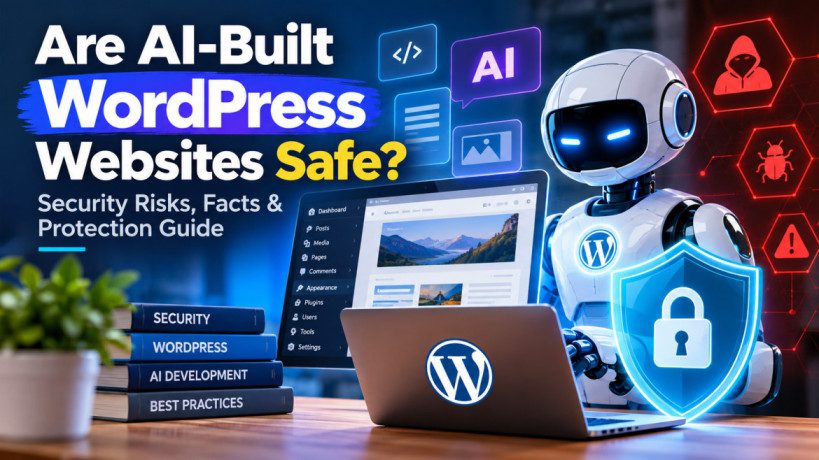
Are WordPress Websites Built With AI Safe? Security Risks, Facts & How to Protect Your Site
Artificial intelligence is changing how WordPress websites are built. Today, AI can generate WordPress themes, plugins, PHP code, JavaScript, WooCommerce features and even complete website layouts in minutes.
But this raises an important question:
Are WordPress websites built with AI safe?
The answer is yes, but AI-generated WordPress websites are not automatically secure.
AI can help developers build websites faster, but the generated code still needs to be reviewed, tested and maintained. Poorly written AI-generated code, vulnerable plugins, weak passwords and outdated software can all put a WordPress website at risk.
In this guide, we’ll look at the security risks of AI-built WordPress websites, real WordPress security facts, and practical ways to protect your website.
Are WordPress Websites Built With AI Safe?
AI itself does not make a WordPress website insecure.
The security risk depends on how AI is used.
For example, using AI to create blog content or CSS generally presents a relatively low security risk.
However, asking AI to create:
- Custom PHP plugins
- Authentication systems
- Payment functionality
- REST API endpoints
- Database queries
- User-management features
- WooCommerce functionality
requires much greater security testing.
The most important rule is simple:
Never assume AI-generated code is secure just because it works.
WordPress Security Is Already a Major Concern
The security risks associated with WordPress are not new.
According to Patchstack’s 2026 State of WordPress Security report, 11,334 new vulnerabilities were identified in the WordPress ecosystem during 2025.
Even more importantly, 91% of those vulnerabilities were found in plugins, while 9% were found in themes.
This shows why third-party software remains one of the biggest security concerns for WordPress websites.
AI can potentially increase this risk because it makes it much easier for people without extensive programming experience to create custom plugins and website functionality.
Why Can AI-Generated WordPress Code Be Dangerous?
1. AI Can Generate Vulnerable PHP Code
WordPress relies heavily on PHP.
AI can generate PHP for:
- Custom plugins
- Shortcodes
- Forms
- REST APIs
- AJAX functionality
- WooCommerce features
- Custom post types
However, AI-generated PHP may not always properly handle:
- User input
- Database queries
- Authentication
- Permissions
- Nonces
- Output escaping
Poor implementation can result in vulnerabilities such as:
- Cross-site scripting (XSS)
- SQL injection
- Cross-site request forgery (CSRF)
- Privilege escalation
That’s why AI-generated PHP should always be reviewed before being used on a production website.
2. AI-Generated Plugins Can Increase Security Risks
One of the biggest concerns is the growing use of AI to create WordPress plugins.
A plugin can access important parts of a WordPress website, including:
- Database information
- User accounts
- Files
- APIs
- WooCommerce orders
- Administrator functionality
A small coding mistake can therefore have serious consequences.
Patchstack has highlighted the security risks associated with AI-generated software and the possibility of vulnerabilities being introduced as AI makes software development faster.
The lesson is simple:
AI-generated plugins should be treated like third-party software and security-tested before deployment.
3. AI Can Introduce Outdated Dependencies
AI-generated code may include third-party libraries or coding approaches that are outdated.
For example, generated code might rely on:
- Old JavaScript libraries
- Deprecated WordPress functions
- Outdated APIs
- Unmaintained packages
This creates a potential software supply-chain risk.
OWASP’s 2025 Top 10 lists Software Supply Chain Failures as one of the major web application security risks.
Before deploying AI-generated code, developers should check its dependencies and make sure they are maintained and up to date.
4. AI Can Make Authentication Mistakes
Authentication is one of the most sensitive parts of a website.
AI-generated code involving:
- Login
- Registration
- Password reset
- Membership
- User roles
- API authentication
needs additional security review.
A poorly implemented authentication system could allow unauthorized users to access functionality or information they shouldn’t have.
OWASP identifies Broken Access Control as the #1 web application security risk in its 2025 Top 10.
5. AI-Generated APIs Need Careful Security Testing
WordPress websites increasingly use REST APIs.
AI can quickly create custom API endpoints, but the important question isn’t simply:
“Does the API work?”
The important questions are:
- Who can access the endpoint?
- Does it require authentication?
- Are user permissions checked?
- Can unauthorized users modify data?
- Is sensitive information exposed?
- Is user input validated?
An API without proper access controls can become a significant security weakness.
6. AI Can Accidentally Expose API Keys
AI-generated code can also create problems with API credentials.
A developer might ask AI to integrate WordPress with:
- Stripe
- OpenAI
- Google services
- Email platforms
- CRMs
- Shipping services
If secret credentials are placed inside publicly accessible JavaScript, attackers may be able to obtain them.
Never expose:
- API secret keys
- Database passwords
- Private tokens
- Authentication credentials
in frontend code.
Secrets should be stored securely on the server.
7. WooCommerce Websites Need Extra Protection
AI is increasingly being used to customize WooCommerce stores.
But WooCommerce websites handle highly sensitive operations such as:
- Customer accounts
- Orders
- Payments
- Refunds
- Product prices
- Inventory
- Coupons
- Shipping
A security mistake in custom WooCommerce code could therefore have financial consequences.
AI-generated WooCommerce functionality should always be tested carefully before it is deployed.
AI Agents Could Create New WordPress Security Challenges
The next stage of AI isn’t just generating code.
AI agents can potentially interact with websites.
Instead of:
Human → Website
we could increasingly see:
AI Agent → Website → API → Product → Cart → Checkout
This creates new questions for WordPress and WooCommerce developers.
Websites may need to distinguish between legitimate automated agents and malicious bots.
At the same time, attackers can also use AI to discover vulnerabilities faster.
This means WordPress security is likely to become an increasingly important part of AI-powered website development.
AI Can Also Improve WordPress Security
AI isn’t only a threat.
It can also help website owners and security teams.
AI can potentially assist with:
- Code analysis
- Vulnerability detection
- Log analysis
- Malware investigation
- Security monitoring
- Threat detection
- Automated testing
- Identifying suspicious activity
This creates a new security race:
AI-powered attackers vs. AI-powered defenders.
The goal shouldn’t be to avoid AI.
The goal should be to use AI responsibly.
How to Secure an AI-Built WordPress Website
If you are using AI to build a WordPress website, follow these security practices.
1. Review AI-Generated Code
Don’t copy AI-generated PHP directly into your production website.
Review:
- Database queries
- Authentication
- Permissions
- File uploads
- REST APIs
- AJAX handlers
- User input
- Output escaping
2. Keep WordPress Updated
Always keep:
- WordPress core
- Plugins
- Themes
- PHP
- Libraries
updated.
Remove plugins and themes that are no longer required.
3. Use Trusted Plugins
Don’t install an unknown plugin simply because AI recommended it.
Check:
- Developer reputation
- Update history
- Support activity
- Vulnerability history
- Number of active installations
- Compatibility with your WordPress version
4. Enable Two-Factor Authentication
Your administrator account is one of the most valuable targets.
Use:
- Strong passwords
- Unique passwords
- Two-factor authentication
- Limited administrator accounts
Never share administrator credentials unnecessarily.
5. Protect API Credentials
Store API keys and secrets securely.
Never place private credentials directly inside frontend JavaScript.
If an API key is accidentally exposed, rotate it immediately.
6. Create Regular Backups
A security strategy isn’t complete without backups.
Back up:
WordPress files + database
Keep at least one backup separate from your primary hosting environment.
Most importantly, periodically test whether the backup can actually be restored.
AI WordPress Security Checklist
Before launching an AI-built WordPress website, check:
WordPress
-
WordPress is updated
- Plugins are updated
- Themes are updated
- Unused plugins are removed
- Unused themes are removed
AI-generated code
- PHP code has been reviewed
- Database queries are secure
- User input is validated
- Output is escaped
- Permissions are checked
- REST APIs are protected
Accounts
- Strong passwords are used
- 2FA is enabled
- Administrator accounts are limited
APIs
- API keys are protected
- Secrets aren’t exposed in frontend code
- API permissions are restricted
Recovery
- Website backups are enabled
- Database backups are enabled
- Backups are stored separately
- Restoration has been tested
AI-Built WordPress Security: Risk Levels
| AI Usage | General Risk |
|---|---|
| AI-generated blog content | 🟢 Low |
| AI-generated CSS | 🟢 Low |
| AI-assisted page design | 🟢 Low |
| AI-generated JavaScript | 🟡 Medium |
| AI-generated PHP | 🟡 Medium |
| AI-generated custom plugin | 🟠 Medium–High |
| AI-generated authentication | 🔴 High |
| AI-generated payment functionality | 🔴 High |
| AI agents with administrative access | 🔴 Very High |
These are practical risk categories rather than official industry ratings.
The Biggest WordPress Security Mistake
The biggest mistake isn’t necessarily using AI.
It’s trusting code without understanding or testing it.
The same principle applies to traditional development.
A developer can write insecure code manually.
AI can simply make it possible to produce much more code much faster.
That’s why every AI-generated feature should go through:
Generate → Review → Test → Secure → Deploy → Monitor
Are AI-Built WordPress Websites the Future?
Absolutely.
AI is already changing how websites are designed, developed and maintained.
It can reduce development time and allow smaller teams to build sophisticated WordPress websites.
But security needs to evolve alongside it.
The future WordPress workflow will likely involve both AI-assisted development and automated security testing.
The websites that succeed won’t necessarily be those that use the most AI.
They will be the ones that use AI while maintaining strong security practices.
Final Verdict
AI-built WordPress websites can be safe.
However, AI-generated code should never automatically be considered secure.
The biggest risks come from:
- Vulnerable custom code
- Poorly developed plugins
- Outdated dependencies
- Weak authentication
- Broken access controls
- Exposed API credentials
- Outdated WordPress software
- Poorly secured WooCommerce functionality
The safest approach is:
Use AI to accelerate development, but use human review, security testing and continuous maintenance to protect the website.
AI isn’t automatically a threat to WordPress.
Unreviewed code is.
Frequently Asked Questions
Is it safe to build a WordPress website using AI?
Yes. AI can safely assist with WordPress development, but AI-generated code should be reviewed and tested before being deployed.
Can AI-generated WordPress plugins be hacked?
Yes. Like any software, AI-generated plugins can contain vulnerabilities. They should be security-tested and regularly updated.
Is AI-generated PHP safe?
Not automatically. AI-generated PHP can contain security flaws involving SQL queries, authentication, permissions, input validation and output escaping.
Can AI make WordPress more secure?
Yes. AI can assist with code analysis, vulnerability detection, log analysis, monitoring and security testing.
Should I use AI to build my WooCommerce store?
AI can be extremely useful for WooCommerce development, but payment, customer, order and authentication functionality should receive additional security review.
What is the biggest security risk for an AI-built WordPress website?
There isn’t one single risk. Vulnerable plugins, insecure custom code, outdated software, weak authentication and poor access controls can all create serious security problems.
Should developers stop using AI for WordPress?
No. The better approach is to use AI responsibly. AI can dramatically improve development productivity, but generated code should be reviewed, tested and maintained.