
























How to Shorten Your Email Address: Complete Guide (2025)
In today’s fast-paced digital world, first impressions matter — even in your email address. Long or complicated email addresses can look unprofessional, be hard to remember, and increase the chances of typos. Whether you’re a business owner, blogger, or freelancer, shortening your email address can make communication smoother and your brand look cleaner.
In this post, we’ll break down why long email addresses are a problem, how to shorten them, and the best tools or techniques you can use — step by step.
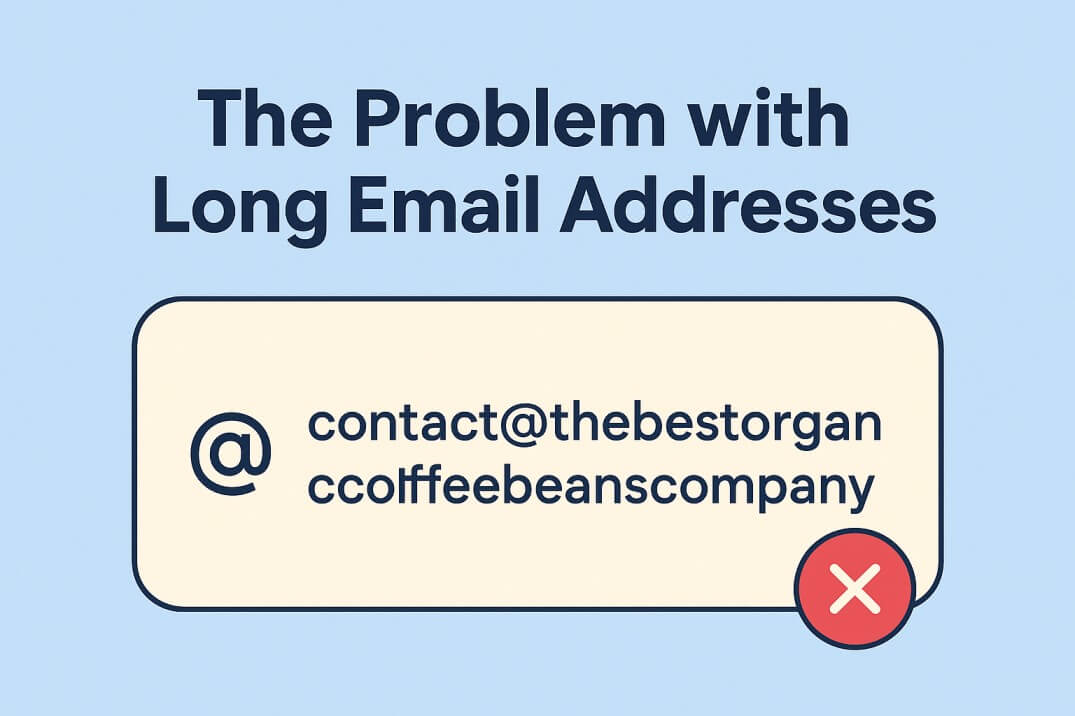
💬 The Problem with Long Email Addresses
Before we fix it, let’s understand why long email addresses can hurt your brand or productivity:
1. Hard to Remember or Type
If your email looks like:
contact@thebestorganiccoffeebeanscompany.com
…people will likely make typos or forget parts of it.
2. Looks Unprofessional
Short, clear, and branded emails look more trustworthy.
Compare:
- ✅
hello@brewco.com - ❌
contactusnow@thebestorganiccoffeebeanscompany.com
3. Breaks Formatting in Forms or Business Cards
Long emails often wrap onto the next line or get cut off on mobile screens and printed materials.
4. Hard to Say Aloud
Imagine reading your long domain over the phone — it’s frustrating and error-prone.
💡 Common Reasons Emails End Up Long
- Your domain name itself is long (e.g.,
companymanufactures.com) - You’re using too many prefixes like
infoaboutsupport@... - You added extra words for SEO or clarity that aren’t needed
- You’re trying to combine personal + business identifiers (like
amitsupport@amitscraftssolutionsindia.com)
✅ All Possible Solutions to Shorten Your Email Address
Here are multiple practical ways to fix or shorten your email address — from simplest to most advanced.
1. Use a Shorter Domain or Alias
If your domain name is long (e.g., companymanufactures.com), you can:
- Buy a shorter domain that redirects to your main site.
Example:- Main site:
companymanufactures.com - Short domain:
cmfg.comorcmf.co
- Main site:
- Set up email forwarding:
hello@cmfg.com→ forwards to →contact@companymanufactures.com
- Tools like Google Domains, Cloudflare, Namecheap, or Forward Email can manage this easily.
🧠 Tip: Choose a domain that’s short, memorable, and matches your brand.
2. Use Email Aliases or Catch-All
Most email hosts let you create aliases — alternate addresses that forward to your main inbox.
For example:
- Real inbox:
support@companymanufactures.com - Alias:
help@companymanufactures.com,hi@companymanufactures.com
If you’re using:
- Google Workspace (Gmail for Business) → Admin Console → Users → Add Alias
- Zoho Mail → Settings → Email Aliases
- Outlook 365 → Manage Email Aliases
🟢 Benefit: You keep your original address but promote a shorter one publicly.
3. Use Subdomains Smartly
Instead of using your full domain, you can create a subdomain email like:
hi@mail.company.com
or
info@go.company.com
This helps if you want to keep branding but simplify structure.
4. Abbreviate or Simplify Username Part
Shorten the “before the @” section:
support@companymanufactures.com→hi@companymanufactures.comsalesinquiries@companymanufactures.com→sales@companymanufactures.comcontactus@companymanufactures.com→info@companymanufactures.com
🧩 Keep it minimal — ideally 3–6 characters if possible.
5. Use a Branded Short Email Domain (External Service)
Some companies use external shortener domains exclusively for email or marketing:
- Example:
- Long:
contact@thebestcoffeesolutions.com - Short:
hi@tbcs.io
- Long:
Services like:
- ImprovMX (free email forwarding)
- SimpleLogin (alias and forwarding)
- ForwardEmail.net can help you route short emails to your main account seamlessly.
6. Register a Secondary Domain for Email Only
You can register a simpler domain (e.g., .co, .io, .biz, .email) just for communication:
- Example:
- Website:
www.companymanufactures.com - Email:
hello@cmemail.co
- Website:
You can even use this to separate internal and external communication.
7. Use Custom Email Services
If you’re managing multiple business emails and domains, platforms like:
- Google Workspace
- ProtonMail (Custom Domain Support)
- Zoho Mail
- Titan Mail offer easier alias and routing setups.
They also allow you to manage multiple short addresses from one inbox — clean and efficient.
8. Use Email Redirection on Your Host
Most web hosts (like Hostinger, Bluehost, or SiteGround) let you set up redirected or forwarded addresses directly in cPanel or their dashboard.
Example:
- Create
hi@cmfg.comand forward it tosupport@companymanufactures.com
🧠 This is perfect if you don’t want to migrate your main email system.
⚠️ Things to Avoid
- Don’t change your main email abruptly without setting auto-forwarding or auto-reply — you’ll lose messages.
- Avoid confusing users with too many addresses (
info@,hello@,support@,contact@all separate). - Don’t use public or free domains for business (
yourbusiness@gmail.com) — looks unprofessional.
🧭 Example Case Study
Let’s say your business is Amit Manufacturing Pvt. Ltd. with the domain amitmanufacturingcompany.com.
Current Email:
contact@amitmanufacturingcompany.com
Solutions:
- Register
amitmfg.com - Create
hi@amitmfg.com→ forward to main inbox - Set an auto-reply:
“We’ve updated our email to hi@amitmfg.com for simplicity. Your message has been received.”
✅ Result: Short, clean, branded, easy to remember.
🧠
Your email address is often the first impression someone gets of your brand. A shorter, smarter email:
- Looks professional
- Builds trust
- Reduces errors
- Improves communication speed
You don’t need to overhaul your setup — sometimes just a simple alias or redirect can make all the difference.


