
























Themify Builder Addons: Complete Guide to Supercharge Your WordPress Site
If you’re using the Themify Builder, you’re already ahead in creating visually stunning WordPress websites. But what truly unlocks its power is the Builder Addons—a collection of advanced modules designed to enhance functionality, design, and user experience.
In this guide, we’ll explore all major Themify Builder Addons, their use cases, and how you can leverage them to build high-performing websites.
🔧 What Are Themify Builder Addons?
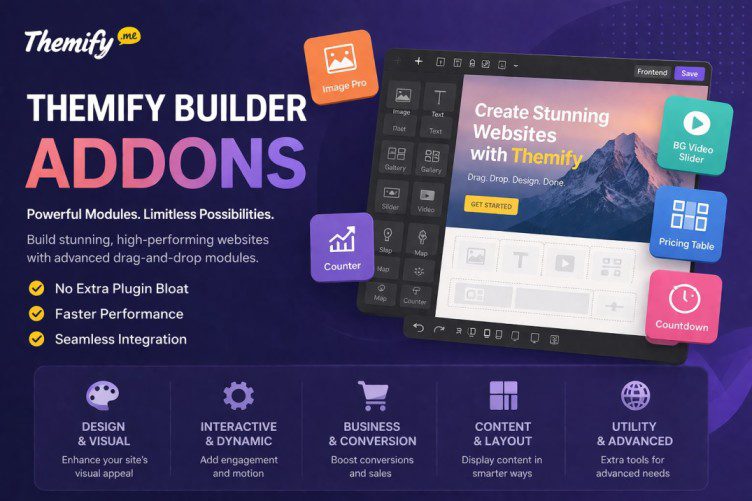
Themify Builder Addons are premium extensions that add advanced modules to your drag-and-drop builder. Instead of relying on multiple plugins, you can access everything from sliders to pricing tables directly inside the builder.
👉 Benefits:
- No extra plugin bloat
- Faster performance
- Seamless integration
- Advanced design flexibility
🧩 Complete List of Themify Builder Addons
🎨 Design & Visual Enhancement Addons
These addons focus on improving the visual appeal of your website:
- A/B Image – Compare two images interactively
- Image Pro – Advanced image styling and effects
- Masked Image – Creative shapes and overlays
- Mosaic – Grid-based artistic layouts
- BG Video Slider – Fullscreen background video sliders
- FitText – Auto-resizing responsive text
👉 Best for: Portfolios, photography, landing pages
⚙️ Interactive & Dynamic Addons
Add engagement and motion to your site:
- Counter – Animated number counters
- Progress Bar – Show stats visually
- Countdown – Launch timers or offers
- Typewriter – Animated typing text
- Toggle – Accordion-style content
- Timeline – Storytelling layouts
👉 Best for: SaaS, startups, storytelling pages
🛒 Business & Conversion Addons
Designed to improve conversions and sales:
- Pricing Table – Showcase plans clearly
- Contact – Built-in contact forms
- Button Pro – Advanced CTA buttons
- WooCommerce – Product display modules
- Content Restriction – Member-only content
👉 Best for: eCommerce, memberships, lead generation
📦 Content & Layout Addons
Enhance how content is displayed:
- Infinite Posts – Load posts dynamically
- Slideshow – Image/content sliders
- Tiles – Grid-based layouts
- Infinite Background – Animated backgrounds
- Slider Pro – Advanced slider controls
👉 Best for: Blogs, magazines, dynamic content sites
🌍 Utility & Advanced Addons
Extra tools for functionality:
- Maps Pro – Advanced Google Maps integration
- Audio – Embed audio players
- Pointers – Tooltips and highlights
- Contact – Easy communication forms
👉 Best for: Local businesses, educators, service websites
💡 How to Use Themify Addons Effectively
✅ 1. Don’t Overload Pages
Too many addons can slow down your site. Use only what’s necessary.
✅ 2. Combine with Layout Parts
- Use Layout Parts for reusable sections
- Add addons inside them for consistency
✅ 3. Optimize Performance
- Compress images using TinyPNG
- Enable caching
- Avoid heavy sliders unless needed
✅ 4. Focus on Conversion
- Combine Countdown + Button Pro for urgency
- Use Pricing Table + Toggle for better UX
⚖️ Pros & Cons of Themify Builder Addons
👍 Pros
- All-in-one solution
- No need for extra plugins
- Deep integration with Themify
- Highly customizable
👎 Cons
- Learning curve (especially layouts)
🔮 Future of Themify Addons (2026+)
- AI-powered layout suggestions
- Smarter modules with automation
- Better performance optimization
Themify Builder Addons are powerful—but only when used strategically.
👉 Start simple:
- Build one page at a time
- Reuse Layout Parts
- Focus on performance + conversions


