
























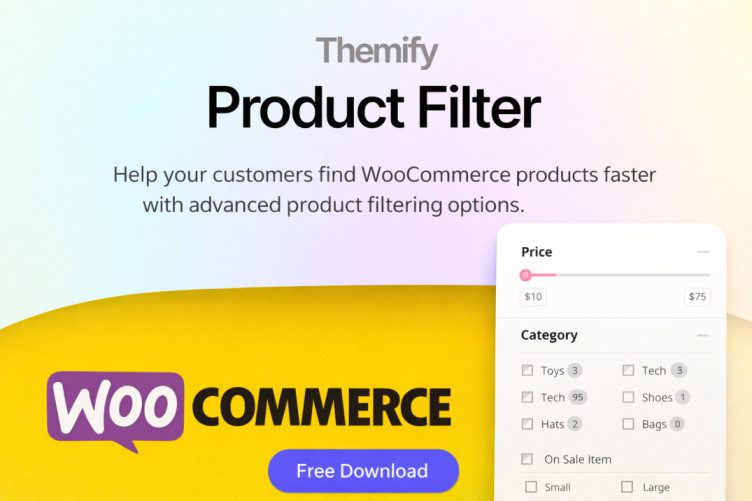
Themify Product Filter: The Ultimate SEO-Friendly Guide for WooCommerce
If your WooCommerce store has more than a handful of products, product filtering is no longer optional—it’s essential. The Themify Product Filter is a lightweight yet powerful solution that helps customers find products faster while improving SEO, user experience, and conversions.
In this SEO-friendly guide, you’ll learn what the Themify Product Filter is, how it works, how to set it up correctly, and best practices to maximize search visibility and sales.
What Is Themify Product Filter?
The Themify Product Filter is a free WooCommerce plugin developed by Themify that allows shoppers to dynamically filter products by:
- Price range
- Product categories
- Tags
- Attributes (size, color, brand, etc.)
- Stock status
The filtering happens without page reloads (AJAX), delivering a faster and smoother shopping experience—something both users and search engines value.
Why Product Filters Matter for SEO & Conversions
Product filters aren’t just a UX feature—they directly impact SEO and revenue.
1. Improved User Engagement
Visitors stay longer when they can quickly narrow down products. Lower bounce rates and longer session durations send positive signals to search engines.
2. Faster Product Discovery = Higher Conversions
When users find what they want faster, they are more likely to buy. Filters reduce friction in the buying journey.
3. Cleaner Category Pages
Instead of creating dozens of thin category pages, filters let users refine results dynamically—avoiding duplicate or low-value URLs.
Key Features of Themify Product Filter (SEO Perspective)
🔹 AJAX Live Filtering
Products update instantly without refreshing the page. This improves:
- Page speed perception
- Core Web Vitals (especially UX metrics)
- Mobile usability
🔹 Multiple Filters at Once
Users can filter by price + category + attribute simultaneously, making it ideal for large WooCommerce catalogs.
🔹 Drag-and-Drop Filter Builder
Create custom filter forms visually—no coding required. This reduces setup errors that could affect SEO or usability.
🔹 Vertical & Horizontal Layouts
- Vertical filters → Best for sidebar SEO layouts
- Horizontal filters → Best above product grids (modern UX)
🔹 Shortcodes & Widget Support
You can place filters exactly where they perform best:
- Category pages
- Shop page
- Custom landing pages
How to Set Up Themify Product Filter (Step-by-Step)
Step 1: Install the Plugin
- Go to WordPress Dashboard → Plugins → Add New
- Search for Themify Product Filter
- Install and activate
You can also download it directly from the official WordPress repository: Themify Product Filter on WordPress.org
Step 2: Create a Filter Form
Navigate to Product Filters → Add New and configure:
- Filter fields (price, categories, attributes)
- Layout (vertical or horizontal)
- Sorting options
- Pagination settings
- Hide empty terms (important for UX & SEO)
SEO Tip:
Only include filters that matter. Too many options can overwhelm users and reduce engagement.
Step 3: Display the Filter
Use the generated shortcode or widget to add the filter to:
- Shop page
- Product category pages
- Custom WooCommerce templates
SEO Best Practices for Using Themify Product Filter
✅ 1. Avoid Indexing Filter URLs
Filtered URLs can create duplicate content.
Best practice:
- Use
noindex, followfor filtered URLs - Let Google index only clean category and product pages
✅ 2. Combine Filters With Strong Category SEO
- SEO title & meta description
- Intro content above product grid
- Internal links to top products
✅ 3. Optimize for Mobile Users
- Collapsible filters
- Clear labels
- Touch-friendly sliders
Performance & Compatibility
- Works with most WooCommerce themes
- Compatible with popular page builders
- Lightweight compared to many premium filter plugins
- AJAX filtering minimizes server load
Note:
For extremely large catalogs (10k+ products), consider pairing with caching and database optimization.
Is Themify Product Filter Good for SEO?
Yes—when used correctly.
- SEO-safe
- Beginner-friendly
- Performance-oriented
- Ideal for improving UX and conversions
For WooCommerce store owners who want better product discovery without bloated plugins, this is one of the best free options available.


