
























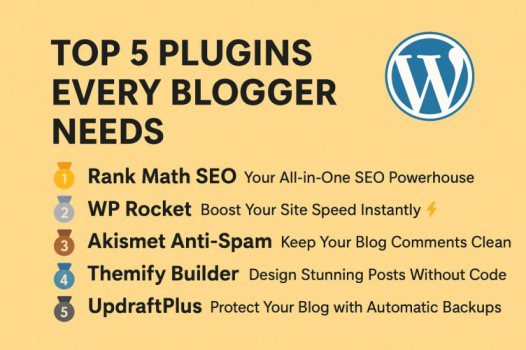
Top 5 Plugins Every Blogger Needs in 2025
If you’re a blogger using WordPress, plugins are your best friends. They can boost SEO, improve site speed, protect from spam, and simplify your workflow — without touching a single line of code!
But with over 60,000+ plugins in the WordPress repository, which ones truly matter? Let’s break down the Top 5 Plugins Every Blogger Needs, with their pros, cons, alternatives, and whether they’re freemium or premium.
🥇 1. Rank Math SEO — Your All-in-One SEO Powerhouse
Focus: SEO Optimization
Rank Math helps you optimize your posts for search engines and readers — from titles and meta descriptions to schema markup and internal links. Official Site
✅ Pros:
- Easy-to-use setup wizard and user interface.
- Real-time SEO analysis with keyword optimization.
- In-built Google Schema Markup (Rich Snippets) support.
- Integration with Google Analytics and Search Console.
- Excellent support and regular updates.
❌ Cons:
- Some advanced options (like AI SEO features) require the Pro plan.
- Can feel overwhelming for total beginners due to many features.
💰 Pricing:
- Freemium: Free version available.
- Premium: Starts at $59/year for the Pro plan.
🔁 Alternatives:
- Yoast SEO – Older and very beginner-friendly.
- All in One SEO Pack – Great for users who prefer minimal settings.
🥈 2. WP Rocket — Boost Your Site Speed Instantly ⚡
Focus: Caching & Performance
Fast websites rank higher and keep readers engaged. WP Rocket is the easiest way to speed up your WordPress blog with caching, minification, and preloading features. Official Site
✅ Pros:
- One-click setup — no coding or tech skills needed.
- Automatically optimizes HTML, CSS, and JavaScript.
- Works perfectly with CDN and Cloudflare.
- Lazy loading for images and videos.
- Compatible with most themes and page builders.
❌ Cons:
- No free version available.
- Some features (like database cleanup) require caution if not familiar with them.
💰 Pricing:
- Premium: Starts at $59/year (no free version).
🔁 Alternatives:
- LiteSpeed Cache (Free) – Ideal for LiteSpeed servers.
- W3 Total Cache (Freemium) – Great flexibility but complex setup.
🥉 3. Akismet Anti-Spam — Keep Your Blog Comments Clean 🧹
Focus: Spam Protection
Spam comments are a nightmare for every blogger. Akismet automatically filters out spammy submissions from comments and contact forms. Official Site
✅ Pros:
- Automatic spam detection and filtering.
- Saves you hours of moderation time.
- Easy integration with WordPress core.
- Lightweight and reliable.
❌ Cons:
- Requires an API key (though easy to get).
- Not 100% accurate — may occasionally flag legit comments.
💰 Pricing:
- Freemium: Free for personal blogs.
- Premium: Starts at $10/month for commercial sites.
🔁 Alternatives:
- Antispam Bee (Free) – GDPR-friendly and highly rated.
- CleanTalk Anti-Spam – More advanced filtering options (Premium).
🏅 4. Themify Builder — Design Stunning Posts Without Code 🎨
Focus: Page Building & Design
Every blogger wants beautiful posts and pages. Themify Builder lets you design visually appealing layouts with a drag-and-drop interface, making it easy to create custom blog templates, landing pages, and more — all without touching a line of code. Official Site
✅ Pros:
- Drag-and-drop interface for easy design.
- Works seamlessly with Themify themes.
- 40+ pre-built layouts and modules to speed up page creation.
- Responsive controls for mobile, tablet, and desktop.
- Compatible with WooCommerce.
❌ Cons:
- Some advanced modules and effects require the Pro version.
- Slight learning curve if you’re new to page builders.
💰 Pricing:
- Freemium: Free core builder available.
- Premium: Starts at $69/year for the Pro version.
🔁 Alternatives:
- Elementor – More widgets, templates, and third-party integrations.
- Beaver Builder – Lightweight and stable option.
- Divi Builder – Includes both theme and builder in one package.
🎯 5. UpdraftPlus — Protect Your Blog with Automatic Backups 💾
Focus: Backup & Restore
Imagine losing your blog overnight due to a crash or hack. Scary, right? UpdraftPlus saves your site automatically to cloud storage and allows one-click restores. Official Site
✅ Pros:
- Easy, automated backups (daily/weekly).
- Supports cloud services like Google Drive, Dropbox, OneDrive, and Amazon S3.
- Simple site migration tools.
- Reliable restore system in one click.
❌ Cons:
- Incremental backups and cloning require the premium plan.
- Interface looks a bit dated.
💰 Pricing:
- Freemium: Free version for essential backups.
- Premium: Starts at $70/year.
🔁 Alternatives:
- BlogVault – Real-time backup & staging (Premium).
- BackupBuddy – Long-standing and feature-rich (Premium).
💡 Combine Smartly, Don’t Overload!
While these plugins are essential, avoid installing too many — it can slow down your site and cause conflicts.
A good combination could look like this:
| Function | Recommended Plugin |
|---|---|
| SEO | Rank Math |
| Speed | WP Rocket |
| Spam | Akismet |
| Design | Elementor |
| Backup | UpdraftPlus |
Running a successful blog is more than just writing — it’s about speed, SEO, security, and design. With these five plugins, you’ll have a rock-solid foundation for growth, engagement, and monetization.
Each tool listed here is trusted by millions of bloggers, so start small, test features, and upgrade when you’re ready to scale.


