
























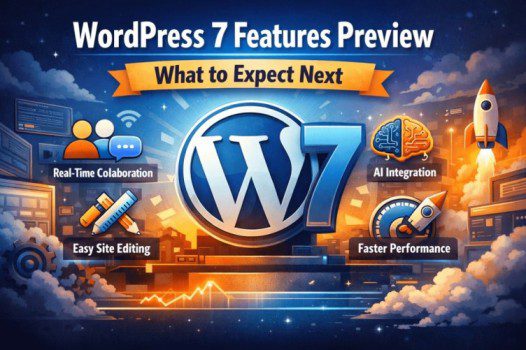
What to Expect in WordPress 7 – User-Friendly Guide (2026)
A Detailed, Point-by-Point, Beginner-Friendly Guide (No Heavy Jargon)
WordPress is preparing for its next big evolution, and WordPress 7 is shaping up to be one of the most user-focused updates ever.
Instead of adding confusing features or technical complexity, WordPress 7 is all about making things:
- Simpler
- More visual
- More collaborative
- Future-ready
This guide explains everything clearly, point by point, so
anyone—bloggers, business owners, freelancers, or agencies—can understand what’s coming.
📅 1. When Is WordPress 7 Expected?
- WordPress 7 is expected after the 6.x series, likely in 2026
- There is no rushed release—features only ship when they’re stable
- Some features may arrive gradually after the initial launch
👉 Translation: Quality over speed
🤝 2. Real-Time Collaboration (The Most Exciting Change)
🔹 What’s changing?
Right now, WordPress mostly allows one editor at a time.
WordPress 7 aims to change that.
You’ll be able to:
- Edit the same page or post together
- See who else is working on the content
- Avoid overwriting each other’s changes
🔹 Why this matters (real-life examples):
- 📰 News websites with multiple writers
- 🧑💻 Agencies working with clients
- ✍️ Blogs with editors and contributors
- 🏢 Businesses approving content internally
Think of it as Google Docs–style editing —inside WordPress.
🧩 3. Full Site Editing That Actually Feels Easy
Full Site Editing already exists, but many users find it:
❌ Confusing
❌ Hard to locate options
❌ Too technical
WordPress 7 aims to fix that experience.
🔹 Improvements you can expect:
- Easier editing of headers, footers, and layouts
- Clearer templates (no more guessing where designs come from)
- Better visual controls for spacing, colors, and fonts
🔹 What this means for you:
- Less dependence on developers
- Fewer layout plugins needed
- More confidence while designing pages
👉 Designing your site will feel more natural and less stressful
🎨 4. Cleaner & Smarter WordPress Dashboard
The WordPress dashboard is powerful—but sometimes overwhelming.
WordPress 7 focuses on:
- Reducing clutter
- Improving navigation
- Making tools easier to find
🔹 Expected improvements:
- Smarter menus
- Better content management flow
- A more modern, polished feel
Good news:
✔ Nothing is removed
✔ Everything just feels more organized
🤖 5. AI Support (Helpful, Not Controlling)
WordPress 7 is not about replacing humans with AI.
Instead, it lays the foundation for AI-powered features through
plugins
and tools.
🔹 Possible AI-assisted tasks:
- Content suggestions
- SEO recommendations
- Image alt text generation
- Content summaries
- Draft improvements
🔹 Why this is good:
- You stay in control
- AI acts like an assistant, not an author
- Plugin developers can innovate safely
👉 Think of AI as a helper, not a replacement.
⚡ 6. Faster Websites & Better Performance
Every major WordPress release improves speed—and WordPress 7 is no exception.
You can track ongoing improvements via the WordPress Core development.
🔹 What happens behind the scenes:
- Cleaner internal code
- Improved loading efficiency
- Better handling of modern hosting environments
🔹 What you’ll notice:
- Faster page loads
- Improved SEO rankings
- Better user experience
- Fewer random issues
Even small speed improvements can have a
big impact on traffic and conversions.
🔌 7. Better Plugin & Theme Experience
WordPress is becoming more block-focused, and WordPress 7 continues that journey.
🔹 For users, this means:
- New themes work smoothly out of the box
- More consistent design behavior
- Fewer conflicts between plugins
🔹 For site owners:
- Updates feel safer
- Less breakage after upgrades
- More predictable layouts
👉 Simply put: less fixing, more building
🧠 8. What WordPress 7 Means for Different Users
✍️ Bloggers
- Easier writing experience
- Collaboration with editors
- Better SEO structure
🏢 Small Businesses
- Visual website editing
- Faster updates without help
- More professional-looking sites
🧑💻 Agencies & Freelancers
- Real-time teamwork
- Faster project delivery
- Happier clients
⚠️ 9. Things to Keep in Mind Before Updating
- Not every feature arrives on day one
- Some tools may mature in later updates
- Always test updates on a staging site
- Check theme and plugin compatibility
👉 Smart updates = smooth experience
Why WordPress 7 Matters
WordPress 7 isn’t about flashy redesigns.
It’s about:
✅ Making WordPress easier
✅ Helping people work together
✅ Preparing for the future
✅ Reducing frustration
If you already use WordPress,
WordPress 7 is designed to help—not confuse—you.


