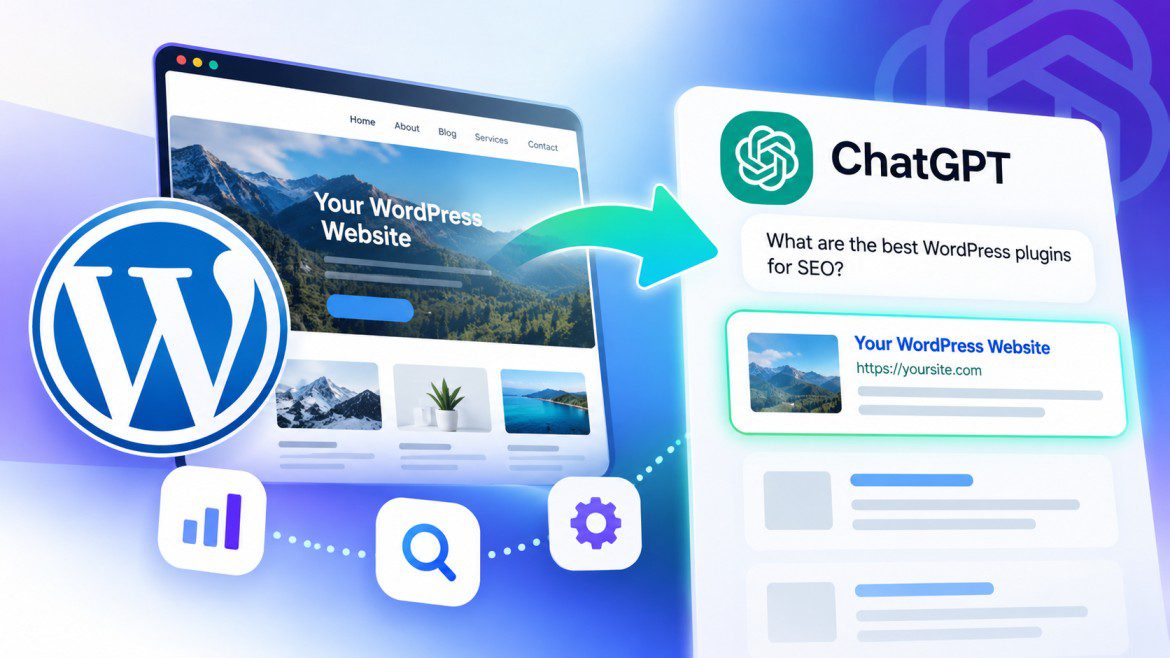
How to Make Your WordPress Website Visible in ChatGPT
How to Make Your WordPress Website Visible in ChatGPT
Search is changing.
For years, website owners focused on getting their content to rank on Google and other traditional search engines. That meant researching keywords, improving page speed, earning backlinks, publishing useful content, and optimizing pages for search intent.
Today, there is another discovery channel to consider: AI-powered search and assistants such as ChatGPT.
People increasingly use conversational AI to find information, compare products, discover businesses, troubleshoot problems, research services, and decide what to buy.
Instead of searching Google for:
“Best WordPress caching plugins for a slow website”
Someone might ask ChatGPT:
“Which caching plugins should I use to improve my WordPress website speed?”
When ChatGPT has access to web search, it can retrieve relevant webpages and use them to help construct its answer. Depending on the query and available sources, websites may appear as cited sources or be recommended as useful resources.
That creates an important question for WordPress website owners:
How can you make your website easier for ChatGPT and other AI-powered search systems to discover, understand, and potentially recommend?
There is no secret plugin or setting that guarantees visibility in ChatGPT. Instead, the fundamentals are surprisingly familiar: your website needs to be accessible, technically sound, useful, trustworthy, well-structured, and relevant to the questions people are asking.
This guide explains how ChatGPT can discover websites and what WordPress website owners can do to improve their chances of being included in relevant AI-powered search results.
Table of Contents
- What Does It Mean to Be Visible in ChatGPT?
- How Does ChatGPT Discover Websites?
- Is ChatGPT SEO Different From Traditional SEO?
- Step 1: Make Sure Search Engines Can Access Your Website
- Step 2: Allow Appropriate AI Crawlers
- Step 3: Improve Your WordPress Website’s Technical SEO
- Step 4: Create Content That Answers Real Questions
- Step 5: Optimize Content for AI-Powered Answers
- Step 6: Use Clear Headings and Structured Content
- Step 7: Add Author Information and Trust Signals
- Step 8: Use Schema Markup Correctly
- Step 9: Improve Internal Linking
- Step 10: Keep Your Content Updated
- Step 11: Build Your Website’s Authority
- Step 12: Optimize Product and Business Information
- Step 13: Understand ChatGPT Search Crawlers
- Step 14: Measure Your AI Search Visibility
- Common Mistakes to Avoid
- WordPress AI Visibility Checklist
- Frequently Asked Questions
- Final Thoughts
1. What Does It Mean to Be Visible in ChatGPT?
Being visible in ChatGPT means that your website has an opportunity to be discovered, referenced, or recommended when ChatGPT uses web-connected search to answer a relevant question.
For example, imagine that you publish a detailed guide explaining how to create a custom WordPress header.
A user asks:
“How can I create a custom header in WordPress without coding?”
If ChatGPT searches the web and considers your tutorial useful and relevant, your page could potentially appear as a cited source or be used as one of the resources informing the answer.
There are several ways this type of visibility can benefit a website.
Your website may appear as a cited source
ChatGPT can provide links to webpages that support or provide additional information for an answer.
A user can then click through to your website.
Your website may be recommended
If you publish useful tutorials, products, documentation, or services, your website may be relevant to questions where those resources are needed.
For example:
- A WordPress tutorial site may be relevant to website-building questions.
- An online store may be relevant when someone asks about its products.
- A local business may appear when someone searches for a relevant service.
- A documentation website may be useful when someone needs technical instructions.
Your content may influence an answer without receiving a click
A webpage can contribute information to an answer without necessarily generating a visible visit.
This is an important difference between traditional search traffic and AI-powered discovery.
Your goals should therefore extend beyond clicks and include:
- Brand awareness
- Website mentions
- Cited links
- Referral traffic
- Product discovery
- Leads
- Conversions
Visibility is not guaranteed
There is no WordPress setting that guarantees your website will appear in ChatGPT.
There is also no universally accepted ChatGPT ranking formula that website owners can follow to secure a particular position.
AI-generated answers can vary based on factors such as:
- The user’s question
- Search intent
- Location
- Language
- Available web results
- Freshness of information
- Source relevance
- Source quality
- The ChatGPT experience being used
The goal is therefore not to find a “ChatGPT ranking trick.”
The goal is to make your website accessible, useful, understandable, trustworthy, and relevant.
2. How Does ChatGPT Discover Websites?
Before optimizing your WordPress website, it helps to understand how web-connected ChatGPT experiences can discover online information.
When a question benefits from current information, a search-enabled AI experience may:
- Interpret the user’s question.
- Determine whether web search is useful.
- Search for relevant information.
- Retrieve webpages or other sources.
- Analyze the available information.
- Generate an answer.
- Provide citations or links where appropriate.
For example, someone might ask:
“What are the best WordPress plugins for creating a custom footer?”
A search-enabled system could look at:
- Official plugin pages
- WordPress documentation
- Tutorials
- Comparison articles
- Reviews
- Technical discussions
- Other relevant sources
If your website contains a useful and accessible resource on the subject, it may be considered as a potential source.
ChatGPT can discover websites through different pathways
Depending on the product and search experience, online information can be encountered through:
- Web search
- Public webpages
- Search engine indexes
- Direct links
- Product information
- Business information
- Other accessible online sources
Publishing a page does not automatically mean that ChatGPT has read it or will use it.
Search visibility is different from model training
One of the most important distinctions for website owners is the difference between search crawling and model training.
A webpage being accessible to ChatGPT Search does not necessarily mean that the page is included in model training data.
Likewise, controlling one type of AI crawler does not automatically control every way an AI system may encounter information about your website.
Search access, crawling policies, indexing, and model-training preferences should therefore be considered separate but related topics.
3. Is ChatGPT SEO Different From Traditional SEO?
You may have encountered terms such as:
- ChatGPT SEO
- Generative Engine Optimization (GEO)
- Answer Engine Optimization (AEO)
These terms generally describe efforts to make content easier for AI-powered search and answer systems to discover, understand, and use.
However, they should not be treated as a replacement for traditional SEO.
Traditional SEO
Traditional SEO focuses on helping webpages become discoverable through search engines.
Common activities include:
- Keyword research
- Technical SEO
- On-page optimization
- Link building
- Page speed improvements
- Mobile optimization
- Search intent analysis
- Content creation
AI search optimization
Optimizing for AI-powered search places additional emphasis on:
- Clear answers
- Useful context
- Well-structured information
- Reliable sources
- Current information
- Accessible content
- Descriptive headings
- Website expertise and trust
There is considerable overlap between the two.
A technically healthy website with useful, trustworthy content provides a strong foundation for both traditional search and AI-powered discovery.
However, ranking well on Google does not guarantee that your website will appear in ChatGPT.
Likewise, optimizing for ChatGPT does not mean abandoning traditional SEO.
The practical approach
Think of it this way:
Create content for people first, make it easy for search systems to understand, and maintain a technically healthy website.
That is a more sustainable strategy than trying to optimize for an imaginary AI ranking formula.
4. Step 1: Make Sure Search Engines Can Access Your Website
Before worrying about AI visibility, make sure your WordPress website can actually be discovered.
If important pages cannot be accessed by search crawlers, they may be difficult for search systems to retrieve and evaluate.
Check WordPress search engine visibility
WordPress includes a setting that discourages search engines from indexing a website.
To check it:
- Log in to WordPress.
- Go to Settings → Reading.
- Locate Search engine visibility.
- Make sure Discourage search engines from indexing this site is unchecked if your website is intended to be publicly discoverable.
- Save your changes.
If your website is still under development, you may intentionally enable this option.
Remember to review it before launching the website.
Important
This setting is not a security mechanism. It communicates a preference to search engines and relies on crawlers respecting that instruction.
Private information should be protected through authentication and appropriate access controls.
Review your robots.txt file
Your robots.txt file provides crawler instructions.
It is commonly available at:
https://yourwebsite.com/robots.txt
A simple example might look like:
User-agent: *
Disallow: /wp-admin/
Allow: /wp-admin/admin-ajax.php

Sitemap: https://yourwebsite.com/sitemap_index.xml
Your actual file may be generated by WordPress, an SEO plugin, your hosting environment, or another service.
Review it for rules that accidentally block:
- Blog posts
- Pages
- Products
- Documentation
- Categories
- Images
- Other important public resources
Avoid accidentally blocking your entire website
A rule such as:
User-agent: *
Disallow: /
tells crawlers not to access the site’s paths.
If this appears unintentionally, it can interfere with search discovery.
Always review your existing configuration before changing robots.txt.
5. Step 2: Allow Appropriate AI Crawlers
If you want your public website to be discoverable through ChatGPT Search, understanding OpenAI’s crawler policies is important.
OpenAI identifies OAI-SearchBot as the crawler associated with discovering content for ChatGPT search.
According to OpenAI’s publisher guidance, website owners who want their content to be eligible for ChatGPT search summaries and snippets should avoid unintentionally blocking OAI-SearchBot.
Your hosting provider, CDN, firewall, or security tools may also need to allow the relevant crawler traffic.
What is OAI-SearchBot?
OAI-SearchBot is an OpenAI web crawler associated with search discovery.
It is different from the crawler associated with model-training purposes.
This distinction matters because website owners may want to:
- Allow search discovery
- Restrict model-training access
- Permit some automated traffic while blocking other traffic
- Protect private or sensitive information
What is GPTBot?
GPTBot is a separate OpenAI crawler associated with potential model-training use.
If you want to control whether your content is available for potential training purposes, review the relevant OpenAI documentation and configure your crawler permissions accordingly.
Allowing OAI-SearchBot does not automatically mean that you must allow GPTBot.
These should be treated as separate decisions.
Example robots.txt configuration
If your goal is to allow OAI-SearchBot to access public content, an example could be:
User-agent: OAI-SearchBot
Allow: /
A website could also have different rules for GPTBot:
User-agent: OAI-SearchBot
Allow: /

User-agent: GPTBot
Disallow: /
This is only an illustration.
Do not copy a robots.txt configuration blindly.
Your website’s requirements, existing rules, privacy considerations, and legal obligations may be different.
Also remember that robots.txt is not an access-control system. Do not use it to protect confidential information.
Check your CDN, firewall, and security tools
Even when robots.txt allows a crawler, your infrastructure could still block it.
Potential sources of blocking include:
- Cloudflare
- Hosting firewalls
- Web application firewalls
- Security plugins
- Bot protection
- Rate limiting
- CAPTCHA systems
- Geo-blocking
- Server-level restrictions
If legitimate search crawler traffic is being blocked, these systems may need to be reviewed.
Should you allow every AI crawler?
Not necessarily.
Your crawler policy should reflect your goals.
| Goal | Possible approach |
|---|---|
| Improve ChatGPT search discovery | Allow OAI-SearchBot where appropriate |
| Protect private content | Use authentication and access controls |
| Restrict potential training access | Review GPTBot instructions |
| Protect sensitive information | Do not publish it publicly |
| Reduce unwanted automated traffic | Configure security controls carefully |
The important thing is to make an informed decision rather than automatically blocking or allowing every crawler.
6. Step 3: Improve Your WordPress Website’s Technical SEO
Great content cannot do much if your website is difficult to access, slow, poorly structured, or broken.
Technical SEO remains an important foundation.
Make your website mobile-friendly
Your website should work properly across:
- Desktop computers
- Laptops
- Tablets
- Smartphones
Check that:
- Text is easy to read.
- Buttons are easy to tap.
- Navigation works on smaller screens.
- Images fit within the viewport.
- Content does not overflow horizontally.
- Important information is not hidden by broken menus.
Mobile usability benefits both search discovery and human visitors.
Improve page speed
Performance affects the user experience and can also contribute to overall search performance.
Pay attention to metrics and factors such as:
- Largest Contentful Paint (LCP)
- Interaction to Next Paint (INP)
- Cumulative Layout Shift (CLS)
- Server response time
- Image optimization
- JavaScript execution
- CSS delivery
- Caching
Tools such as Google PageSpeed Insights can help identify performance problems.
WordPress performance improvements
Consider:
- Using reliable hosting.
- Enabling appropriate caching.
- Compressing images.
- Using modern image formats where appropriate.
- Removing unnecessary plugins.
- Reducing unnecessary JavaScript.
- Limiting heavy third-party scripts.
- Using a CDN when appropriate.
- Keeping WordPress, themes, and plugins updated.
- Monitoring Core Web Vitals.
Improving page speed does not guarantee ChatGPT visibility.
However, it can improve accessibility, user experience, and overall website performance.
Use descriptive URLs
A descriptive URL gives users and search systems useful context.
For example:
Less descriptive:
example.com/?p=123
More descriptive:
example.com/wordpress-header-design-guide/
A WordPress permalink structure such as:
/%postname%/
can be appropriate for many websites.
You can manage permalink settings under:
Settings → Permalinks
Avoid changing established URLs unnecessarily. If you do change URLs, use appropriate redirects.
Create an XML sitemap
An XML sitemap provides a list of important URLs on your website.
It can be especially useful for sites with:
- Large numbers of articles
- Large product catalogs
- Complex navigation
- Frequently updated content
- Deep page structures
Many WordPress SEO plugins generate XML sitemaps automatically.
A sitemap may be available at:
https://yourwebsite.com/sitemap_index.xml
The exact URL depends on your WordPress setup.
Fix broken links
Regularly check for:
- 404 errors
- Broken internal links
- Incorrect redirects
- Missing images
- Outdated external links
- Deleted pages
A strong internal linking structure also makes it easier for users and search systems to discover related content.
Avoid hiding essential content
Important information should not depend entirely on complex interactions.
If the answer to a question only appears after several clicks, searches, or JavaScript interactions, it may be less accessible.
For important content:
- Put key information directly into the page HTML.
- Use descriptive headings.
- Make the primary content accessible without unnecessary barriers.
- Avoid relying entirely on client-side JavaScript for essential text.
- Provide accessible navigation.
This is particularly important for tutorials, documentation, FAQs, products, and services.
7. Step 4: Create Content That Answers Real Questions
One of the strongest ways to improve your chances of appearing in AI-powered search is to create content that solves problems people actually have.
People often ask AI assistants questions conversationally.
Instead of:
“WordPress footer”
they might ask:
“How can I create a custom footer in WordPress without writing code?”
That difference should influence your content strategy.
Focus on search intent
Search intent is the reason behind a user’s question.
| Intent | Example | Suitable content |
|---|---|---|
| Informational | What is WordPress hosting? | Beginner guide |
| Educational | How do I create a custom header? | Tutorial |
| Commercial | Which WordPress SEO plugin should I use? | Comparison |
| Transactional | Where can I buy a WordPress theme? | Product page |
| Troubleshooting | Why is my WordPress site slow? | Problem-solving guide |
| Local | Which WordPress developer is near me? | Local service page |
Creating content for different intents gives your website more opportunities to answer relevant questions.
Find questions your audience actually asks
Good content ideas can come from:
- Customer questions
- Support requests
- Blog comments
- Search suggestions
- FAQs
- Community discussions
- Existing high-performing articles
- Sales conversations
- Support tickets
For a WordPress website, topics might include:
- How to install WordPress
- How to create a custom header
- How to add a footer
- How to improve WordPress performance
- How to troubleshoot plugin conflicts
- How to secure WordPress
- How to choose a WordPress theme
- How to create a responsive website
- How to add custom CSS
- How to migrate WordPress to a new host
Answer the main question early
Do not force readers through a long introduction before giving them the answer.
A useful structure is:
- Identify the problem.
- Give a concise answer.
- Explain the solution in detail.
- Cover common mistakes.
- Provide examples.
- Answer related questions.
- Summarize the solution.
For example:
How do I add a custom footer in WordPress?
You can create a custom WordPress footer using your theme’s footer settings, a theme builder, the WordPress Site Editor, or custom code. The best option depends on your theme and the level of customization required.
You can then explain each approach.
This structure helps readers quickly understand the answer while still providing depth for those who need it.
Cover the topic thoroughly
Comprehensive does not necessarily mean extremely long.
A useful article should cover the important parts of the user’s problem without adding unnecessary paragraphs.
For example, a WordPress caching guide might explain:
- What caching is
- Why caching improves performance
- Different types of caching
- How to configure caching
- Compatibility considerations
- How to test performance
- Common mistakes
- When to clear or disable a cache
The objective is simple:
Solve the reader’s problem.
8. Step 5: Optimize Content for AI-Powered Answers
AI systems need to understand what a page is about, what claims it makes, and how the information relates to the user’s question.
Clear writing and logical organization make this easier.
Write specific titles
Your title should immediately communicate what the reader will learn.
Weak:
WordPress Tips
Better:
How to Create a Custom WordPress Header Without Coding
Another example:
WordPress Website Speed Optimization: 15 Practical Ways to Improve Performance
Specific titles make the purpose of the page clearer.
Give direct answers
When answering a question, provide the answer before the detailed explanation.
For example:
What is a WordPress child theme?
A WordPress child theme inherits functionality and styling from a parent theme and provides a way to customize a website while keeping the original theme files separate.
You can then explain:
- How child themes work
- Why they are useful
- Their limitations
- How to create one
- When to use one
Use useful examples
Examples make technical information easier to understand.
For example, when discussing WordPress URLs:
https://example.com/wordpress-seo-guide/
Explain why the URL is descriptive.
For tutorials, consider including:
- Screenshots
- Code examples
- Configuration examples
- Expected results
- Troubleshooting instructions
Avoid vague claims
Statements such as:
“This is the best WordPress plugin for everyone.”
are difficult to support.
Instead, explain who a product or method may be suitable for and why.
For example:
“This plugin may be suitable for beginners who want a visual interface for customizing WordPress layouts without writing code.”
Where appropriate, support claims using:
- Official documentation
- Testing results
- Product specifications
- Reliable references
- First-hand experience
Separate facts from opinions
Readers should be able to tell the difference between documented information and personal recommendations.
Fact:
WordPress supports themes and plugins that extend website functionality.
Opinion:
A visual builder may be convenient for beginners who prefer not to write code.
Both can be useful, but they should be presented differently.
Use lists and tables where they help
Tables can make complex information easier to scan.
| WordPress tool | Main purpose |
|---|---|
| Theme | Controls much of a site’s design and layout |
| Plugin | Adds or extends functionality |
| Page builder | Provides visual tools for designing pages |
| SEO plugin | Helps manage SEO-related settings |
| Caching plugin | Helps improve website performance |
Do not turn every paragraph into a table. Use structured formats when they genuinely improve clarity.
9. Step 6: Use Clear Headings and Structured Content
A well-structured article is easier for people to read and easier for systems processing webpage content to interpret.
Use a logical heading hierarchy
A typical structure might look like:
H1: How to Make Your WordPress Website Visible in ChatGPT

H2: What Does ChatGPT Visibility Mean?

H2: How ChatGPT Discovers Websites

H2: How to Improve Your WordPress Website

    H3: Improve Technical SEO
    H3: Create Helpful Content
    H3: Improve Internal Linking

H2: Common Mistakes

H2: Frequently Asked Questions
Use one clear primary page heading in a conventional article layout and organize subtopics beneath it.
Keep paragraphs focused
Avoid large walls of text.
Instead:
- Keep paragraphs reasonably short.
- Explain one idea at a time.
- Use descriptive subheadings.
- Use lists where appropriate.
- Remove unnecessary repetition.
Keep important information visible
If the main answer is buried inside a popup, image, or interactive component, it may be harder for users and automated systems to access.
For important information:
- Use actual HTML text.
- Use descriptive headings.
- Add image captions where useful.
- Provide text alternatives for important visual information.
- Keep essential instructions in the page content.
Use semantic HTML
Semantic HTML communicates the structure of your content.
For example:
<h2>How to Improve WordPress Performance</h2>

<p>Website performance can be improved through caching,
image optimization, and efficient hosting.</p>

<ul>
  <li>Enable caching.</li>
  <li>Optimize images.</li>
  <li>Review unnecessary plugins.</li>
</ul>
This provides more meaningful structure than placing everything inside generic containers.
10. Step 7: Add Author Information and Trust Signals
Trust is important when people rely on your website to make decisions.
This is particularly relevant for websites publishing technical advice, product recommendations, reviews, business information, or other decision-making content.
Create an About page
Your About page should explain:
- Who operates the website
- What the website covers
- Who the content is for
- Why visitors can trust the information
- Relevant experience or expertise
For a WordPress website, this might include information about your tutorials, theme guides, plugin resources, troubleshooting content, or website-building experience.
Add author profiles
For individually written articles, consider including:
- Author name
- Short biography
- Areas of expertise
- Relevant experience
- Professional profile links
- Other articles written by the author
This gives readers additional context about who created the content.
Show publication and update dates
Dates are particularly useful for information that changes regularly, such as:
- WordPress tutorials
- Plugin reviews
- Hosting comparisons
- Software guides
- Security recommendations
- Pricing articles
Use accurate dates.
Do not simply change an old article’s publication date to make it appear new.
Cite reliable sources
When making factual claims, link to relevant sources.
Depending on the topic, useful references can include:
- Official WordPress documentation
- Plugin documentation
- Product manuals
- Government websites
- Academic research
- Industry organizations
- Original research
Disclose affiliate relationships
If you earn commissions from links to products or services, disclose those relationships clearly.
Transparency helps readers understand the nature of your recommendations.
Avoid fake expertise
Do not invent:
- Credentials
- Testimonials
- Professional experience
- Reviews
- Research findings
Trust is built through accurate information, transparency, and genuinely useful content.
11. Step 8: Use Schema Markup Correctly
Schema markup, or structured data, provides additional information about the content of a webpage.
It can help search systems understand what a page represents.
Structured data can describe things such as:
- Articles
- Products
- Organizations
- Local businesses
- Events
- Breadcrumbs
- Reviews
- FAQs
What is structured data?
Structured data is information added to a webpage in a standardized format.
JSON-LD is one commonly used format.
A simplified example is:
<script type="application/ld+json">
{
  "@context": "https://schema.org",
  "@type": "Article",
  "headline": "How to Make Your WordPress Website Visible in ChatGPT",
  "author": {
    "@type": "Person",
    "name": "Author Name"
  },
  "datePublished": "2026-09-12"
}
</script>
A real implementation may contain additional properties.
Common schema types for WordPress websites
Article
Useful for blog posts, tutorials, and editorial content.
Product
Useful for product pages containing information such as:
- Product name
- Brand
- Price
- Availability
- Product identifiers
Only mark up information accurately.
Organization
Useful for describing a company, publisher, or organization.
LocalBusiness
Useful for eligible local businesses with information such as:
- Business name
- Address
- Phone number
- Opening hours
- Business type
BreadcrumbList
Useful for describing the hierarchy of pages within a website.
Does schema guarantee ChatGPT visibility?
No.
Structured data can help search systems understand webpages, but there is no guarantee that adding schema will make ChatGPT cite or recommend a website.
Never add misleading structured data or mark up information that does not accurately represent the page.
Check what your SEO plugin already generates
Many WordPress SEO plugins generate schema automatically.
Before adding custom structured data:
- Check what your SEO plugin already produces.
- Avoid duplicate or conflicting markup.
- Make sure the information is accurate.
- Validate the implementation.
- Review it whenever important content changes.
12. Step 9: Improve Your Internal Linking
Internal links connect pages on your own website.
They help visitors discover related information and provide additional context about the subjects your website covers.
Imagine your WordPress website has these articles:
- How to Install WordPress
- How to Choose a WordPress Theme
- How to Improve WordPress Speed
- How to Create a Custom Header
- How to Secure WordPress
These articles can naturally link to one another.
For example, your custom-header tutorial could link to:
- A WordPress theme guide
- A child-theme tutorial
- A responsive design guide
- A WordPress customization tutorial
Use descriptive anchor text
Less useful:
Click here
More useful:
Learn how to create a custom WordPress header
The second example gives readers context about where the link leads.
Build topic clusters
A topic cluster consists of a central guide supported by related articles.
For example:
Main guide
The Complete WordPress Website Optimization Guide
Supporting content:
- WordPress image optimization
- WordPress caching
- Database optimization
- CDN configuration
- Core Web Vitals
- Plugin performance
- Hosting optimization
Link supporting articles to the main guide and connect related articles where it makes sense.
Don’t overdo internal links
Internal linking should be natural.
Do not add dozens of unrelated links simply to increase the number of links on a page.
Every link should serve a purpose for the reader.
13. Step 10: Keep Your Content Updated
AI-powered search often deals with information that changes over time.
For example:
“What is the latest WordPress version?”
or:
“Which WordPress plugins support the current WordPress version?”
If your article contains outdated information, it may be less useful for those questions.
Identify content that needs regular updates
Pay particular attention to content involving:
- Software versions
- Plugin features
- Theme compatibility
- Pricing
- Hosting plans
- Security recommendations
- Product specifications
- Regulations
- Platform changes
Update content meaningfully
When reviewing an article:
- Check whether the information is still correct.
- Review relevant official documentation.
- Replace outdated screenshots.
- Update instructions.
- Remove discontinued features.
- Fix broken links.
- Add newly relevant information.
- Update the date when appropriate.
Changing the date alone does not make an article more useful.
A meaningful update should improve its accuracy, clarity, or completeness.
Include version information when useful
For software tutorials, version context can be valuable.
For example:
This tutorial was tested with WordPress version X and Plugin Y version Z.
Only include version information that you have verified.
14. Step 11: Build Your Website’s Authority
Authority is not simply a matter of publishing hundreds of articles.
It develops through useful information, reliable references, relevant links, original experience, and positive user experiences.
Publish original content
Original content might include:
- Your own testing
- Performance benchmarks
- Real screenshots
- Case studies
- First-hand tutorials
- Product comparisons
- Troubleshooting findings
- Interviews
- Original research
Instead of publishing another generic caching article, you could create:
“We Tested Five WordPress Caching Methods: Performance Results and Setup Recommendations”
A useful testing article could include:
- Testing conditions
- Hosting environment
- Plugins used
- Metrics measured
- Limitations
- Results
- Reproducible steps
Original evidence can make content substantially more useful than generic advice.
Earn relevant backlinks
A backlink is a link from another website to yours.
Relevant links can help people discover your content and may contribute to traditional search visibility.
Potential sources include:
- Industry publications
- WordPress communities
- Developer websites
- Educational resources
- Relevant blogs
- Partner websites
- References to original research
Avoid low-quality link schemes
Avoid relying on:
- Link farms
- Spam directories
- Automated backlink schemes
- Irrelevant guest-post networks
- Artificial link exchanges
Focus on earning links because your content is genuinely useful.
Build a recognizable brand
Make your website easy to identify.
Maintain consistency across:
- Branding
- Website name
- Author profiles
- Contact information
- About page
- Social profiles
- Product descriptions
- Service information
A recognizable brand can support trust and direct discovery.
15. Step 12: Optimize Product and Business Information
If your WordPress website sells products or services, AI search visibility is not just about your blog.
Your commercial pages also need clear, accurate information.
For e-commerce websites
Product pages should clearly communicate:
- Product name
- Description
- Features
- Specifications
- Price
- Availability
- Images
- Shipping information
- Return policy
- Reviews where applicable
- Product variations
If you sell WordPress themes, plugins, or software, explain:
- What the product does
- Supported WordPress versions
- Dependencies
- Customization options
- License terms
- Support options
- Compatibility information
For service businesses
Clearly describe:
- Services offered
- Areas served
- Types of websites or projects handled
- Pricing approach, where appropriate
- Portfolio
- Customer testimonials
- Contact details
- Business hours
- Service limitations
For local businesses
Keep important business information accurate and consistent.
This can include:
- Business name
- Address
- Phone number
- Website
- Opening hours
- Services
- Location
- Customer reviews
Keep pricing accurate
If you publish prices, make sure they are:
- Accurate
- Easy to find
- Clearly labeled
- Updated when prices change
- Consistent with the actual offer
Avoid outdated or misleading promotional information.
16. Step 13: Understand ChatGPT Search Crawlers
OpenAI provides specific publisher guidance for websites that want their content to be discoverable through ChatGPT Search.
If you want your content to be eligible for ChatGPT search summaries and snippets, ensure that OAI-SearchBot is not unintentionally blocked.
Your hosting provider or CDN may also need to permit the relevant crawler traffic.
Check robots.txt
Visit:
https://yourwebsite.com/robots.txt
Look for rules affecting OAI-SearchBot.
A simple allow rule could look like:
User-agent: OAI-SearchBot
Allow: /
This should be considered alongside your existing robots.txt configuration.
Check whether your server blocks the crawler
Even if robots.txt permits access, the server could still return an error.
Potential issues include:
- HTTP 403 errors
- HTTP 429 errors
- Server timeouts
- CAPTCHA challenges
- CDN restrictions
- Firewall rules
- Authentication requirements
If you manage your own server, review relevant logs.
If you use managed hosting, contact your hosting provider if legitimate crawler traffic appears to be blocked.
Review important public pages
Pay particular attention to:
- Homepage
- Blog posts
- Documentation
- Product pages
- Service pages
- Contact pages
- Category pages
Not every page needs to be publicly accessible.
Private dashboards, customer portals, and confidential resources should remain protected.
Crawling does not guarantee inclusion
Allowing a crawler is only one part of the process.
A page may still not appear in a particular ChatGPT answer because:
- It is not relevant to the query.
- Another source is more useful.
- The page is difficult to access.
- The page is new.
- The search system has not discovered it.
- Other sources were selected.
- The answer does not require that particular page.
Search placement is not guaranteed.
17. Step 14: Measure Your AI Search Visibility
You cannot improve your strategy effectively if you never measure what is happening.
Traditional analytics tools can help identify traffic arriving from ChatGPT, but AI visibility involves more than referral traffic.
Track ChatGPT referral traffic
OpenAI’s publisher guidance states that ChatGPT search referral URLs include:
utm_source=chatgpt.com
This allows analytics systems that capture UTM parameters to identify traffic referred from ChatGPT Search.
Monitor ChatGPT traffic in Google Analytics
The exact Google Analytics interface may change, but the general process is:
- Open Google Analytics.
- Select the relevant website property.
- Open your acquisition reports.
- Review traffic sources.
- Look for
chatgpt.comor related referral information. - Analyze sessions, engagement, and conversions.
You can also examine which landing pages receive traffic from ChatGPT.
Track outcomes that matter
Useful metrics include:
| Metric | Why it matters |
|---|---|
| ChatGPT referral sessions | Shows traffic attributed to ChatGPT |
| Engaged sessions | Shows whether visitors interact with the site |
| Conversion rate | Measures desired actions |
| Contact submissions | Important for service businesses |
| Product purchases | Important for e-commerce |
| Newsletter signups | Measures audience growth |
| Top landing pages | Identifies content attracting visitors |
| Returning visitors | Helps evaluate continued audience interest |
Monitor brand mentions
You can also manually test relevant questions in ChatGPT Search.
For example:
- “What are the best WordPress tutorial websites?”
- “Where can I learn WordPress theme customization?”
- “Which websites explain WordPress performance optimization?”
- “What are useful resources for learning WordPress?”
If your website is relevant, see whether it appears among the sources.
Important limitation
Manual testing is not a reliable ranking measurement.
Results can vary based on:
- User location
- Search wording
- Conversation context
- Search availability
- Time
- Source selection
- Personalization
- Language
Use these tests as an exploratory exercise rather than evidence of a fixed ranking position.
Compare performance over time
Consider creating a monthly report covering:
- ChatGPT referral traffic
- Top landing pages
- Conversions
- Search impressions
- Organic traffic
- Newly published content
- Updated content
- Technical problems
Over time, this can help you understand which improvements are producing useful results.
18. Common Mistakes to Avoid
AI search optimization can easily become complicated if you focus too much on shortcuts.
Here are some common mistakes to avoid.
Mistake 1: Assuming an SEO plugin guarantees ChatGPT visibility
SEO plugins can help manage important technical and content settings.
They cannot guarantee that ChatGPT will cite your website.
Better approach: Use your SEO plugin to establish a strong technical foundation.
Mistake 2: Blocking all crawlers without understanding the consequences
Security tools may block automated traffic, but overly broad rules can interfere with legitimate discovery.
Better approach: Review crawler permissions carefully and protect private information using proper access controls.
Mistake 3: Repeating keywords excessively
Keyword stuffing makes content unnatural and difficult to read.
Better approach: Use natural language and cover the subject thoroughly.
Mistake 4: Publishing AI-generated content without reviewing it
AI-generated content can contain:
- Incorrect information
- Outdated instructions
- Broken steps
- Invented references
- Misleading claims
- Repetitive explanations
Better approach: Verify important claims and add genuine expertise, experience, or original insight.
Mistake 5: Writing exclusively for AI systems
Creating unnatural headings and repetitive phrases in an attempt to influence AI systems can produce a poor reading experience.
Better approach: Write for people first and use clear structure naturally.
Mistake 6: Ignoring traditional SEO
AI search does not eliminate the importance of accessibility, technical health, useful content, or search discovery.
Better approach: Maintain a strong traditional SEO foundation while improving content clarity.
Mistake 7: Publishing outdated information
Old plugin instructions, incorrect compatibility information, and outdated pricing can damage trust.
Better approach: Review important content regularly.
Mistake 8: Using fake reviews or unsupported claims
Fake testimonials and exaggerated claims can mislead visitors and damage your reputation.
Better approach: Use genuine evidence and transparent recommendations.
Mistake 9: Measuring only traffic
A website can gain brand exposure without receiving a click.
Better approach: Monitor visibility, referral traffic, engagement, leads, and conversions together.
Mistake 10: Expecting immediate results
There is no guaranteed timeline for when a newly published page will appear in ChatGPT Search.
Better approach: Continue improving your website, publishing useful content, and reviewing performance over time.
19. A Practical WordPress AI Visibility Checklist
Use this checklist to review your website.
Technical SEO
- WordPress is configured for public search discovery.
- Important pages are publicly accessible.
- Robots.txt does not unintentionally block relevant content.
- OAI-SearchBot is allowed where appropriate.
- Your CDN or hosting provider does not unintentionally block relevant crawler traffic.
- Your website works properly on mobile devices.
- Important pages use descriptive URLs.
- An XML sitemap is available.
- Broken links are fixed.
- Important content is accessible without unnecessary barriers.
- Your website uses HTTPS.
- WordPress, themes, and plugins are maintained.
Content quality
- Articles answer real user questions.
- Titles accurately describe the content.
- Main answers appear early.
- Headings are clear and descriptive.
- Content includes useful examples.
- Important claims are supported by reliable sources.
- Articles are written primarily for human readers.
- Content is reviewed for accuracy.
- Outdated information is removed or updated.
- Original insights are included where possible.
Trust and authority
- Your website has an About page.
- Authors are identified where appropriate.
- Author information is accurate.
- Publication and update dates are meaningful.
- Contact information is available.
- Affiliate relationships are disclosed where applicable.
- Product and service descriptions are accurate.
- Relevant backlinks are earned naturally.
Structured data
- Appropriate schema markup is used.
- Structured data matches the visible content.
- Duplicate markup is avoided.
- Product and business information is accurate.
- Structured data is reviewed when content changes.
Measurement
- Google Analytics or another analytics platform is configured.
- ChatGPT referral traffic is monitored.
- Important conversions are tracked.
- Top landing pages are reviewed.
- Search performance is monitored.
- Content improvements are documented.
20. Frequently Asked Questions
Can any WordPress website appear in ChatGPT?
A public website may be eligible to appear in ChatGPT Search when it is accessible and relevant to a user’s question.
However, inclusion or citation is not guaranteed.
For websites seeking ChatGPT Search visibility, OpenAI’s publisher guidance emphasizes allowing OAI-SearchBot and ensuring the hosting environment does not unintentionally block the relevant crawler traffic.
Do I need a special WordPress plugin to appear in ChatGPT?
No.
There is no requirement to install a dedicated “ChatGPT SEO” plugin.
A technically healthy website, accessible content, useful information, and appropriate crawler permissions are more important.
Should I install an AI SEO plugin?
AI-focused SEO plugins may provide features such as:
- Content suggestions
- Internal-link recommendations
- Schema management
- Content analysis
- SEO audits
However, installing one does not guarantee AI search visibility.
Evaluate any plugin based on whether it solves a genuine problem for your website.
Does ranking on Google guarantee visibility in ChatGPT?
No.
Google search rankings and ChatGPT Search are different systems.
A page that ranks highly on Google may not appear in a particular ChatGPT response.
Similarly, a smaller website may be relevant to a specific question and be cited.
Does ChatGPT use only Google search results?
You should not assume that ChatGPT relies exclusively on one search engine or one source.
ChatGPT Search can retrieve web information and use relevant sources when generating answers. The exact retrieval process can vary by product and configuration.
For website owners, the practical priority is to make content publicly accessible, useful, accurate, and discoverable.
How long does it take for a website to appear in ChatGPT?
There is no guaranteed timeframe.
Discovery can depend on factors including:
- Page accessibility
- Crawler access
- Website structure
- Content relevance
- Search coverage
- Publication date
- The user’s query
A newly published article may not appear immediately.
Can I submit my website directly to ChatGPT?
You do not need a special submission form to make a public website eligible for ChatGPT Search.
Instead, focus on accessibility and make sure relevant crawler traffic is not unintentionally blocked.
Should I allow OAI-SearchBot?
If you want your public content to be eligible for inclusion in ChatGPT Search summaries and snippets, allowing OAI-SearchBot is an important consideration.
Before changing crawler rules, review your privacy, content-access, security, and crawler policies.
Is OAI-SearchBot the same as GPTBot?
No.
OAI-SearchBot is associated with search discovery, while GPTBot is associated with potential model-training use.
They have different purposes and can be managed separately.
Does FAQ schema improve ChatGPT visibility?
FAQ schema can provide structured information about eligible FAQ content.
However, it does not guarantee that ChatGPT will use the content or cite your website.
The most important priority is still to provide accurate and genuinely useful answers.
Can ChatGPT recommend my WordPress products?
It may recommend relevant products or websites when the user’s question calls for them and the necessary information is available to the search system.
For example, a WordPress website selling themes or plugins could be relevant to questions about:
- Website design
- Page builders
- WordPress customization
- Website performance
- E-commerce functionality
Recommendations are not guaranteed.
How can I track visitors from ChatGPT?
Use an analytics platform such as Google Analytics and examine referral information.
OpenAI’s publisher guidance states that ChatGPT Search referral URLs include:
utm_source=chatgpt.com
This can help identify traffic originating from ChatGPT Search.
Can I block ChatGPT from accessing my website?
You can configure crawler access policies, including rules affecting OAI-SearchBot.
However, blocking the crawler may affect whether your public content can be considered for relevant search summaries or snippets.
If your goal is to protect confidential information, use authentication and proper access controls rather than relying solely on robots.txt.
Is AI search optimization the same as Answer Engine Optimization?
They are closely related concepts.
Answer Engine Optimization generally focuses on making content useful to systems that provide direct answers.
Generative Engine Optimization is a broader term often used when discussing visibility within generative AI search experiences.
There is no single universally accepted definition or ranking framework for these terms.
21. Final Thoughts: Build a Website Worth Discovering
Making your WordPress website visible in ChatGPT is not about discovering a secret ranking formula.
It is about building a website that deserves to be discovered.
Your website should be:
- Accessible
- Helpful
- Reliable
- Easy to understand
- Technically sound
- Relevant to real questions
- Regularly maintained
Start with the fundamentals.
Check your WordPress search visibility settings. Review your robots.txt file. Make sure important pages are accessible. Check that OAI-SearchBot is not unintentionally blocked. Improve website performance, navigation, and internal linking.
Then focus on your content.
Create tutorials that solve real problems. Answer questions directly. Use descriptive headings. Include useful examples. Reference reliable sources. Keep information current.
Finally, measure the results.
Track ChatGPT referral traffic, monitor conversions, review which pages attract visitors, and continue improving the content that provides the most value.
The future of search is becoming increasingly conversational, but the fundamentals of a good website have not changed.
Create content that people genuinely find useful. Make it accessible to search systems. Keep it accurate and up to date. Give your website a clear reason to be discovered and trusted.
That is the most sustainable approach to improving your WordPress website’s visibility in ChatGPT and other AI-powered search experiences.