
























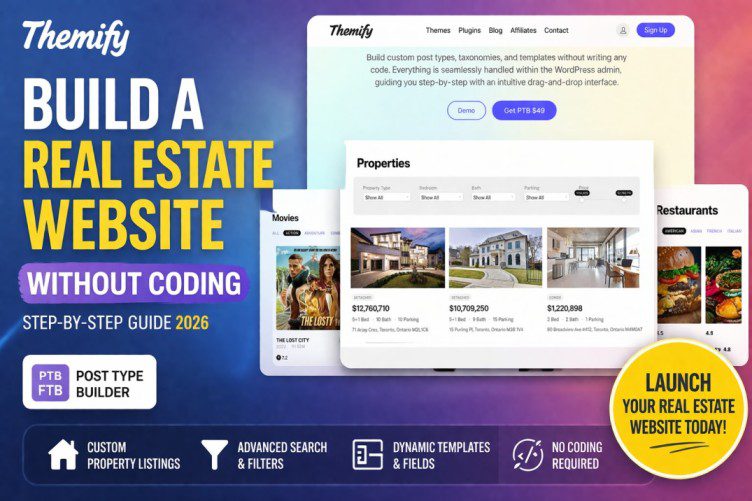
Build a Real Estate Website Without Coding (Step-by-Step Guide 2026)
Creating a real estate website used to require developers, big budgets, and months of work. Not anymore.
Today, you can build a fully functional property listing website without writing a single line of code — thanks to tools like WordPress and the Themify Post Type Builder (PTB).
In this guide, you’ll learn exactly how to create a professional real estate website with listings, filters, images, and dynamic pages — step by step.
🚀 Why Build a Real Estate Website?
A real estate website can help you:
- 🏠 Showcase property listings
- 📈 Generate leads automatically
- 💰 Earn via ads, listings, or commissions
- 🌍 Build a local or global property business
Whether you’re an agent, blogger, or entrepreneur — this is a high-income niche.
🧰 What You Need (No Coding Required)
To build your website, you only need:
- WordPress (self-hosted)
- A theme (preferably Themify )
- Themify Post Type Builder (PTB) plugin
- Optional: Builder Pro for advanced layouts
👉 PTB lets you create:
- Custom post types (like Properties)
- Custom fields (price, location, bedrooms)
- Dynamic templates
🏗️ Step 1: Install WordPress & Theme
- Install WordPress on your hosting
- Choose a clean theme (Themify recommended)
- Import a starter template (optional but saves time)
👉 Keep design simple — focus on functionality first.
🧩 Step 2: Install Themify Post Type Builder
- Go to Plugins → Add New
- Upload and activate PTB
- Open Post Type Builder from dashboard
This is where the magic happens.
🏠 Step 3: Create “Property” Custom Post Type
Create a new post type:
- Name: Properties
- Slug:
properties
Now your website has a dedicated section for listings.
🧾 Step 4: Add Custom Fields (Important!)
Add fields like:
- 💰 Price
- 📍 Location
- 🛏 Bedrooms
- 🛁 Bathrooms
- 📐 Area (sq ft)
- 🖼 Image gallery
- 📞 Contact info
👉 These fields make your site dynamic and professional.
🧱 Step 5: Create Taxonomies (Categories)
Organize properties with:
- Property Type (Apartment, Villa, Plot)
- Status (For Sale, Rent)
- City / Location
👉 Helps users filter listings easily.
🎨 Step 6: Design Property Templates
Using Themify Builder:
- Design single property page
- Show dynamic fields (price, images, etc.)
- Create listing grid layout
👉 This step makes your site look premium.
🔍 Step 7: Add Search & Filters
With PTB Search Addon:
- Filter by price
- Filter by location
- Filter by property type
👉 This is essential for user experience.
📝 Step 8: Add Property Listings
Now start adding properties:
- Upload images
- Fill details
- Assign categories
👉 Your website is now LIVE.
💰 How to Make Money with Your Real Estate Site
- 🏠 Charge for property listings
- 📢 Google AdSense ads
- 🤝 Affiliate real estate services
- 📩 Lead generation for agents
- 🏢 Sell premium listings
📈 SEO Tips to Rank Your Website
- Use keywords like:
- “Buy property in [city]”
- “Flats for sale in [location]”
- Add schema markup (RealEstateListing)
- Optimize images (WebP)
- Create blog content (guides, tips)
⚖️ Pros & Cons
✅ Pros
- No coding needed
- Fully customizable
- Low cost
- Scalable
❌ Cons
- Learning curve (PTB + Builder)
- Setup time required
- Requires good hosting
🧠 Pro Tips (From Experience)
- Start with 10–20 listings (don’t launch empty site)
- Use real images (avoid stock spam)
- Focus on one city first
- Optimize speed (important for SEO)
🔮 Future Scope
Real estate websites are evolving with:
- AI property recommendations
- Virtual tours
- Voice search integration
👉 Getting started now gives you a huge advantage.
🎯
Building a real estate website without coding is completely possible in 2026.
With tools like Themify PTB, you can create:
- Dynamic listings
- Advanced filters
- Professional layouts
👉 All without touching code.


