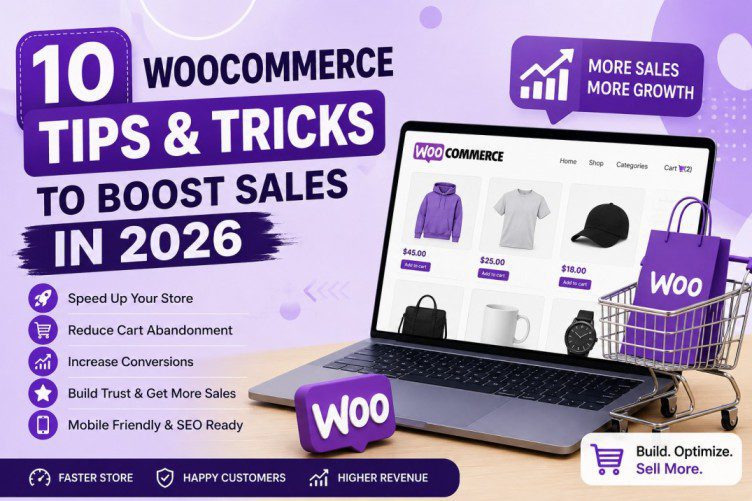
10 WooCommerce Tips & Tricks to Boost Sales in 2026
If you run an online store using WooCommerce, you already know how powerful it is. But simply installing WooCommerce is not enough to generate consistent sales.
Many store owners struggle with slow websites, abandoned carts, poor mobile experiences, and low conversions. The good news? A few smart WooCommerce optimizations can significantly improve your store performance and revenue.
In this guide, we’ll share 10 proven WooCommerce tips and tricks for 2026 to help you increase sales, improve customer experience, and grow your online business faster.
Whether you sell physical products, digital products, jewelry, photography prints, or services, these strategies can make a big difference.
1. Choose a Fast WooCommerce Theme ⚡
Your WooCommerce theme directly impacts:
- Website speed
- Mobile experience
- Conversion rate
- SEO rankings
A slow or bloated theme can hurt sales.
One solid option for WooCommerce stores is the Themify Shoppe theme. It offers modern layouts, product-focused designs, AJAX cart functionality, and flexible customization for online stores.
Pro Tip:
Choose a lightweight theme and avoid unnecessary animations or heavy scripts.
A fast-loading website helps reduce bounce rates and improves search engine rankings.
2. Optimize Product Pages for Conversions 🛍️
Many WooCommerce stores lose sales because their product pages are weak.
A high-converting product page should include:
High-Quality Images
Use multiple product angles and zoom functionality.
Detailed Descriptions
Explain:
- Features
- Benefits
- Use cases
- Materials/specifications
Instead of writing:
❌ “Premium necklace”
Write:
✅ “Handcrafted sterling silver necklace designed for everyday elegance and long-lasting durability.”
Trust Elements
Add:
- Reviews
- Ratings
- Secure payment icons
- Shipping details
- Refund policy
The more trust you build, the higher your conversion rates.
3. Speed Up Your WooCommerce Store 🚀
Website speed matters more than ever in 2026.
Studies consistently show that slow websites lose customers.
Common WooCommerce speed fixes:
Use Quality Hosting
Cheap hosting often causes performance problems.
Choose optimized WordPress hosting.
Use Caching
Plugins like:
can dramatically improve speed.
Compress Images
Use:
Use a CDN
A content delivery network helps global visitors load pages faster.
Faster stores usually convert better.
4. Improve Mobile Shopping Experience 📱
More than half of online shopping now happens on mobile devices.
Ask yourself:
- Is your menu easy to use?
- Are buttons large enough?
- Is checkout simple on mobile?
Poor mobile UX kills conversions.
Tips:
✅ Use mobile-friendly product galleries
✅ Avoid cluttered layouts
✅ Make buttons easy to tap
✅ Test checkout on different devices
Themes like Themify Shoppe offer responsive WooCommerce layouts that adapt to mobile screens.
Pro Tip:
Test your site manually on:
- iPhone
- Android
- Tablet devices
Never assume mobile works perfectly.
5. Reduce Cart Abandonment 🛒
Cart abandonment is one of the biggest WooCommerce challenges.
Many users:
- Add items to cart
- Reach checkout
- Leave without buying
Common reasons include:
- Unexpected shipping costs
- Complicated checkout
- Mandatory account creation
- Slow website speed
Smart Fixes:
Enable Guest Checkout
Don’t force account registration.
Show Shipping Costs Early
Unexpected fees cause drop-offs.
Use Cart Recovery Emails
Plugins like CartFlows help recover abandoned carts.
Even recovering 10–15% of abandoned carts can significantly boost revenue.
6. Use Upsells and Cross-Sells 💰
Amazon made this strategy famous.
Examples:
Upsell
Customer buys a camera → suggest premium version.
Cross-Sell
Customer buys jewelry → recommend matching earrings.
WooCommerce includes built-in upsell and cross-sell features.
You can display:
“Frequently Bought Together”
or
“You May Also Like”
This increases average order value.
Example:
If someone buys a framed photography print, offer:
- Wall hanging kits
- Premium frames
- Matching prints
Small add-ons often generate big profits.
7. Simplify the Checkout Process ✅
Long checkout forms reduce conversions.
Your goal:
Make checkout as easy as possible.
Best Practices:
✅ Remove unnecessary fields
✅ Enable guest checkout
✅ Add multiple payment options
✅ Use express payment methods
Recommended gateways:
A shorter checkout experience often increases completed purchases.
Pro Tip:
Try one-page checkout whenever possible.
Less friction = more sales.
8. Use Reviews and Social Proof ⭐
People trust other buyers more than ads.
Reviews build confidence.
Encourage customers to leave:
- Product reviews
- Ratings
- Photos
- Testimonials
Ways to collect reviews:
Automated Email Follow-Up
Ask customers after purchase.
Incentives
Offer discounts or loyalty points.
Display Real User Images
Visual proof increases trust.
Stores with reviews often convert better than stores without them.
9. Improve WooCommerce SEO 🔍
Traffic = potential sales.
Without SEO, your products may never appear in search results.
SEO Tips for WooCommerce:
Optimize Product Titles
Use keywords naturally.
Instead of:
❌ “Blue Shirt”
Try:
✅ “Men’s Slim Fit Blue Cotton Shirt”
Write Unique Product Descriptions
Avoid copy-paste manufacturer text.
Use SEO Plugins
Recommended:
Optimize Images
Use descriptive filenames and alt text.
Example:
❌ IMG001.jpg
✅ silver-jewelry-necklace.jpg
SEO brings long-term free traffic.
10. Track Analytics and Customer Behavior 📊
You cannot improve what you don’t measure.
Track:
- Top-selling products
- Cart abandonment rate
- Bounce rate
- Conversion rate
- Customer journeys
Helpful tools:
Understanding customer behavior helps improve sales strategy.
Example:
If users abandon checkout often, optimize payment flow.
If mobile bounce rates are high, improve mobile UX.
Data-driven decisions lead to better growth.
Bonus WooCommerce Trick: Use Email Marketing 📧
Many visitors won’t buy on the first visit.
Capture emails using:
- Discounts
- Lead magnets
- Exit popups
Then nurture customers through email marketing.
Recommended tools:
Email marketing still delivers one of the highest ROIs in eCommerce.
Pros and Cons of WooCommerce
Pros ✅
✔ Free to start
✔ Highly customizable
✔ Huge plugin ecosystem
✔ Great SEO flexibility
✔ Full ownership of your store
Cons ❌
✘ Requires maintenance
✘ Performance issues on bad hosting
✘ Too many plugins can slow sites
✘ Can feel overwhelming for beginners
Final Thoughts: Which WooCommerce Tip Matters Most?
If you only focus on one thing in 2026:
Improve speed and checkout experience first.
A beautiful store means nothing if customers leave before buying.
Start with:
- Fast theme (like Themify Shoppe)
- Better product pages
- Faster loading speed
- Mobile optimization
- Easier checkout
Small improvements can produce major sales growth over time.
WooCommerce remains one of the best eCommerce solutions for WordPress users — but success comes from optimization, not installation alone.
Frequently Asked Questions (FAQs)
Is WooCommerce still worth using in 2026?
Yes. WooCommerce remains one of the best eCommerce solutions because of flexibility, customization, and ownership.
Which WooCommerce theme is best?
Popular options include Themify Shoppe, Astra, and Flatsome.
How can I increase WooCommerce sales quickly?
Focus on speed optimization, mobile usability, product page quality, and reducing checkout friction.
Is WooCommerce good for SEO?
Yes, especially when combined with plugins like Rank Math or Yoast SEO.