WordPress 7.0 Released on May 20, 2026: Everything You Need to Know
If you run a WordPress website, May 20, 2026 is an important date.
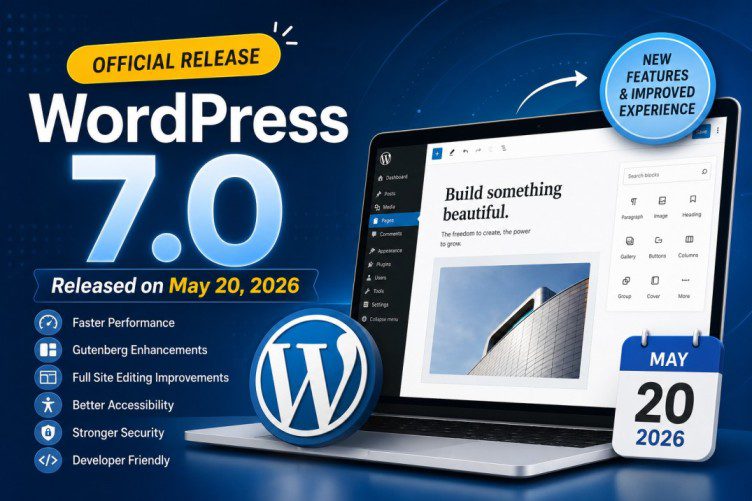
WordPress WordPress 7.0 officially arrives with major improvements in performance, the block editor, design tools, accessibility, developer features, and overall website management.
Major WordPress releases often bring exciting features—but they can also introduce compatibility concerns with themes, plugins, and page builders.
So the big question is:
Should you update to WordPress 7.0 immediately—or wait?
In this detailed guide, we’ll cover everything you need to know about WordPress 7.0, including:
- What’s new in WordPress 7.0
- Performance upgrades
- Gutenberg & editor improvements
- Security enhancements
- Theme and plugin compatibility
- Pros & cons
- Whether you should update now
- A safe update checklist
Let’s dive in.
WordPress 7.0 Official Release Date
After testing through multiple beta and Release Candidate (RC) versions, WordPress 7.0 officially launches on May 20, 2026.
This major release was slightly delayed to allow developers more time for:
✅ Stability improvements
✅ Bug fixes
✅ Plugin compatibility testing
✅ Better editor experience
Major WordPress releases typically focus on improving both the site-building experience and backend performance, and WordPress 7.0 is no exception.
What’s New in WordPress 7.0? 🔥
Here are the biggest improvements expected in WordPress 7.0.
1. Faster Performance Across the Board ⚡
Performance continues to be a major focus.
WordPress 7.0 introduces backend optimizations designed to improve:
- Faster admin dashboard loading
- Better database efficiency
- Reduced server resource usage
- Improved block rendering speed
- Faster WooCommerce page handling
For website owners, this means:
✔ Faster editing experience
✔ Better website responsiveness
✔ Potential SEO benefits from improved speed
This is especially useful for websites with:
- Heavy themes
- WooCommerce stores
- Multiple plugins
- Visual builders
If your website feels slow inside wp-admin, WordPress 7.0 may bring noticeable improvements.
2. Better Gutenberg Block Editor Experience ✍️
The block editor (Gutenberg) receives another major upgrade.
WordPress 7.0 improves the editing experience with:
Smarter Design Controls
Users can expect:
- Better spacing controls
- More responsive editing options
- Improved typography settings
- Easier layout customization
Better Block Management
Managing content blocks becomes easier through:
- Cleaner interface
- Faster block insertion
- Better drag-and-drop responsiveness
Improved Pattern Library
Pre-built design patterns become more flexible for creating:
- Landing pages
- Blog layouts
- Product sections
- Portfolio pages
For beginners, this means less dependence on page builders.
For advanced users, it means faster website design workflows.
3. Improved Full Site Editing (FSE) 🎨
WordPress continues investing heavily in Full Site Editing (FSE).
With WordPress 7.0, users gain more control over:
- Headers
- Footers
- Templates
- Archive pages
- Single post layouts
This makes WordPress feel more like a true visual website builder.
However, if you use themes such as:
- Themify Ultra
- Shoppe
- Elementor-based themes
- Divi themes
You may not notice major benefits because your theme already includes custom builders.
Still, WordPress core improvements can improve compatibility and stability over time.
4. Accessibility Improvements ♿
Accessibility continues to improve in WordPress 7.0.
The update includes enhancements for:
- Keyboard navigation
- Screen reader support
- Better focus states
- Improved admin usability
These updates help website owners create more inclusive websites while improving compliance standards.
Accessibility improvements are also good for:
- SEO
- User experience
- Mobile usability
5. Better Developer Features 👨💻
Developers receive several backend enhancements.
Expected improvements include:
Better API Handling
Improved APIs make plugin development smoother.
Cleaner Theme Development
Theme developers gain more flexibility for customization.
Better Block Extensibility
Plugin creators can integrate Gutenberg features more efficiently.
This means plugin developers—including premium theme companies—can build faster and more stable updates.
6. Improved Media Handling 🖼️
Media management is expected to become smoother.
Potential enhancements include:
- Better image optimization
- Faster media loading
- Improved handling for modern image formats
For photographers, bloggers, and WooCommerce stores, this can improve performance significantly.
WordPress 7.0 and Plugin Compatibility: What You Should Know ⚠️
This is where many website owners need to be careful.
Major WordPress releases sometimes cause conflicts with:
- Themes
- Plugins
- Custom code
- Builders
If you use many plugins, updating immediately may not always be the best idea.
Common Risks After Major Updates
You might experience:
❌ Broken layouts
❌ Builder issues
❌ JavaScript errors
❌ CSS problems
❌ Plugin conflicts
❌ White screen errors
This becomes more important if you use: WooCommerce stores, custom post types, membership plugins, or advanced builders.
For example, users of:
should always wait for compatibility confirmation.
Should You Update to WordPress 7.0 Immediately? 🤔
Update Immediately If:
✅ You run a simple blog
✅ Few plugins installed
✅ Lightweight theme
✅ Staging site available
Wait 1–2 Weeks If:
⚠ WooCommerce store
⚠ Membership site
⚠ Heavy customization
⚠ Builder-heavy websites
⚠ Mission-critical business site
Waiting allows plugin developers to release:
- Compatibility patches
- Bug fixes
- Emergency updates
This small delay can save hours of troubleshooting.
Safe WordPress 7.0 Update Checklist ✅
Before updating:
1. Create a Full Backup
Always backup:
- Database
- Files
- Media uploads
Use backup plugins or hosting snapshots.
2. Update Plugins First
Install:
- Theme updates
- Plugin updates
before updating WordPress core.
3. Test on Staging Site
Never update a live business website first.
Test:
- Homepage
- Checkout page
- Contact forms
- Builder layouts
- Mobile responsiveness
4. Check PHP Version
Ensure hosting supports recommended PHP versions.
Older PHP versions may create compatibility problems.
5. Verify Builder Compatibility
Check your theme/plugin developer announcements.
Pros and Cons of WordPress 7.0
Pros ✅
✔ Better performance
✔ Improved editor experience
✔ More design flexibility
✔ Better accessibility
✔ Enhanced developer tools
✔ Faster backend performance
Cons ❌
✖ Possible plugin conflicts
✖ Builder compatibility delays
✖ Learning curve for Gutenberg users
✖ Some themes may require updates
How WordPress 7.0 Could Impact SEO 📈
Better performance often leads to:
- Faster loading pages
- Better Core Web Vitals
- Improved user experience
Google values speed and usability.
If WordPress 7.0 improves backend efficiency and frontend performance, websites may benefit indirectly in search rankings.
However:
WordPress updates alone won’t magically improve SEO.
Content quality, backlinks, and site optimization still matter most.
Final Verdict: Is WordPress 7.0 Worth Updating?
Yes—WordPress 7.0 looks like an important upgrade, especially for performance and editor improvements.
But the smartest approach depends on your website.
Recommended Approach:
Small websites: Update after basic testing.
sites: Wait 1–2 weeks for compatibility confirmation.
Updating too early without backups can cause unnecessary headaches.
A safer strategy is:
Backup → Test → Verify → Update
That approach almost always saves time.
Conclusion
WordPress 7.0 marks another major step forward for the platform with improvements in
speed, usability, accessibility, and design flexibility.
Whether you update immediately or wait, one thing is clear:
Testing before updating is more important than ever.
For users running builder-heavy sites, WooCommerce stores, or customized themes, patience may be the smartest upgrade strategy.
Stay updated, back up your site, and upgrade safely. 🚀