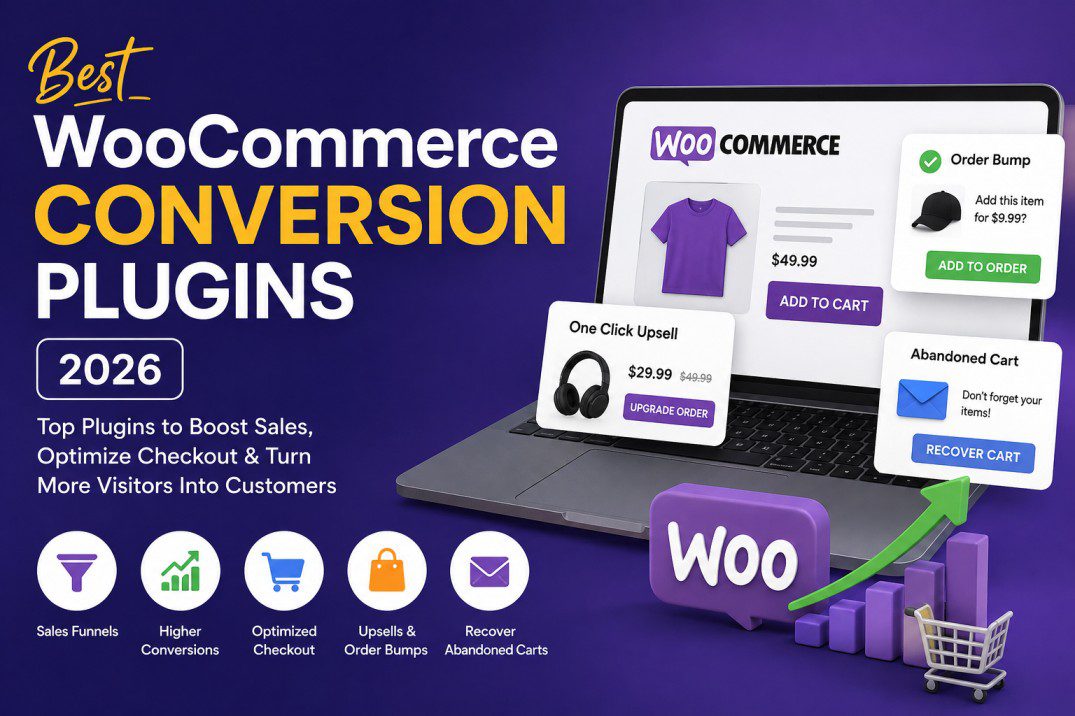
Best WooCommerce Conversion Plugins in 2026: 10 Tools to Turn More Visitors Into Customers
Getting visitors to your WooCommerce store is only half the battle.
The real challenge is convincing those visitors to complete a purchase.
A store can have excellent products, attractive designs, competitive prices, and good traffic—but still generate disappointing sales if the checkout process is complicated, product pages lack persuasive elements, or customers leave without completing their orders.
This is where WooCommerce conversion optimization plugins can make a significant difference.
These plugins help optimize different stages of the customer journey, from the product page and cart to checkout, upsells, abandoned-cart recovery, and post-purchase offers.
In this guide, we’ll look at the best WooCommerce conversion plugins in 2026, what each plugin does, who should use it, and which one is the best choice for different types of WooCommerce stores.
Quick Comparison: Best WooCommerce Conversion Plugins
| Plugin | Best For | Key Conversion Features | Best Choice |
|---|---|---|---|
| CartFlows | Sales funnels and checkout optimization | Checkout, order bumps, upsells, funnels, A/B testing | ⭐ Best overall |
| FunnelKit | Advanced funnels and automation | Checkout, upsells, automation, CRM, A/B testing | ⭐ Best for advanced stores |
| OptinMonster | Lead generation | Popups, exit intent, campaigns, lead capture | Best for converting visitors into leads |
| WooCommerce Cart & Checkout Upsell | Product upsells | Conditional cart and checkout offers | Best native WooCommerce option |
| WooCommerce Cart Upsell | Increasing average order value | Conditional product recommendations | Best for simple upsells |
| Modern Cart | Faster shopping experience | Side cart, upsells, cart optimization | Best for cart optimization |
| Cart Abandonment Recovery | Recovering lost orders | Email, SMS and WhatsApp recovery | Best for abandoned carts |
| WooCommerce Product Recommendations | Personalized recommendations | Related products and recommendations | Best for product discovery |
| WooCommerce Checkout Enhancer | Checkout improvements | Checkout customization and usability | Best for checkout enhancements |
| WPFunnels | Lightweight funnel building | Funnels, order bumps, upsells | Best budget-friendly funnel option |
What Is a WooCommerce Conversion Plugin?
A WooCommerce conversion plugin is a tool designed to improve the percentage of visitors who take a valuable action on your website.
For an ecommerce store, the most important conversion is usually:
Visitor → Product Viewer → Cart → Checkout → Customer
But conversion optimization doesn’t stop at the purchase.
A complete WooCommerce conversion strategy can look like this:
Visitor → Lead → Product Viewer → Cart → Customer → Repeat Customer
Different plugins optimize different stages of this journey.
For example:
- A popup plugin can turn visitors into email subscribers.
- A checkout plugin can reduce checkout friction.
- An upsell plugin can increase average order value.
- An abandoned-cart plugin can recover customers who didn’t complete their purchase.
- A funnel plugin can connect several of these steps together.
This is why there isn’t necessarily one “best” conversion plugin for every WooCommerce store.
However, if you want one plugin that covers the largest portion of the sales funnel, CartFlows and FunnelKit are among the strongest options.
1. CartFlows — Best Overall WooCommerce Conversion Plugin
Best for: WooCommerce stores that want complete sales funnels and optimized checkout experiences.
CartFlows is one of the strongest choices if your primary goal is to turn WooCommerce traffic into completed orders.
Rather than focusing on just one conversion feature, CartFlows allows you to build a complete customer journey.
A typical funnel could look like:
Landing Page → Product → Optimized Checkout → Order Bump → One-Click Upsell → Thank You Page
CartFlows supports checkout customization, order bumps, upsells, downsells, funnels, and other conversion-focused functionality. Current 2026 comparisons also position it as a strong choice for agencies and users who want a relatively straightforward funnel-building workflow.
Key CartFlows features
Optimized checkout
The default WooCommerce checkout can contain fields and elements that aren’t necessary for every store.
CartFlows lets you create a more focused checkout experience.
You can design:
- One-step checkout
- Multi-step checkout
- Custom checkout pages
- Product-specific checkout pages
- Landing-page-to-checkout funnels
The goal is simple:
Remove unnecessary friction between the customer and the payment button.
Order bumps
An order bump is an additional offer displayed during checkout.
For example:
Add a protective case for only $19
The customer can add it without leaving the checkout process.
This is particularly useful when the additional product naturally complements the primary purchase.
One-click upsells
After completing the initial purchase, customers can be presented with another relevant offer.
For example:
Customer purchases a $49 product
Then:
Upgrade to the Premium Package for $79
The customer can accept the offer without having to repeat the entire checkout process, depending on gateway and setup compatibility.
Funnel analytics and testing
Conversion optimization becomes much more powerful when you can test different versions of your funnel.
You can experiment with:
- Headlines
- Product offers
- Checkout layouts
- Order bumps
- Upsells
- Pricing
- Landing pages
Instead of guessing what customers prefer, you can use data to determine which version performs better.
Pros
- Complete WooCommerce funnel solution
- Checkout optimization
- Order bumps
- Upsells
- Funnel templates
- A/B testing on supported plans
- Good option for agencies
- Works with popular WordPress page-building workflows
Cons
- Advanced features require paid plans
- A complete funnel can require more setup than a simple upsell plugin
- Stores using newer WooCommerce Checkout Blocks should test compatibility with their specific setup
Best for
Choose CartFlows if your main goal is:
“I want a complete WooCommerce sales funnel that is relatively easy to build.”
2. FunnelKit — Best for Advanced WooCommerce Funnels and Automation
Best for: Stores that need advanced funnels, checkout optimization, upsells, automation, and customer follow-up.
FunnelKit is arguably the closest major alternative to CartFlows.
Its strength is that it goes beyond simply creating a checkout funnel.
FunnelKit combines:
- Checkout optimization
- Sales funnels
- Order bumps
- One-click upsells
- Post-purchase offers
- Marketing automation
- Customer follow-up
- A/B testing
Its checkout optimization tools include features such as address autocomplete, inline validation, express checkout buttons, auto-applied coupons, preferred countries, and abandoned-user form prefill.
Why FunnelKit is powerful
Imagine a customer visits your store and buys a product.
FunnelKit can help create a journey like:
Product Page
↓
Optimized Checkout
↓
Order Bump
↓
Purchase
↓
One-Click Upsell
↓
Thank You Page
↓
Follow-up Email
↓
Future Offer
This makes FunnelKit particularly attractive for stores that don’t want their conversion strategy to end when the customer clicks “Place Order.”
Pros
- Advanced checkout customization
- Order bumps
- One-click upsells
- Funnel builder
- Marketing automation
- A/B testing
- Customer follow-up capabilities
- Strong integrations with page builders
Cons
- More features can mean a steeper learning curve
- Advanced functionality requires paid plans
- May be more than a small store actually needs
Best for
Choose FunnelKit if your goal is:
“I want WooCommerce funnels plus deeper automation and marketing capabilities.”
3. OptinMonster — Best for Lead Generation and Visitor Conversion
Best for: Stores that want to turn visitors into leads before they leave.
Not every visitor is ready to buy.
Someone might visit your store today, look at several products, and leave.
That doesn’t necessarily mean you’ve lost them forever.
A lead-generation plugin can capture their email address and give you an opportunity to bring them back later.
OptinMonster focuses heavily on:
- Popups
- Exit-intent campaigns
- Email capture
- Targeted campaigns
- Visitor segmentation
- Promotional campaigns
This makes it particularly useful at the top and middle of the conversion funnel.
For example:
“Get 10% off your first order”
The visitor enters their email address and receives the discount.
You have now converted an anonymous visitor into a potential customer.
Best for
Choose OptinMonster if your biggest problem is:
“People visit my store but don’t buy or leave any contact information.”
4. WooCommerce Cart and Checkout Upsell
WooCommerce Cart & Checkout Upsell documentation
Best for: Stores that want straightforward upsells inside WooCommerce.
WooCommerce provides its own extensions for cart and checkout upselling.
The Cart and Checkout Upsell extension allows store owners to display product recommendations at strategic points in the purchasing process.
You can create rules based on things such as:
- Product
- Category
- Quantity
- Cart total
- Subtotal
- Number of items
- Coupon code
For example:
If:
Cart total > $50
show:
“Add this product for $10.”
The extension also allows upsells to appear at different checkout locations, including around the checkout form and order summary.
Best for
Choose this option if you don’t need a complete funnel builder and simply want:
Conditional WooCommerce upsells.
5. WooCommerce Cart Upsell
WooCommerce Cart Upsell documentation
Best for: Increasing average order value with relevant cart recommendations.
This approach focuses specifically on presenting customers with products that complement what they already have in their cart.
For example:
Customer buys:
Laptop
Recommended:
Laptop bag + wireless mouse
Or:
Customer buys:
Camera
Recommended:
Memory card + camera bag
WooCommerce’s upsell and cross-sell system supports recommendations based on products, categories, and cart totals.
The key is relevance.
Showing random products isn’t conversion optimization.
Showing a product that solves an obvious next problem for the customer is much more effective.
6. Modern Cart — Best for Optimizing the Shopping Cart
A traditional WooCommerce cart often forces customers to navigate between multiple pages.
A modern side-cart approach can reduce this friction.
The idea is simple:
Add Product → Side Cart Opens → Review Cart → Continue Shopping or Checkout
Instead of sending the customer away from the product page every time they add an item, the cart can remain accessible.
This can be especially useful for stores selling:
- Accessories
- Clothing
- Electronics
- Beauty products
- Consumables
- Multiple complementary products
CartFlows currently offers Modern Cart as part of its broader WooCommerce conversion ecosystem.
7. Cart Abandonment Recovery
Best for: Recovering customers who started shopping but didn’t finish.
Abandoned carts are one of the biggest opportunities in ecommerce.
Consider this journey:
Customer visits → Adds product → Starts checkout → Leaves
Without recovery, the customer may be gone.
With an abandonment recovery system, you can send a follow-up message.
For example:
Email #1
You left something in your cart.
Email #2
Still interested? Your items are waiting.
Email #3
Here’s a limited-time incentive to complete your order.
CartFlows’ current ecosystem includes cart-abandonment recovery with email, SMS and WhatsApp follow-up capabilities on supported plans.
The important point is that recovery should be helpful rather than aggressive.
8. WooCommerce Product Recommendations
Sometimes the problem isn’t checkout.
The customer simply can’t find the right product.
Product recommendation tools can help customers discover:
- Related products
- Frequently bought together products
- Similar products
- Higher-value alternatives
- Complementary products
WooCommerce itself supports related products, up-sells, and cross-sells. Up-sells generally suggest alternatives to the current product, while cross-sells recommend complementary products in the cart.
Example
Customer views:
Running Shoes — $80
Show:
Premium Running Shoes — $110
That’s an upsell.
Customer adds:
Running Shoes
Show:
Running Socks — $15
That’s a cross-sell.
Understanding this difference is important when building a conversion strategy.
9. WooCommerce Checkout Enhancer
Checkout optimization deserves special attention because this is where the customer is closest to becoming a buyer.
A customer who has reached checkout has already demonstrated purchase intent.
The goal should therefore be:
Don’t give them unnecessary reasons to leave.
Checkout optimization plugins can help improve:
- Checkout layout
- Form usability
- Field organization
- Trust elements
- Payment experience
- Mobile usability
- Checkout distractions
WooCommerce itself now provides a Checkout Block designed around a simplified, conversion-oriented checkout flow.
Before adding another checkout plugin, check whether the features you need are already available through WooCommerce’s current Cart and Checkout Blocks.
10. WPFunnels — A Lightweight Funnel Alternative
Best for: Store owners who want funnel functionality without adopting a large marketing automation platform.
WPFunnels is another option worth considering for WooCommerce stores that want:
- Funnel building
- Checkout optimization
- Order bumps
- Upsells
- Landing pages
- Funnel flows
It can be particularly attractive when you want a dedicated funnel solution but don’t need the broader automation ecosystem of FunnelKit.
CartFlows vs FunnelKit: Which Is Better?
This is probably the most important comparison for WooCommerce store owners.
| Feature | CartFlows | FunnelKit |
|---|---|---|
| WooCommerce funnels | ✅ | ✅ |
| Checkout optimization | ✅ | ✅ |
| Order bumps | ✅ | ✅ |
| One-click upsells | ✅ | ✅ |
| Post-purchase offers | ✅ | ✅ |
| A/B testing | ✅ | ✅ |
| Marketing automation | Limited ecosystem | ✅ Strong |
| CRM capabilities | More limited | Stronger |
| Ease of setup | ⭐⭐⭐⭐⭐ | ⭐⭐⭐⭐ |
| Advanced automation | ⭐⭐⭐⭐ | ⭐⭐⭐⭐⭐ |
| Best for agencies | ⭐⭐⭐⭐⭐ | ⭐⭐⭐⭐ |
| Best for complex marketing | ⭐⭐⭐⭐ | ⭐⭐⭐⭐⭐ |
Current 2026 comparisons describe CartFlows as more checkout-focused and simpler to deploy, while FunnelKit is stronger when built-in automation and CRM functionality are important.
Choose CartFlows if:
- You want to launch funnels quickly.
- Checkout optimization is your priority.
- You manage multiple client websites.
- You want a relatively straightforward interface.
- You need order bumps and upsells.
- You want to test different funnel steps.
Choose FunnelKit if:
- You need advanced automation.
- You want deeper customer follow-up.
- You want CRM-style functionality.
- You want sophisticated funnel rules.
- You are comfortable with a more advanced interface.
What Should You Choose for Your WooCommerce Store?
The best plugin depends on your actual conversion problem.
If your store gets traffic but few purchases
Start with:
CartFlows or FunnelKit
Focus on:
- Product pages
- Checkout
- Trust signals
- Order bumps
- Upsells
- Mobile checkout
If visitors leave without purchasing
Consider:
OptinMonster + Cart Abandonment Recovery
The first captures visitors.
The second attempts to recover customers who already started purchasing.
If customers purchase but spend too little
Focus on:
Upsells + Cross-sells + Order Bumps
For example:
Product: $50
Order bump:
Add accessory: $10
Post-purchase upsell:
Upgrade: $30
The objective isn’t to pressure customers into buying things they don’t need.
The objective is to make relevant products easier to discover.
If your checkout has a high abandonment rate
Focus on checkout optimization.
Look at:
- Number of fields
- Mobile experience
- Payment options
- Page speed
- Unexpected shipping costs
- Coupon-code distractions
- Account creation requirements
- Trust signals
- Error messages
WooCommerce’s current Checkout Block is already designed to provide a simplified checkout experience, so evaluate the native checkout capabilities before adding unnecessary plugins.
The Best WooCommerce Conversion Stack
You don’t necessarily need 10 plugins.
In fact, installing too many conversion plugins can create unnecessary complexity, duplicate functionality, and potential compatibility problems.
A better approach is to build a focused stack.
Small WooCommerce store
WooCommerce + CartFlows
Use it for:
- Checkout
- Order bumps
- Upsells
- Funnel pages
Growing ecommerce store
WooCommerce + CartFlows + Cart Abandonment Recovery
This gives you:
Conversion → Higher AOV → Recovery
Advanced ecommerce business
WooCommerce + FunnelKit + marketing automation
This is better suited to businesses that want:
- Funnels
- Customer segmentation
- Automation
- Upsells
- Checkout optimization
- Follow-up campaigns
10 WooCommerce Conversion Optimization Strategies
Installing a plugin isn’t enough.
The plugin is only the tool.
Your offer and customer experience determine whether that tool actually improves conversions.
1. Simplify checkout
Don’t ask for information you don’t need.
Every unnecessary field adds friction.
2. Make shipping costs clear
Unexpected shipping costs are a common reason customers abandon their carts.
Show shipping information as early as practical.
3. Use relevant order bumps
Don’t recommend random products.
Recommend something that naturally complements the customer’s purchase.
4. Use one-click upsells carefully
An upsell should feel like a logical next step.
For example:
Basic → Premium
is more natural than:
Basic Product → Completely unrelated product
5. Improve mobile checkout
A large portion of ecommerce traffic comes from mobile devices.
Test:
- Product pages
- Add-to-cart buttons
- Cart
- Checkout
- Payment
- Coupon fields
- Forms
on an actual phone.
6. Add trust signals
Depending on your business, consider:
- Customer reviews
- Secure payment messaging
- Money-back guarantees
- Shipping information
- Returns policy
- Warranty information
- Customer support details
Trust is particularly important for first-time buyers.
7. Test your offers
Don’t assume that the first offer is the best offer.
Test:
10% discount vs free shipping
or:
$10 accessory vs 15% accessory discount
Small changes can have meaningful effects.
8. Recover abandoned carts
If someone has already added a product to their cart, you have valuable purchase-intent data.
Use appropriate recovery messages rather than allowing that potential sale to disappear.
9. Increase average order value
Conversion rate isn’t the only metric that matters.
Imagine two stores:
Store A
1,000 visitors
20 purchases
$40 average order
Revenue = $800
Store B
1,000 visitors
20 purchases
$60 average order
Revenue = $1,200
The conversion rate is identical.
But Store B generates 50% more revenue from the same number of purchases.
That’s why upsells, cross-sells, and order bumps matter.
10. Measure before and after
Don’t install a conversion plugin and assume it worked.
Track:
- Conversion rate
- Add-to-cart rate
- Checkout-start rate
- Checkout-completion rate
- Average order value
- Revenue per visitor
- Cart abandonment rate
- Revenue from upsells
- Revenue from order bumps
Only then can you determine whether your optimization actually improved the store.
One Important Warning: Don’t Over-Optimize
More conversion features don’t automatically mean more conversions.
A store can become worse if it contains:
- Too many popups
- Too many upsells
- Aggressive countdown timers
- Multiple coupon messages
- Distracting animations
- Too many checkout fields
- Excessive promotional banners
- Unrelated product recommendations
The goal isn’t to show customers more things.
The goal is to make the right action easier.
A good conversion funnel should feel natural.
Final Verdict: What Is the Best WooCommerce Conversion Plugin?
If you want a single recommendation for most WooCommerce stores in 2026, CartFlows is the strongest overall choice for building conversion-focused WooCommerce funnels.
It combines checkout optimization, funnels, order bumps, upsells, and other revenue-focused features in one WooCommerce-oriented workflow. Current 2026 comparisons also highlight its relatively simple setup and suitability for agencies managing multiple client sites.
However, FunnelKit may be the better choice for advanced stores that need deeper automation and CRM functionality.
The decision can therefore be simplified:
🏆 Best overall
CartFlows
🚀 Best for advanced automation
FunnelKit
📧 Best for lead generation
OptinMonster
💰 Best for upsells
WooCommerce Cart & Checkout Upsell
🛒 Best for cart optimization
Modern Cart
🔄 Best for abandoned carts
Cart Abandonment Recovery
📈 Best strategy
Don’t ask:
“Which plugin has the most features?”
Ask:
“Where are my customers dropping out of the buying journey?”
If visitors aren’t adding products, improve your product pages and offers.
If customers add products but don’t checkout, optimize your cart and checkout.
If customers checkout but spend too little, introduce relevant upsells and cross-sells.
If customers start checkout but leave, implement abandoned-cart recovery.
That’s the foundation of an effective WooCommerce conversion strategy in 2026.