WooCommerce 11.0: What’s New, Key Features, Performance Improvements and What Store Owners Need to Know
WooCommerce 11.0: What’s New, Key Features, Performance Improvements and What Store Owners Need to Know
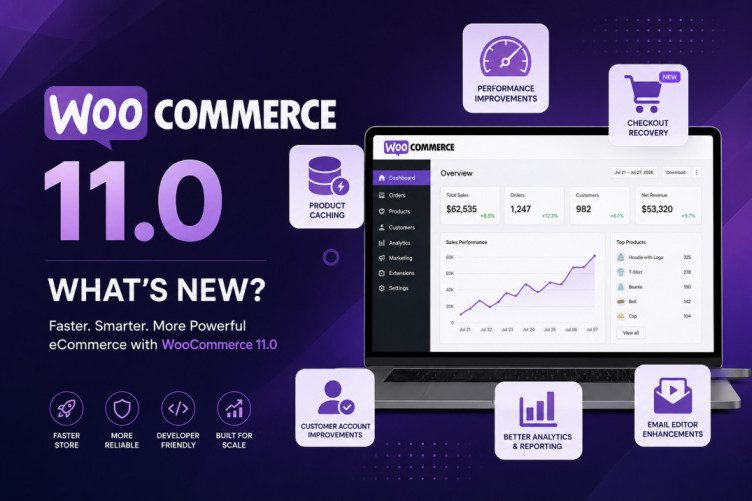
WooCommerce 11.0 is one of the more technically important WooCommerce updates of 2026.
Unlike releases that focus heavily on adding new storefront features, WooCommerce 11.0 is largely about making WooCommerce faster, more scalable, easier to manage, and more reliable for larger stores.
The release focuses on several areas that directly affect real-world WooCommerce stores:
- Faster product pages and administration
- Better performance for large catalogs
- Product object caching
- Improvements to High-Performance Order Storage (HPOS)
- Better Store API performance
- Improvements to analytics and reporting
- More flexible customer account functionality
- Email verification improvements
- Checkout Recovery
- Improvements to the block-based email editor
- Important changes for WooCommerce developers
- Retirement of the experimental Product Editor
- Changes to stock reservation and failed orders
- New phone validation and formatting hooks
For smaller stores, some of these changes may work quietly in the background. For large WooCommerce stores, agencies and developers, however, WooCommerce 11.0 contains several changes worth paying close attention to.
WooCommerce 11.0 at a glance
| Area | What’s changing |
|---|---|
| Performance | More optimization for large stores |
| Product pages | Product object caching improves loading |
| Variable products | WooCommerce reports roughly 9–12% faster loading in its testing |
| Product bundles | Roughly 6–12% faster checkout processing in testing |
| HPOS | Improved queries for large order screens |
| Store API | Better request limiting and de-duplication |
| POS | Large catalog processing is moved to chunks |
| Analytics | Better handling of failed historical imports |
| Sales reports | Refund data added to v3 reporting |
| Customer accounts | Email verification and guest-order connection improvements |
| Checkout | Native Checkout Recovery beta continues |
| Email editor | Video embeds from Vimeo, TikTok and Dailymotion |
| Product Editor | Experimental Product Editor beta is removed |
| Developer APIs | New phone validation and formatting hooks |
| Stock | Failed orders can restore reduced stock |
| Action Scheduler | Updated to version 4.0 |
WooCommerce says 28 pull requests in the 11.0 cycle were tagged around performance, caching or scalability, making performance one of the clearest themes of the release.
1. WooCommerce 11.0 is primarily a performance release
The biggest story in WooCommerce 11.0 isn’t a flashy new block or a redesigned product page.
It’s performance.
WooCommerce has increasingly been focusing on the problems that appear when stores grow:
- Thousands of products
- Large numbers of orders
- Variable products
- Product bundles
- Large customer databases
- High-volume APIs
- Large POS catalogs
- Complex integrations
These stores can experience a very different WooCommerce experience compared with a small store containing 50 products and a few hundred orders.
WooCommerce 11.0 therefore continues the platform’s broader effort to reduce database queries, improve caching and make large stores more scalable.
This follows several previous releases that have also focused heavily on database and checkout performance. WooCommerce 10.7, for example, introduced substantial query reductions in HPOS and other areas.
Why does this matter?
Imagine a WooCommerce store with:
20,000 products
500,000 orders
100,000 customers
A small inefficiency multiplied hundreds of thousands of times can become a major server-performance problem.
WooCommerce 11.0 attempts to address some of these problems at the core rather than requiring every store owner to solve them through additional plugins or custom code.
2. Product object caching is one of the biggest changes
One of the most interesting changes in WooCommerce 11.0 is product object caching.
WooCommerce is enabling product object caching by default for new stores.
The goal is relatively simple:
Instead of repeatedly loading the same product information from the database, WooCommerce can reuse cached product objects.
This can reduce repeated database work.
According to WooCommerce’s developer information, variable products can load approximately 9–12% faster on product pages, while bundle products can process approximately 6–12% faster during checkout, based on WooCommerce’s testing.
These numbers should not be interpreted as a guaranteed speed improvement for every website.
Actual performance depends on:
- Hosting
- PHP version
- Object caching
- Database configuration
- Theme
- Plugins
- Number of products
- Product complexity
- Number of variations
- Traffic
- CDN configuration
But the direction is important.
WooCommerce is increasingly treating caching as a fundamental part of the ecommerce platform.
What happens to existing stores?
This is an important distinction.
WooCommerce 11.0 enables product object caching by default for new stores.
Existing stores aren’t automatically switched over in the same way. WooCommerce plans to expand the rollout in a future release.
That gives developers and agencies time to test the behavior.
Should you enable it immediately?
If you’re managing a large production store, don’t blindly activate a major caching change.
Instead:
- Clone the production site.
- Test WooCommerce 11.0.
- Enable the caching feature.
- Test product pages.
- Test variable products.
- Test bundles.
- Test cart and checkout.
- Test inventory updates.
- Test product imports.
- Check third-party integrations.
Caching bugs can sometimes be difficult to diagnose because the underlying database data may be correct while the customer is temporarily receiving stale information.
3. Better HPOS performance for large stores
High-Performance Order Storage, commonly called HPOS, continues to be an important part of WooCommerce’s architecture.
WooCommerce 11.0 improves performance around the Orders screen.
The release includes query optimizations for situations such as:
- Multiple order-status filtering
- Empty-search counts
- Large order datasets
This matters because the WooCommerce Orders screen can become increasingly expensive as the number of orders grows.
For example, a store processing:
100 orders/month
may never notice an inefficient query.
A store processing:
100,000 orders/month
will notice.
This is why HPOS and query optimization have become such important parts of WooCommerce’s development strategy.
Previous WooCommerce releases have already demonstrated how significant these optimizations can be. WooCommerce reported that earlier HPOS-related work reduced a particular REST API order serialization scenario from hundreds of database queries to substantially fewer queries.
WooCommerce 11.0 continues that direction.
4. Store API gets better request handling
The Store API is an important part of modern WooCommerce, particularly for block-based shopping experiences.
WooCommerce 11.0 improves the handling of product collection-data count requests.
The Store API now:
- Limits certain requests
- De-duplicates requests
- Provides an extension filter for sites that need to adjust the new HTTP 400 limit
This may sound like a technical change, but it can have a practical impact.
Modern WooCommerce storefronts can make many API requests.
For example:
A shopper filters products by:
Category → Brand → Price → Size → Color
A poorly optimized implementation can create unnecessary requests.
Reducing duplicate requests means less work for:
- PHP
- MySQL
- Hosting infrastructure
- APIs
- Browser resources
This becomes increasingly important as WooCommerce moves toward more interactive, JavaScript-driven storefront experiences.
5. WooCommerce POS gets better for large catalogs
WooCommerce 11.0 also improves catalog generation for POS environments.
Instead of trying to process a huge catalog as one large operation, POS catalog generation moves toward chunked processing.
Administrators and integrations can work with controls around:
- Chunk size
- Timeouts
This is particularly useful for businesses with large product catalogs.
Consider a retailer with:
30,000 products
Generating or synchronizing the entire catalog in a single operation can potentially cause:
- Timeouts
- Memory issues
- Slow background processes
- Failed synchronization
- Server resource spikes
Chunking divides the workload into smaller pieces.
Instead of:
Process everything at once.
The system can effectively work through:
Process a manageable batch → continue → process the next batch → continue.
This is a common scalability strategy and should make large catalog operations more resilient.
6. Analytics gets more reliable
WooCommerce 11.0 also improves reporting and analytics.
One important improvement concerns historical Analytics imports.
Previously, a failed import could be difficult to diagnose and recover from.
WooCommerce 11.0 improves this by exposing failed jobs and providing a retry path.
The administration interface can surface failed imports, while integrations can use API endpoints to inspect import status and retry failed imports.
This matters for stores with large historical datasets.
Imagine importing several years of order data.
If one portion of the import fails, having a retry mechanism is much better than having to restart the entire process.
7. Sales reports now include refund information
Another useful analytics improvement is the addition of a refunds value to each date bucket in the v3 sales report.
This is important because refunds affect the actual net performance of a store.
Consider a store that reports:
₹10 lakh gross sales
But during the same period:
₹1.5 lakh was refunded
Looking only at gross sales gives an incomplete picture.
Refund information makes period-level calculations more useful.
WooCommerce says the change applies to the v3 sales report, while existing v1 and v2 consumers remain unchanged.
This should be especially useful for:
- Reporting dashboards
- BI integrations
- Finance systems
- Custom analytics
- Agency reporting
- Automated sales reports
8. Analytics events now require a stable visitor ID
WooCommerce is also addressing another analytics problem: inaccurate session measurement.
Analytics events now require a stable visitor ID.
Why?
Because transient visitors, automated requests and bots can otherwise create misleading session information.
Imagine a website receiving thousands of automated requests.
If those requests aren’t correctly identified, analytics systems may interpret them as genuine visitors.
That can inflate:
- Sessions
- Traffic
- Engagement metrics
Stable visitor identification helps WooCommerce produce more meaningful analytics data.
9. Customer account improvements
WooCommerce 11.0 also improves the connection between customer accounts and guest purchases.
One interesting addition is an email-verification workflow that allows logged-in customers to verify ownership of an email address and connect previous guest orders to their account.
This addresses a common ecommerce situation.
Example
A customer purchases something as a guest.
Later, they create an account using the same email address.
Historically, the relationship between those guest orders and the newly created account could require additional handling.
The new verification flow helps WooCommerce establish that the customer actually owns the email address before connecting historical guest orders to the account.
This could make the customer account experience more useful.
10. Checkout Recovery comes to WooCommerce
This may be one of the most interesting merchant-facing developments in WooCommerce 11.0.
WooCommerce is continuing development of Checkout Recovery as a beta feature.
The idea is straightforward:
A customer starts checkout but doesn’t complete the purchase.
Instead of losing that customer completely, the store can send a recovery email.
This is commonly called:
Abandoned cart recovery
or
Abandoned checkout recovery
WooCommerce’s implementation allows merchants to manually send recovery emails from eligible orders.
Developers can also customize which order statuses qualify using:
woocommerce_checkout_recovery_eligible_statuses
The feature also includes:
- One-click unsubscribe
- Unsubscribe URL personalization
- Privacy handling
- Manual recovery emails
- Automated email-trigger paths
The feature remains beta, so store owners should test it carefully before depending on it for mission-critical revenue workflows.
11. Why native Checkout Recovery is important
WooCommerce stores have historically relied heavily on third-party plugins for abandoned-cart recovery.
That creates another layer of:
- Plugin dependencies
- Compatibility problems
- Database tables
- Cron jobs
- Email integrations
- Subscription costs
A native WooCommerce recovery system could eventually reduce that complexity.
For example:
A customer adds:
₹4,999 shoes
They enter their address.
They reach payment.
Then they leave.
A recovery system could send an email reminding them about their incomplete purchase.
If WooCommerce eventually makes this feature production-ready and comprehensive, it could become a significant part of the WooCommerce ecosystem.
However, merchants shouldn’t confuse beta functionality with a finished replacement for established recovery platforms.
12. WooCommerce email editor gets more powerful
WooCommerce continues developing its block-based email editor.
WooCommerce 11.0 adds support for embeds from:
- Vimeo
- TikTok
- Dailymotion
Rather than simply displaying a text URL, videos can appear as clickable thumbnails with play buttons.
This opens interesting possibilities for ecommerce emails.
For example, a brand could potentially include:
Product demonstration
“See how our new coffee machine works.”
Tutorial
“Watch how to install your new product.”
Social proof
“See our latest TikTok product video.”
Brand content
“Watch our latest product story.”
Email is becoming increasingly visual, and WooCommerce is moving its email tooling in that direction.
13. The experimental Product Editor is being removed
This is one of the biggest changes developers need to understand.
WooCommerce 11.0 retires the experimental Product Editor beta.
The removal includes:
@woocommerce/product-editor- Related feature flags
- Product Editor routes
- Related extension points
- Experimental editor APIs
This does not mean WooCommerce is removing products or product management.
It means the experimental Product Editor interface is being removed.
WooCommerce’s guidance is that affected stores should return to the classic product editor. Extension developers should audit their code for dependencies on the experimental Product Editor.
Who needs to care?
If you run a normal WooCommerce store and never enabled the experimental Product Editor:
Probably very little.
If you’re an agency or plugin developer that built integrations around it:
Pay close attention.
Search your codebase for references to:
@woocommerce/product-editor
and related feature flags, routes, blocks, slots and fills.
14. Failed orders now restore reduced stock
WooCommerce 11.0 introduces an important change to inventory behavior.
When an order moves to a failed status, WooCommerce can restore stock that had previously been reduced.
This is important because inventory can otherwise remain artificially reduced after an unsuccessful transaction.
Example
Imagine you have:
10 units in stock
A customer places an order for:
2 units
Stock becomes:
8
If the payment fails and the order becomes failed, WooCommerce 11.0 changes the stock behavior so that the reduced stock can be restored.
That means inventory returns to:
10
WooCommerce specifically published a developer advisory about this behavior, so developers with custom inventory workflows should review their integrations.
15. New phone validation and formatting hooks
WooCommerce 11.0 also introduces improvements for handling telephone numbers.
Two new hooks are particularly relevant:
woocommerce_validate_phone
and
woocommerce_format_phone_number
These allow developers to separate:
Validation
from
Presentation/formatting
This is useful for international stores.
Different countries have different telephone-number conventions.
A custom WooCommerce integration may need to accept:
- Local numbers
- Country-specific formats
- Non-English numerals
- International numbers
WooCommerce also introduces:
WC_Validation::is_phone_format()
for country-agnostic phone-number shape checking.
For developers building international WooCommerce stores, this is a welcome improvement.
16. Reserve Stock now has a 60-minute default
Another developer-facing change concerns stock reservations.
The default duration for:
ReserveStock::reserve_stock_for_order()
is now 60 minutes when a duration isn’t explicitly supplied.
Developers who require a different reservation period can pass their own duration.
This could matter for businesses selling:
- Limited-edition products
- Event tickets
- Flash-sale products
- High-demand inventory
- Products with very limited stock
For example, a flash-sale store may want a shorter reservation period than a traditional ecommerce store.
Therefore, custom integrations should not blindly assume the old default behavior.
17. Shipping-class taxonomy becomes private
WooCommerce 11.0 also changes the visibility of the product shipping class taxonomy.
The product_shipping_class taxonomy becomes private.
The change is intended to better align the taxonomy with WooCommerce’s internal shipping rules.
For normal merchants, this should largely be invisible.
But custom plugins that directly query or manipulate the taxonomy should be tested.
This is another example of why major WooCommerce updates need to be tested against custom code.
18. Shop page queried-object behavior changes
WooCommerce 11.0 changes what developers receive from:
get_queried_object()
when running on the Shop page.
The Shop page will now return the Shop page’s WP_Post object rather than the product WP_Post_Type object.
This brings the behavior more in line with how other WordPress pages work.
Why does this matter?
A plugin might contain code such as:
$object = get_queried_object();
and then assume the returned object is a product post type.
After the change, that assumption could break.
Therefore, developers should test:
- Shop pages
- Product archives
- Custom WooCommerce templates
- SEO plugins
- Breadcrumb plugins
- Custom filtering systems
- Theme functions
19. Action Scheduler 4.0
WooCommerce 11.0 also ships with Action Scheduler 4.0.
Action Scheduler is important because WooCommerce uses scheduled actions for background tasks.
These can include things such as:
- Scheduled emails
- Subscription-related tasks
- Background processing
- Webhooks
- Cleanup
- Automated WooCommerce operations
The new version includes changes such as:
- Failed actions being purged after three months
- Improved uniqueness checks
- Daily cleanup jobs
This can be particularly relevant to high-volume WooCommerce installations with large numbers of scheduled actions.
20. What WooCommerce 11.0 means for small stores
If you’re running a relatively simple WooCommerce store with:
- 100–500 products
- Standard WooCommerce checkout
- A standard theme
- A few trusted plugins
- No custom WooCommerce development
you may not notice dramatic visual changes.
And that’s okay.
Many of WooCommerce 11.0’s improvements happen underneath the interface.
You may experience:
- Faster product pages
- Better administration performance
- More reliable analytics
- Better account management
- Improved checkout recovery
- Fewer unnecessary database operations
The biggest improvements are likely to become more noticeable as a store grows.
21. What WooCommerce 11.0 means for large stores
Large stores have much more to gain.
Consider a WooCommerce store with:
50,000 products
and:
1 million orders
Performance improvements that save only a few database queries per request can have enormous cumulative effects.
WooCommerce 11.0 focuses specifically on areas that become bottlenecks at scale.
These include:
- HPOS
- Store API
- Product loading
- Product caching
- POS catalog generation
- Analytics imports
- Order administration
This makes WooCommerce 11.0 particularly relevant to enterprise and high-volume WooCommerce stores.
22. What developers should check before upgrading
If you’re a WooCommerce developer, agency or site owner with custom code, don’t treat WooCommerce 11.0 like a routine plugin update.
Create a staging environment first.
Then test the following.
1. Product editing
Check whether custom code depends on the experimental Product Editor.
2. Shop page
Test code using:
get_queried_object()
3. Shipping
Check anything directly interacting with:
product_shipping_class
4. Inventory
Test:
- Failed orders
- Cancelled orders
- Payment failures
- Stock restoration
5. Reservations
Review integrations using:
ReserveStock::reserve_stock_for_order()
6. Phone fields
Test custom checkout validation and formatting.
7. Product images
Check customizations around the Product Image block.
8. JavaScript builds
Developers using WooCommerce’s tooling should review ESLint configuration changes.
9. Analytics
Check custom integrations using the WooCommerce Analytics API.
10. Checkout
Test all payment gateways and checkout customizations.
23. WooCommerce 11.0 and page builders
This is particularly important for WordPress users.
If you’re using:
- Elementor
- Divi
- Beaver Builder
- Bricks
- Oxygen
- Gutenberg
- WooCommerce Blocks
- Custom WooCommerce templates
you should test the store before updating production.
The good news is that WooCommerce 11.0 isn’t primarily a visual overhaul.
The risk is therefore less about:
“Will my website design suddenly change?”
and more about:
“Will my custom integration still behave correctly?”
That distinction is important.
24. Should you update to WooCommerce 11.0?
For most stores, yes—but don’t update production blindly.
A major WooCommerce release should always be treated as a compatibility event.
Before updating:
Step 1 — Backup
Create a complete:
- Database backup
- Files backup
- Media backup
Step 2 — Use staging
Clone your website to staging.
Step 3 — Update plugins
Make sure your payment gateways, shipping plugins and other WooCommerce extensions have versions compatible with WooCommerce 11.0.
Step 4 — Test checkout
Run a complete test purchase.
Test:
- Credit/debit card
- UPI
- COD
- Coupons
- Shipping
- Taxes
- Emails
- Refunds
depending on what your store supports.
Step 5 — Test inventory
Create test orders and simulate:
- Successful payment
- Failed payment
- Cancellation
- Refund
Step 6 — Test product variations
If your store has variable products, pay particular attention to:
- Variation selection
- Price changes
- Stock
- Images
- Add to cart
Step 7 — Test analytics
Check whether:
- Orders are being imported
- Sales figures are correct
- Refunds appear correctly
- Historical data is intact
Step 8 — Monitor after updating
After deploying WooCommerce 11.0, monitor:
- PHP errors
- JavaScript errors
- Checkout failures
- Payment failures
- Server CPU
- Database load
- Slow queries
- Failed scheduled actions
25. What WooCommerce 11.0 tells us about the future
Perhaps the most interesting thing about WooCommerce 11.0 isn’t any individual feature.
It’s the direction.
WooCommerce is increasingly focusing on infrastructure and scalability.
Previous releases have already been improving:
- Checkout performance
- Database queries
- HPOS
- Analytics
- Store API
- Blocks
- Admin performance
WooCommerce 11.0 continues that trend.
At the same time, WooCommerce is gradually reducing experimental features that haven’t become part of the core product direction.
The retirement of the experimental Product Editor is a good example.
Instead of endlessly maintaining experimental interfaces, WooCommerce is consolidating the platform around technologies and workflows it can support long-term.
26. WooCommerce 11.0 vs previous WooCommerce releases
The evolution is interesting.
WooCommerce 10.5
Focused heavily on scalable analytics and high-volume order processing.
WooCommerce 10.6
Focused on blocks, product collections, checkout improvements and dashboard performance.
WooCommerce 10.7
Delivered significant performance and API improvements, including major query reductions.
WooCommerce 10.8
Added improvements including custom shipping providers, customer account navigation and further performance work.
WooCommerce 10.9
Focused on checkout performance, administration UI improvements and transactional email logging.
WooCommerce 11.0
Continues the same broader strategy:
Performance + scalability + reliability + modern APIs + better merchant workflows.
27. Is WooCommerce 11.0 a revolutionary update?
No.
And that’s actually a good thing.
WooCommerce 11.0 isn’t trying to completely reinvent ecommerce.
Instead, it’s improving the foundations.
For a mature platform powering millions of stores, that can be more valuable than adding another flashy feature.
A new visual feature may attract attention for a few weeks.
A database optimization can improve a store’s performance every day for years.
That’s why the less-visible changes in WooCommerce 11.0 may ultimately be more important than the features that appear in screenshots.
What’s really new in WooCommerce 11.0?
WooCommerce 11.0 is best described as a performance and scalability-focused release with several important developer and merchant improvements.
The most important changes are:
🚀 Performance
WooCommerce is investing heavily in performance, with 28 PRs tagged around performance, caching or scalability.
⚡ Product caching
Product object caching becomes the default for new stores, with WooCommerce reporting roughly 9–12% faster variable-product page loads and 6–12% faster bundle processing during checkout in its testing.
📊 Better analytics
Failed historical imports can be identified and retried, while the v3 sales report gains refund data.
👤 Better customer accounts
Email verification helps connect verified customers with previous guest orders.
🛒 Checkout Recovery
WooCommerce continues developing native abandoned-checkout recovery as a beta feature.
📧 Better email editor
The block email editor gains Vimeo, TikTok and Dailymotion embeds.
🧑💻 Developer changes
The experimental Product Editor is removed, stock behavior changes for failed orders, phone validation hooks are added, and several compatibility changes affect custom integrations.
🏪 Large stores benefit the most
The biggest gains are likely to be seen by stores with large catalogs, high order volumes and complex WooCommerce installations.
Overall, WooCommerce 11.0 isn’t about adding dozens of flashy features. It’s about making WooCommerce a stronger ecommerce platform underneath the surface.
For small stores, that means better foundations.
For large stores, it could mean better scalability.
For developers, it means another major version where compatibility testing is essential.
And for the WooCommerce ecosystem as a whole, the direction is clear: faster, more scalable, more API-driven and increasingly focused on making WooCommerce capable of handling serious ecommerce workloads.
Sources
The information in this article is based primarily on the official WooCommerce Developer Blog and WooCommerce release documentation, including the WooCommerce 11.0 developer preview and related advisories.
For the latest release information, see the WooCommerce Developer Blog and the WooCommerce releases page.